🛡️ Splunk Enterprise — Windows Homelab
Centralised logging + detection engineering for the Cybersecurity Homelab.
1. Lab Topology
| Host | Role | OS |
|---|---|---|
| WIN-SPLUNK | Splunk Enterprise 9.x | Windows Server 2022 |
| WIN-DC01 | AD DS / DNS / DHCP | Windows Server 2022 |
| WIN-WS01 | Workstation + Sysmon | Windows 10 Pro |
| pfSense | Perimeter firewall | pfSense CE 2.7 |
2. Apps / Add-ons Installed
| App | Purpose |
|---|---|
| Splunk App for Windows Infrastructure | Dashboards for AD, DNS, DHCP, etc. |
| Splunk Security Essentials (SSE) | 120+ ATT&CK-mapped detections |
| Splunk CIM Add-on | Data-model normalisation |
| Splunk App for Sysmon | Visualises Sysmon Event ID 1–24 |
3. Data onboarding
3.1 Universal Forwarder (UF) installer example
msiexec /i splunkforwarder-9.x.x-x64-release.msi AGREETOLICENSE=Yes ^
  RECEIVING_INDEXER="WIN-SPLUNK:9997" WINEVENTLOG_SEC_ENABLE=1 ^
  WINEVENTLOG_SYS_ENABLE=1
3.2 Event Log Collection Config
Enabled logs:
- Application
- Security
- Setup
- System
4. Verification & Search
4.1 Successful ingestion check
index=* | stats count by sourcetype
# Confirmed: XmlWinEventLog source type with 659+ events.
4.2 Error checks
index=* sourcetype="XmlWinEventLog:Application" Type="Error"
# Result: 0 application-level errors found.
Dashboard example (Windows VM Security) shows:
- Failed login attempts
- Successful logins
- Most active users
- Recent application errors
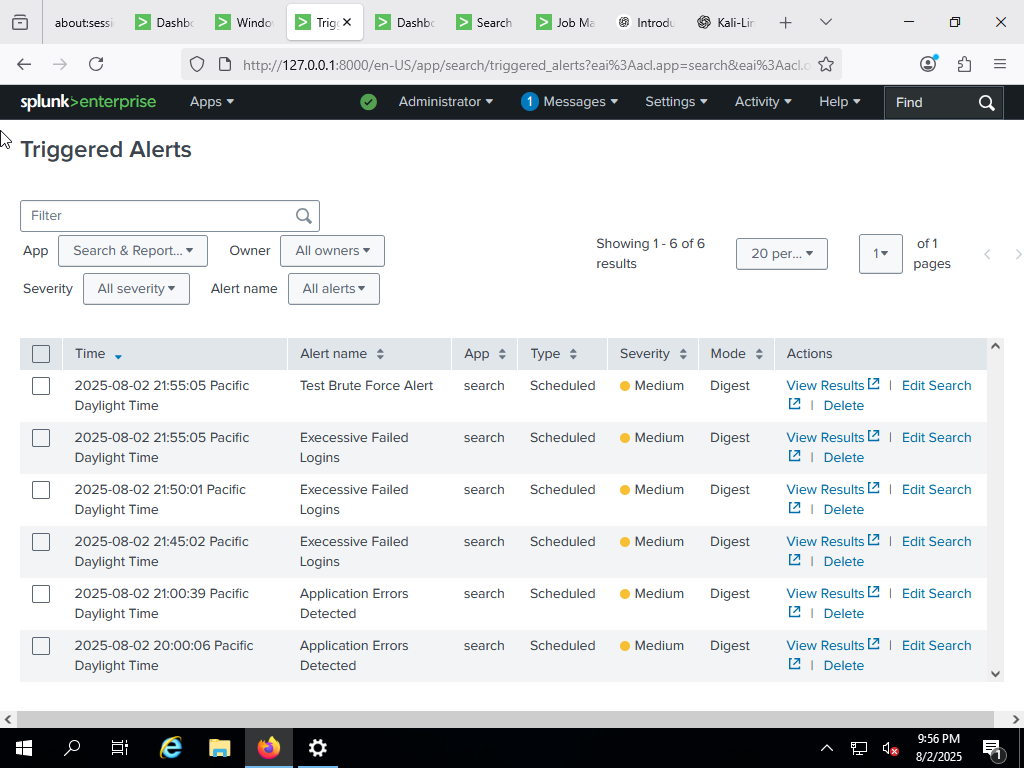
🔐 Brute-Force Detection Simulation (Kali → Windows → Splunk)
Goal: Simulate failed logins from Kali to a Windows 10 host and verify logging, forwarding and detection in Splunk.
Test steps (summary)
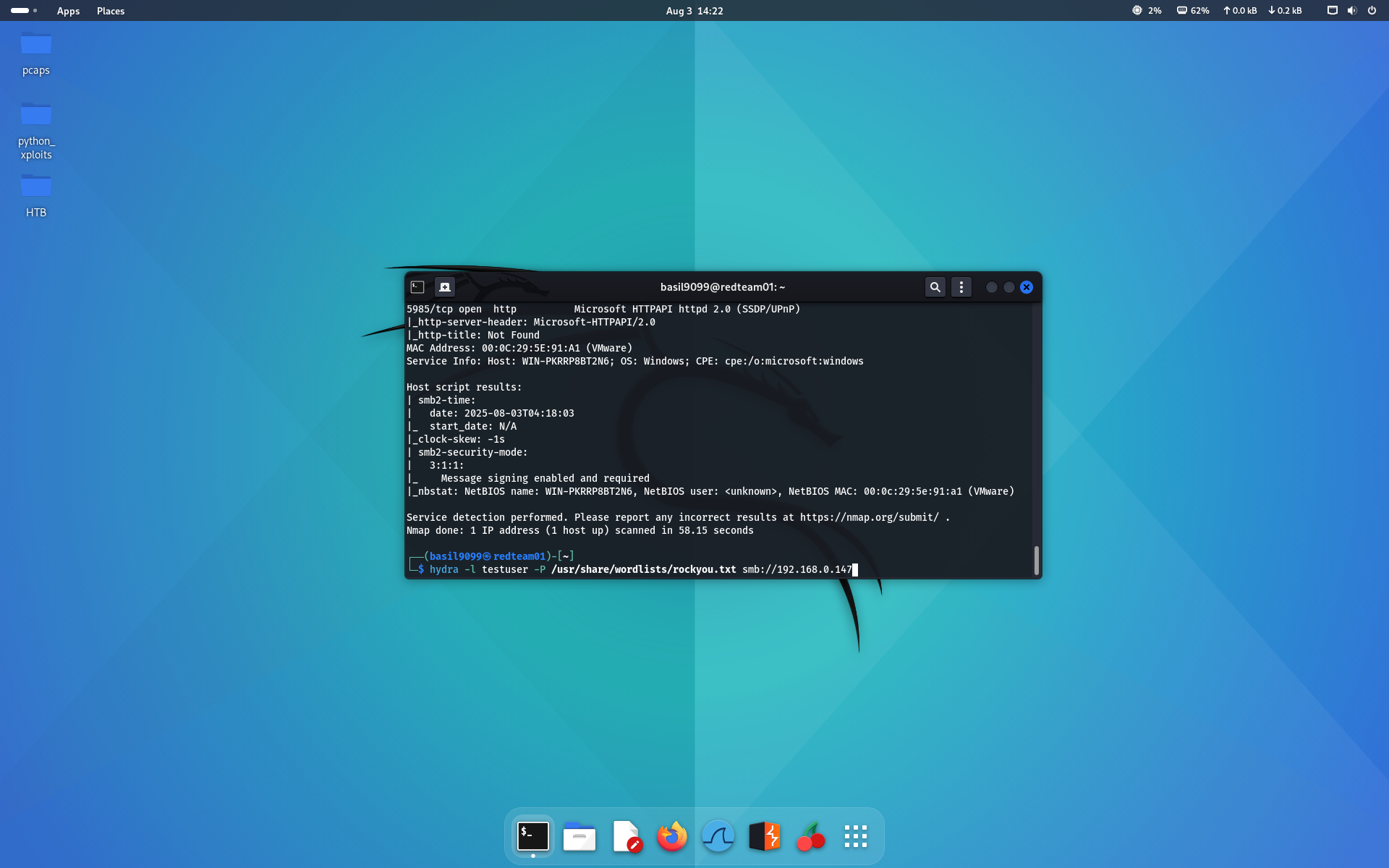
- Nmap scan to identify SMB/RDP:
nmap -sV -sC -oN scan-target 192.168.0.147
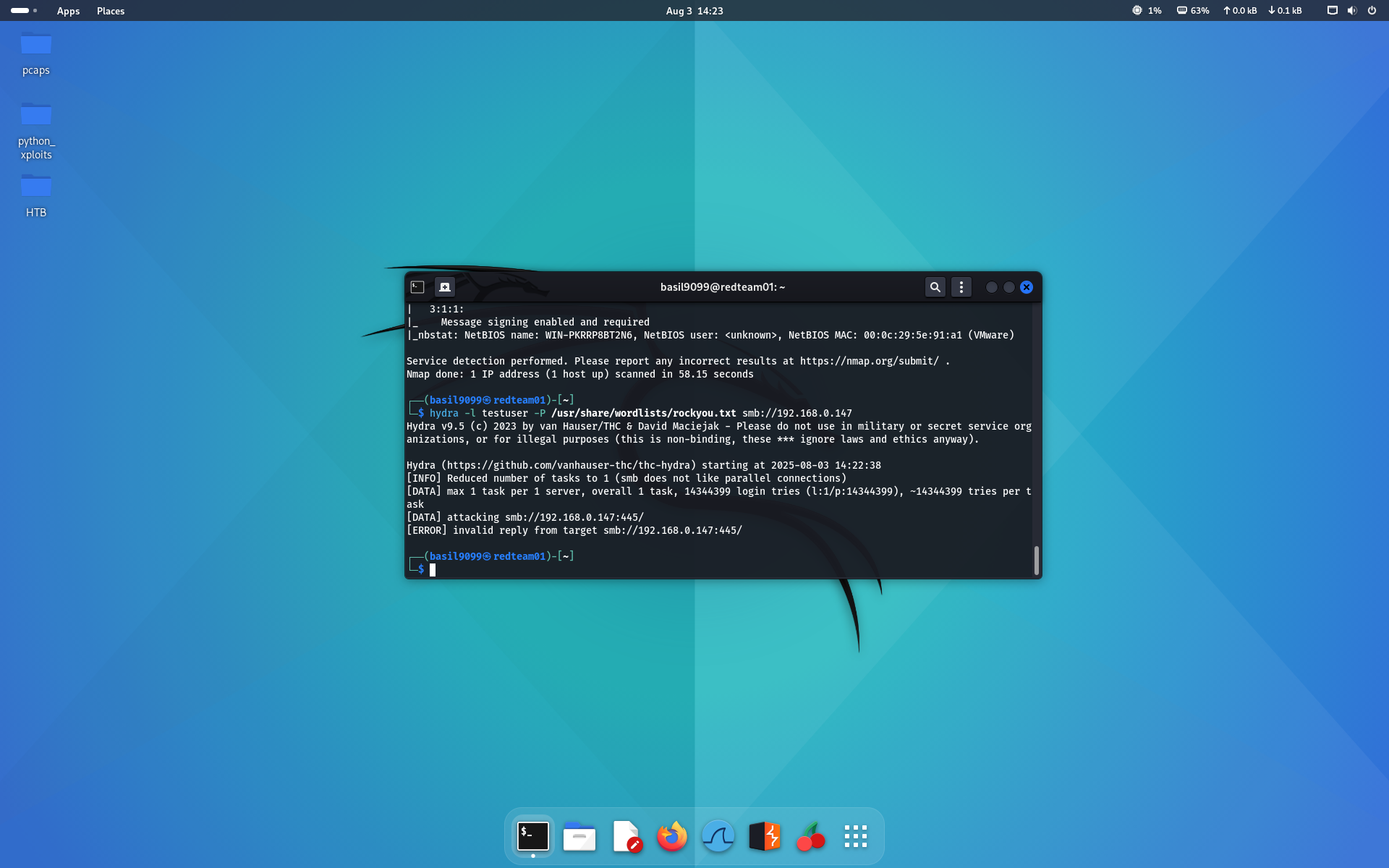
- Hydra SMB brute-force:
hydra -l testuser -P /usr/share/wordlists/rockyou.txt smb://192.168.0.147
# Expect NT_STATUS_LOGON_FAILURE events
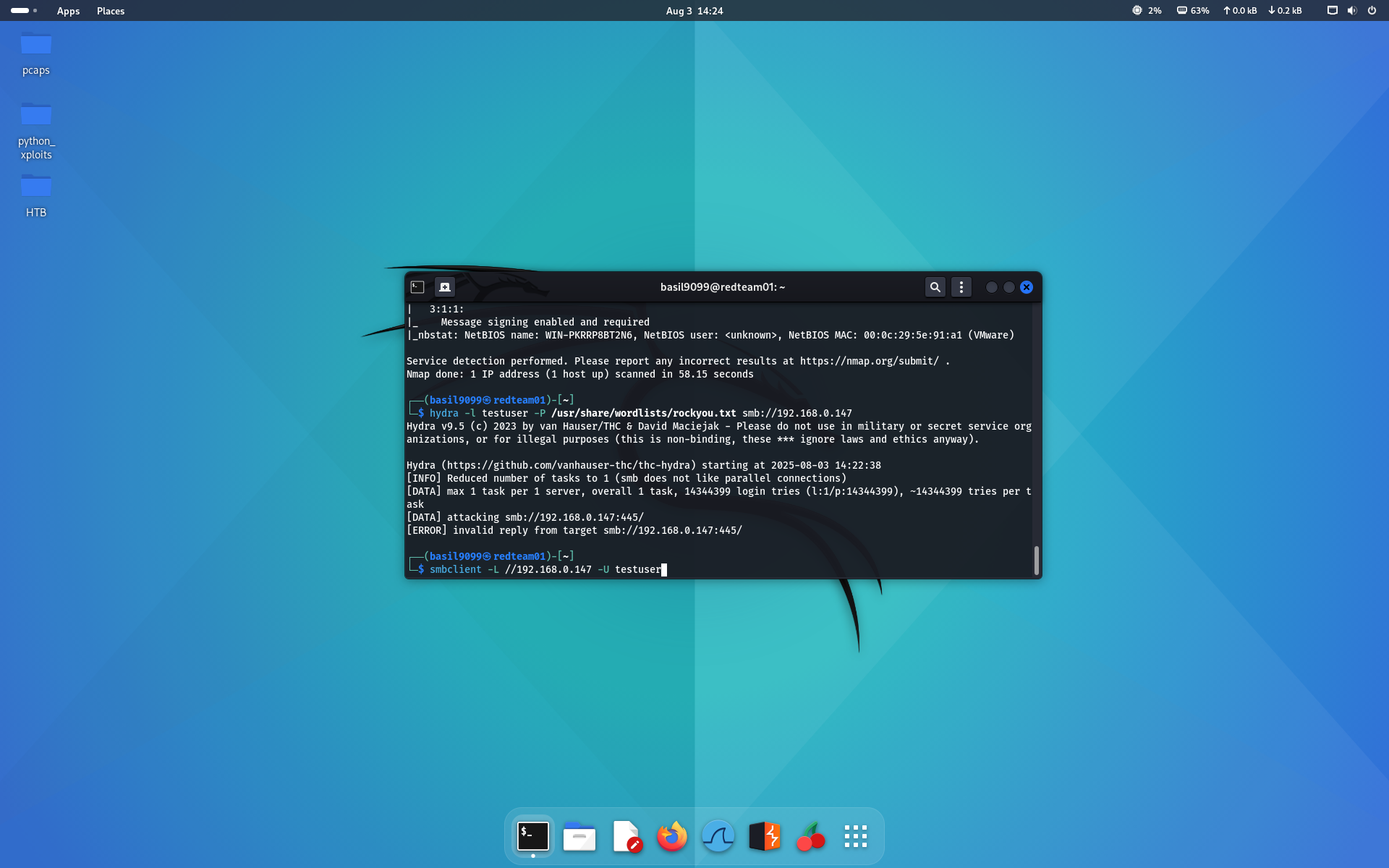
- Manual smbclient verification:
smbclient -L //192.168.0.147 -U testuser
# returns NT_STATUS_LOGON_FAILURE
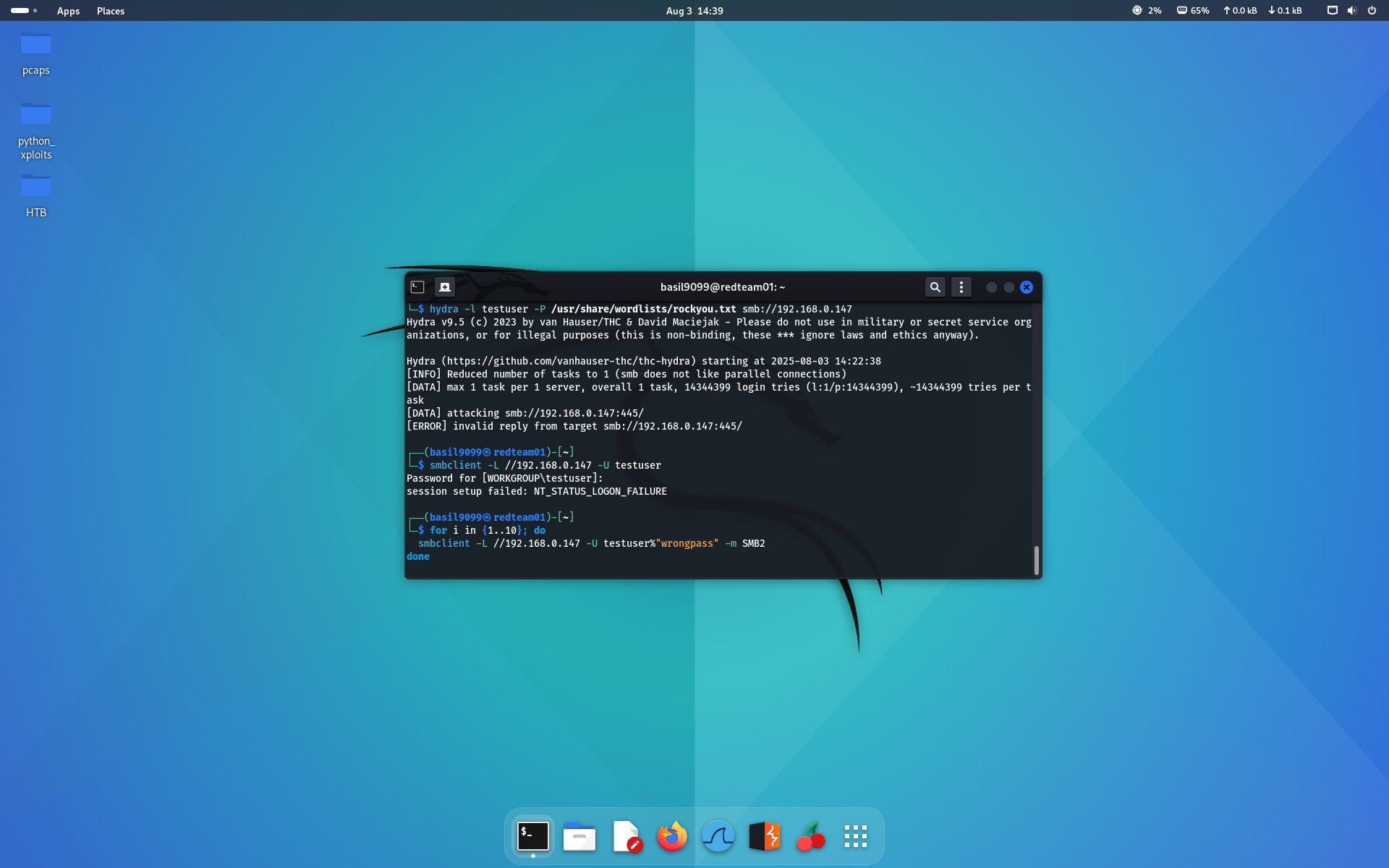
- Scripted brute-force loop (generate many failures):
for i in {1..10}; do
  smbclient -L //192.168.0.147 -U testuser%"wrongpass" -m SMB2
done
Splunk detection query (example)
index=wineventlog EventCode=4625
| stats count by Account_Name, src_ip
| where count > 5
If
count > 5per account and src_ip, trigger an alert — this was the condition used to demonstrate detection.
Success Criteria Met
- Attack from Kali → logged on Windows (EventCode 4625) → forwarded by UF → indexed & searchable in Splunk → alert triggered & visible in dashboard.
✅ Summary & Next Steps
- Logs from Windows hosts ingested successfully.
- Dashboards and queries validated visibility of relevant event types.
- Next: integrate EDR, SIEM dashboards, and simulated phishing to test detection coverage.
🔗 References
- Splunk Universal Forwarder docs
- Splunk App for Windows Infrastructure
- re: Windows Event IDs (particularly 4625)
- HTB retired machines / homelab resources